Have you ever uninstalled an application on your Windows PC, only to realize later that it was essential? It’s an easy mistake to make—whether you’re freeing up space, removing bloatware, or cleaning out rarely...
Read More
How to Fix the Black Screen Issue on Windows 10/11 (2025): Step-by-Step Solutions for PC and Laptop
If you’ve suddenly encountered a black screen on your Windows 10 or Windows 11 PC or laptop, you’re not alone. This frustrating issue can strike at any moment—your computer powers on, but your display...
Read More
How to Boot Windows 11 into Safe Mode (2025 Guide): Step-by-Step for Beginners and Experts
If your Windows 11 PC is acting up, crashing, or running painfully slow — don’t panic. There’s a powerful built-in troubleshooting tool that can help you identify and fix issues: Safe Mode. Whether you’re...
Read More
💻 How to Use Google AI Studio’s Share Screen & Voice Chat Features for Real-Time PC Assistance
Imagine you’re stuck with a computer task—maybe creating a folder, applying an Excel formula, or changing system settings—and there’s no tech-savvy friend around to guide you. You might try explaining things over the phone,...
Read More
How to Fix Microsoft Store Not Opening on Windows 10 or 11 (3 Easy Methods)
Is your Microsoft Store refusing to open on your Windows 10 or Windows 11 computer? Whether it freezes on launch, closes immediately, or doesn’t respond at all — this guide will help you fix...
Read More
How to Fix Microphone Not Working Issue on Windows 11 (Complete Troubleshooting Guide)
If you’re trying to join an online meeting, record a voiceover, or chat with friends and your microphone suddenly stops working, it can be incredibly frustrating. But don’t worry — this guide is here...
Read More
How to Fix Microsoft Edge Not Opening or Responding in Windows: 5 Proven Solutions
If Microsoft Edge is not opening, freezing, or failing to respond on your Windows PC, you’re not alone. It’s a common issue faced by many Windows users, especially after updates or file corruption. In...
Read More
Recover Data from a Non-Working Windows PC Using Hiren’s BootCD PE
When your Windows computer crashes unexpectedly and won’t boot up, it can feel like a complete disaster—especially if you didn’t have time to back up your latest work. But don’t worry, your files might...
Read More
How to Fix “Can’t Connect to This Network” Error on Windows Laptop – A Step-by-Step Guide
If you’re encountering the frustrating “Can’t connect to this network” error on your Windows laptop—even when you’re entering the correct password—don’t worry. This article will guide you through a few simple steps to troubleshoot...
Read More
How to Safely Continue Using Windows 10 After October 2025 Support Ends
As of now, nearly 60% of users in India still rely on Windows 10, while only 40% have upgraded to Windows 11. If you’re one of the many still using Windows 10, there’s a...
Read More
How to Enable Group Policy Editor on Windows 10 and 11 Home Editions (The Right Way)
Many Windows users—especially those on Windows 10 or Windows 11 Home editions—often seek access to the Group Policy Editor (gpedit.msc). This tool is typically available only on Professional, Enterprise, and Education editions of Windows...
Read More
The Ultimate Guide to Troubleshooting 30 Common Desktop PC Problems
Desktop computers are essential tools for work, gaming, and entertainment, but they can encounter various issues that disrupt productivity. This comprehensive guide covers solutions to 30 of the most common PC problems, helping you...
Read More
How to View HEIC Files on Windows 11: A Step-by-Step Guide
Have you ever tried opening a photo from your iPhone on your Windows 11 PC, only to find that the file won’t open? That’s likely because the image is in HEIC format (High-Efficiency Image...
Read More
How to Take a Screenshot in Windows 11 (WS1): Step-by-Step Guide
If you are wondering how to take a screenshot on Windows 11 (often referred to as WS1), you are in the right place! In this article, we will walk you through the easiest and...
Read More
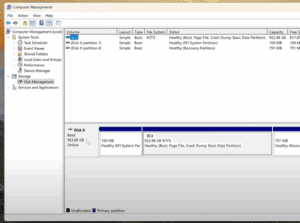
How to Safely Partition Your Hard Drive or SSD in Windows 11 or Windows 10
If you’re using a high-capacity SSD or NVMe M.2 drive, like a 1TB or 952GB model, it’s not ideal to keep your storage as a single large C: drive. Keeping all your data—documents, photos,...
Read More
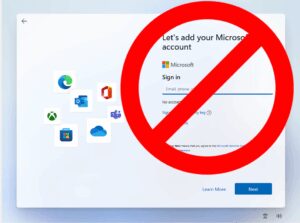
How to Create a Local Account on Windows 11 Without a Microsoft Account
Setting up a new computer often comes with the push to sign in using a Microsoft account. But what if you want to keep things simple and create a local account instead? Whether it’s...
Read More
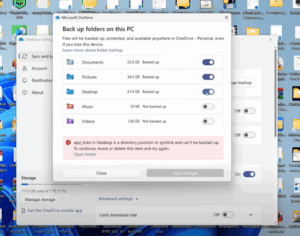
How to Restore Desktop Files After Disabling OneDrive Sync on Windows
If you’ve recently disabled Microsoft OneDrive synchronization and suddenly all your desktop files, folders, and shortcuts seem to have disappeared — don’t panic! Your files are still on your computer; they’re just tucked away...
Read More
How to Check Your Windows PC’s Hidden Performance Score Using PowerShell
Did you know that your Windows PC has a hidden performance score built into the system? This score, known as the Windows Experience Index (WEI), gives you a snapshot of how well your computer...
Read More
Create Three Essential Bootable USBs to Fix Common Windows Problems – A Complete Guide
If you’re someone who regularly deals with computer issues—like blue screen errors, Windows not loading, forgotten login passwords, or even severe cases like ransomware or virus attacks—then you’ve likely wished for a magical device...
Read More
How to Recover a Corrupted Master Boot Record (MBR) on Windows
Encountering a blue screen of death or errors during system startup can be stressful. One common issue is a corrupted Master Boot Record (MBR), which prevents your computer from booting correctly. This article outlines...
Read More