Are you looking for a free alternative to Microsoft Office? You are in the right place! In this article, we’ll guide you through the top free Microsoft Office alternatives that can help you complete your work efficiently, whether it’s document writing, spreadsheets, or presentations. Let’s dive right in!
Step 1: Download Microsoft’s Free Office Version
The first option is to use the free version of Microsoft Office itself. Microsoft offers limited free access to Office tools, which you can use based on your operating system:
- Visit Microsoft’s official website.
- Choose the appropriate version according to your operating system.
- Download and install the software.
This version includes access to essential tools like Word, Excel, and PowerPoint, perfect for day-to-day office tasks without spending any money.
Step 2: Install OnlyOffice – A Great Free Office Suite
Another excellent option is OnlyOffice, a powerful alternative for creating and managing documents, spreadsheets, and presentations.
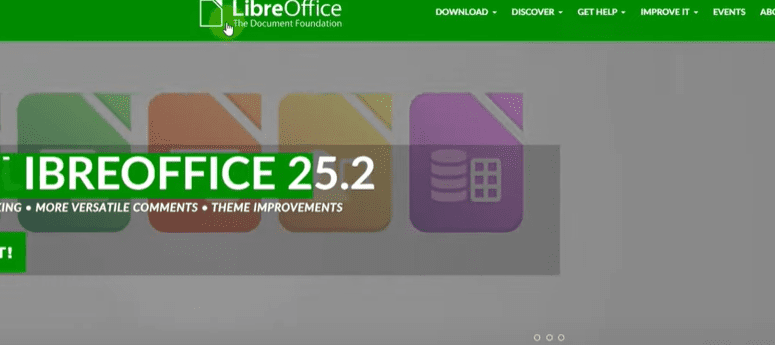
Here’s how you can download it:
- Go to the official OnlyOffice website.
- Click on the “Get It Now” button.
- Navigate to the “Desktop and Mobile Apps” section.
- Choose the version that suits you — OnlyOffice offers both online and offline versions.
- Download and install the version based on your requirement.
OnlyOffice supports all major office work like creating Word documents, Excel sheets, and PowerPoint presentations. It offers a user-friendly experience and is highly reliable for personal and professional use.
Step 3: Use Google Docs – Work Seamlessly Online
If you prefer working online, Google Docs is one of the best free alternatives available.
Follow these simple steps:
- Visit Google Docs.
- Sign in with your Google account.
- You can start with a blank document or select from a variety of free templates.
- Design your documents according to your needs.
- Save, share, and collaborate with others in real-time.
Google Docs also offers templates for resumes, reports, project plans, and more. Editing and updating your files becomes much easier with Google Docs as everything is saved automatically in the cloud.
Step 4: Use Office Online – Free from Microsoft
Microsoft also offers Office Online, which lets you use Word, Excel, PowerPoint, and other tools directly through your browser without downloading anything.
Here’s how:






- Visit Office Online.
- Sign in using your Microsoft account.
- Choose from Word, Excel, PowerPoint, and more.
- Create new documents, use available templates, and start working immediately.
Office Online offers a great experience for users who want a simple, cloud-based solution without installing additional software.
Conclusion
There you have it! Whether you prefer using Microsoft’s free version, OnlyOffice, Google Docs, or Office Online, these free alternatives provide excellent features to complete your office work with ease. Each option has its own strengths, so you can choose based on your specific needs.
Bookmark this article for future reference whenever you need to download a free Office suite!
Tags: free office software, microsoft office alternatives, onlyoffice download, google docs usage, office online, free word processor, office productivity tools, microsoft office free download, best free office apps, work from home tools
Hashtags: #FreeOffice #MicrosoftOfficeAlternative #OnlyOffice #GoogleDocs #OfficeOnline #ProductivityTools #WorkFromHome #OfficeApps #FreeSoftware








