Over time, your Windows PC can begin to slow down due to background processes, bloatware, startup apps, and unnecessary system effects. Fortunately, with a few quick tweaks, you can significantly enhance your PC’s performance...
Read More
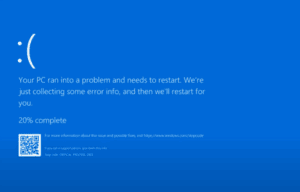
Best Free Windows Repair Tool to Fix PC Problems
If your PC is suffering from the Blue Screen of Death (BSOD) or constant crashes, this guide will help you troubleshoot and fix common issues causing these errors. The Blue Screen of Death occurs...
Read More

5 Simple Steps to Reduce Process Count and Boost Performance in Windows 11
Is your Windows 11 PC or laptop running slow due to high process count? Too many background processes can consume valuable system resources, leading to sluggish performance. In this guide, we’ll walk you through...
Read More
9 Windows Settings You Should Never Disable: Keep Your PC Safe and Efficient
Windows offers a wide range of settings that users often tweak to improve performance, customize preferences, or troubleshoot issues. However, not all settings should be modified lightly. Some of them are crucial for your...
Read More
Optimize Your Windows 11 System for Free with This Powerful Lightweight Tool: Tidy OS
If you’re looking to improve the performance of your Windows 10 or Windows 11 PC—especially Windows 11—there’s a powerful, free tool available that helps you declutter, optimize, and streamline your operating system with just...
Read More
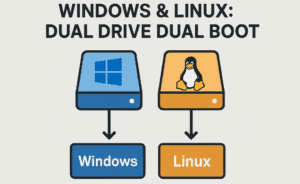
Is Dual Booting Linux and Windows Really Worth It?
Linux is often celebrated for its speed, lightweight footprint, flexibility, and the sheer customizability it offers. Whether you’re building a minimalist workstation or a robust gaming setup, Linux can be a compelling option. However,...
Read More
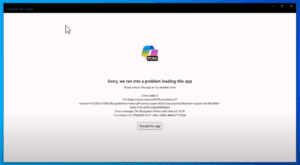
How to Fix “Sorry, We Ran Into a Problem Loading This App” Error in Microsoft Copilot on Windows 10
If you’re encountering the error message: “Sorry, we ran into a problem loading this app” while trying to launch Microsoft Copilot on Windows 10, don’t worry — this is a common issue and can...
Read More
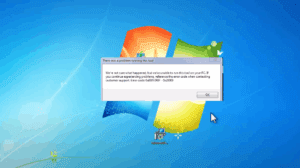
How to Fix Media Creation Tool Error 0x80072F8F – 0x20000 While Upgrading from Windows 7 to Windows 10
If you’re trying to upgrade from Windows 7 to Windows 10 using the Media Creation Tool and encounter the error: You’re not alone. This error typically occurs due to security or permission settings on...
Read More
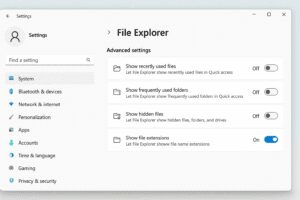
How to Show File Extensions in Windows 11 Using the Settings App
If you’re using Windows 11 and want to view file extensions (like .jpg, .pdf, .docx, etc.) directly in File Explorer, Windows now offers a much simpler method through the Settings app. This makes it...
Read More

How to Control Your Android Phone from PC Using Vysor
Do you want to mirror and control your Android phone directly from your PC? Whether you’re a developer testing apps, a gamer streaming mobile gameplay, or just someone who prefers a bigger screen, Vysor...
Read More
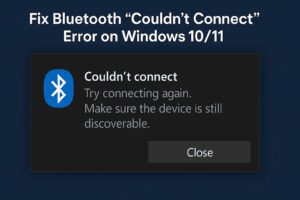
How to Fix Bluetooth “Couldn’t Connect” Error on Windows 10/11
If you’ve encountered issues with Bluetooth on your Windows 10 or Windows 11 PC—such as the Bluetooth switch missing or an error message saying “Couldn’t Connect”—you’re not alone. This problem can occur due to...
Read More

How to Fix a Frozen PC or Unresponsive App: Step-by-Step Solutions for Windows
It can be frustrating when your PC suddenly freezes, crashes, or an application becomes unresponsive and refuses to close. If the close (“X”) button doesn’t work and even your mouse seems stuck, don’t panic....
Read More

Understanding Internet Bandwidth: Why More Mbps Means Faster Internet
Introduction When shopping for high-speed internet, you’ve likely seen plans advertised as 100 Mbps, 500 Mbps, or even 1 Gbps. But what do these numbers actually mean? Contrary to popular belief, these figures don’t...
Read More

Optimizing Windows 11 for Maximum Performance: A Step-by-Step Guide
Introduction If your Windows 11 system feels sluggish or unresponsive, several default settings may be consuming unnecessary resources. This guide will help you disable unnecessary features, clean temporary files, and optimize performance for a...
Read More
How to Fix Slow Boot Issues in Windows 11 – Step-by-Step Guide
If your Windows 11 PC is taking forever to start, you’re not alone. A slow boot time can be caused by outdated drivers, unnecessary startup apps, corrupt system files, or even malware. In this...
Read More

Does a Faster Wi-Fi Router Increase Your Internet Speed? Here’s the Truth
Many people believe that upgrading to a high-performance Wi-Fi router will instantly boost their internet speed. After all, modern routers often advertise blazing speeds—like 5, 9, or even 46 Gbps. However, this common assumption...
Read More

Understanding Intel Core i3, i5, i7, and i9 Processors – Which One Is Right for You?
When you’re in the market for a new laptop or PC, one of the most common things you’ll encounter is the name of Intel processors — Core i3, i5, i7, and i9. But what...
Read More
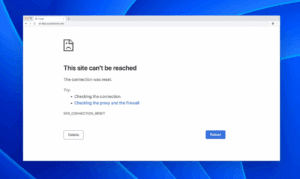
How to Fix “Internet Connected But Websites Not Loading” Issue
Are you facing a frustrating situation where your internet is connected, but websites won’t load in your browser? You might see errors like: Don’t worry—this is a common issue, and in this guide, we’ll...
Read More
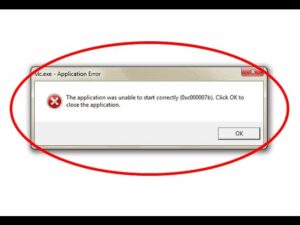
How to Fix “Application Was Unable to Start Correctly 0xc00007b” Error on Windows
If you’ve ever encountered the frustrating error message “The application was unable to start correctly”, you’re not alone. This issue can appear when launching certain programs or games on Windows, especially after a new...
Read More
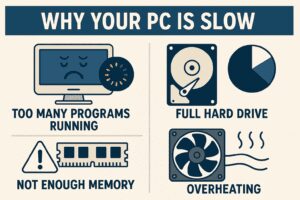
Why Your PC is Slow: Bad Code Might Be the Real Culprit
If your computer feels sluggish, you might assume it’s due to aging hardware—but poorly optimized software could be the real problem. A recent blog post by a Microsoft engineer sheds light on how bad...
Read More
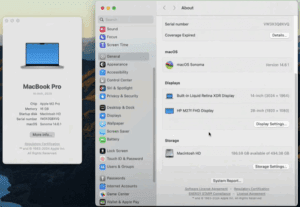
📱 How to Check Available Storage Space on macOS Devices
Keeping track of your device’s available storage is essential for maintaining performance and ensuring you don’t run into space issues when installing applications, downloading files, or updating macOS. If you’re wondering how to find...
Read More