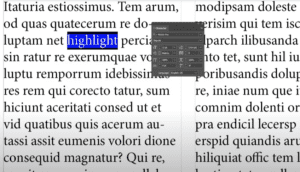
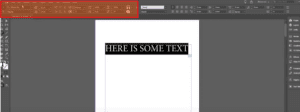
Highlighting text in Adobe InDesign is a simple yet effective way to emphasize certain parts of your content. Whether you’re designing a poster, a magazine, or an interactive PDF, this feature can make key...
Read More
How to Draw an Arrow in Adobe InDesign: Step-by-Step Guide
Drawing arrows in Adobe InDesign can enhance your designs, helping to point out important elements or guide viewers’ attention. This article will walk you through the simple steps to create arrows using InDesign’s built-in...
Read More
How to Group Objects in Adobe InDesign: A Comprehensive Guide
Grouping objects in Adobe InDesign is an essential skill for designers, allowing for more organized layouts and efficient workflows. This article will provide a detailed step-by-step guide on how to group and ungroup objects...
Read More
How to Add Multiple Shapes in Adobe InDesign
IntroductionAdobe InDesign is a powerful tool for designing layouts, and adding shapes is an essential part of creating visually engaging designs. Whether you’re working on a brochure, flyer, or other design projects, knowing how...
Read More
How to Blur an Image in Adobe InDesign: A Step-by-Step Guide
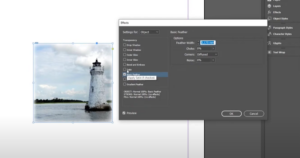
IntroductionWhile Adobe Photoshop is often the go-to tool for image effects like blurring, you can achieve similar results directly in Adobe InDesign. Whether you want to soften the edges of an image or create...
Read More
How to Change the Page Size in Adobe InDesign: A Step-by-Step Guide
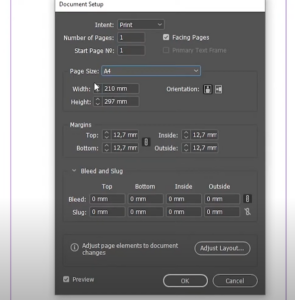
Changing the page size in Adobe InDesign is a common task that can be accomplished with ease. Whether you need to adjust the size for an entire document or specific pages, this guide will...
Read More
A Step-by-Step Guide to Adding and Using Color Swatches in Adobe InDesign
Color swatches in Adobe InDesign are invaluable tools for designers, allowing you to save, reuse, and manage colors effectively across your projects. This guide explains how to create and apply swatches, along with the...
Read More
A Comprehensive Guide to Creating Grids in Adobe InDesign
Grids are essential tools in design, ensuring your layouts are balanced, organized, and visually appealing. Adobe InDesign provides powerful tools to create and customize grids for any project. This article walks you through the...
Read More
How to Fix Pixelated Images in Adobe InDesign
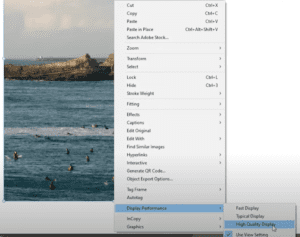
IntroductionHave you ever opened an InDesign document only to find that the images you inserted appear pixelated or blurry? This common issue often happens when you reopen a project after saving it, but the...
Read More
How to Check and Visualize Linked Text Boxes in Adobe InDesign
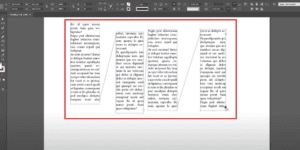
IntroductionWhen working with multi-frame text layouts in Adobe InDesign, it’s essential to manage linked text boxes effectively. You might sometimes forget which boxes are linked or need to verify their connections. InDesign’s Show Text...
Read More
How to Change Fonts in Adobe InDesign
IntroductionAdobe InDesign offers powerful tools to manage and style text, including the ability to change fonts efficiently. Whether you’re designing a book, flyer, or magazine, knowing how to adjust fonts is essential for creating...
Read More
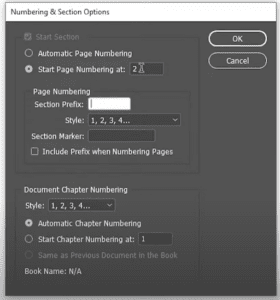
How to Change the Page Number Start in Adobe InDesign
IntroductionIn Adobe InDesign, the ability to customize the starting page number of a document is crucial for creating professional layouts, especially for books, catalogs, or reports. This detailed guide will show you how to...
Read More
How to Load Swatches from One Document to Another in Adobe InDesign
When working on multiple projects in Adobe InDesign, you may find yourself needing to reuse color swatches from one document in a new one. Instead of manually recreating these swatches, InDesign offers a simple...
Read More
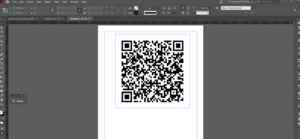
How to Create a QR Code in Adobe InDesign and Add It to Your Design
QR codes have become an essential tool in both digital and print designs. Whether you want to link to a website, share contact information, or direct someone to a YouTube channel, adding a QR...
Read More
How to Replace Multiple Spaces with a Single Space in Adobe InDesign
When working with text in Adobe InDesign, you may often encounter documents with multiple spaces—double, triple, or even more—causing uneven formatting. Manually fixing these spaces can be time-consuming, especially in lengthy documents. Fortunately, Adobe...
Read More
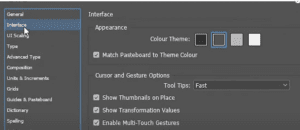
How to Change the Interface Appearance Color Theme in Adobe InDesign
Adobe InDesign allows users to customize the interface appearance color theme to match their preferences or workspace lighting. The interface appearance color is the background color and other visual elements outside the document area....
Read More
How to Center Align Text in Adobe InDesign
Centering text in Adobe InDesign is a simple yet essential skill for creating balanced and professional designs. Whether you’re working on a brochure, a flyer, or a book layout, aligning your text correctly can...
Read More
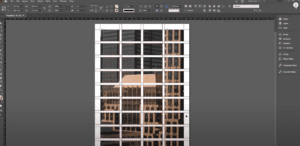
How to Insert an Image into Multiple Frames in Adobe InDesign
Inserting an image into multiple frames in Adobe InDesign is a fantastic way to create visually engaging layouts, such as collages or grid designs. This article provides a detailed guide on how to seamlessly...
Read More
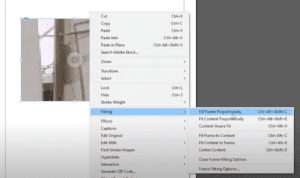
How to Add and Adjust an Image in Adobe InDesign: A Step-by-Step Guide
Adding images to your design projects in Adobe InDesign is essential for creating visually engaging layouts. Whether you’re designing brochures, posters, or books, InDesign makes it easy to insert and manipulate images within your...
Read More
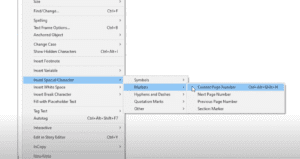
How to Add Automatic Page Numbers in Adobe InDesign: A Step-by-Step Guide
Adding automatic page numbers is an essential feature in Adobe InDesign for creating professional documents such as books, magazines, and brochures. It saves time and ensures consistency, especially when working with multi-page layouts. This...
Read More