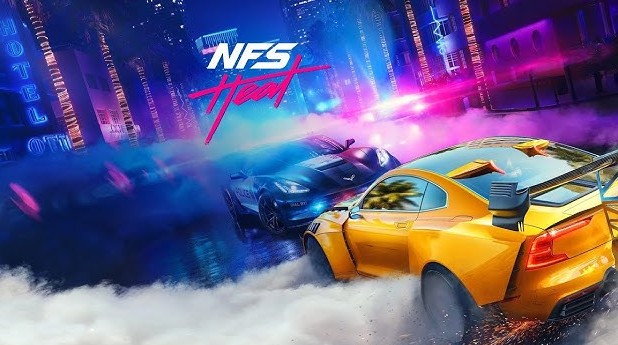
If you’re facing issues launching Need for Speed Heat (DODI Repack version) in 2025, you’re not alone. Many users report the game either fails to open, shows a black screen, or remains stuck during launch. The good news? There’s a simple fix involving just a couple of replacement files.
In this article, we’ll guide you through the exact steps to resolve this problem and get your game running smoothly again.
🛠️ Why the Game Isn’t Launching
When using DODI repacks, sometimes essential game files may not extract or initialize properly, especially on newer versions of Windows or due to antivirus interference. This can cause the game to remain stuck on launch or load endlessly on a black screen.
📥 Step 1: Download the Required Patch Files
To fix the issue, download the required patch files from this trusted source:
- Download Link: Click Here to Download the Fix Files via Google Drive
📂 Step 2: Extract the Patch Files
Once you’ve downloaded the ZIP file:
- Right-click on the file.
- Select “Extract All…”.
- Choose your desired extraction location and click “Extract”.
This will create a folder containing two essential fix files.
📁 Step 3: Copy Files to the Game Directory
Next, locate your game installation folder. In this example, it’s assumed that the game is installed in:
C:\Program Files\Repacks\Need for Speed Heat
Then:
- Open the extracted folder with the fix files.
- Copy both files.
- Navigate to the Need for Speed Heat game directory.
- Paste the files into the folder.
- When prompted, click “Replace the files in the destination”.
- If Windows asks for admin permission, click “Continue”.
🕹️ Step 4: Launch the Game
- Run the game as you normally would.
- If you see a black screen, press the Start (Windows) key once, then click the game again to bring it to focus.
- Be patient – the game may take up to 3 minutes to fully load on the first launch.
After this wait, the game should load successfully without any errors.
✅ Additional Tips
- Run as Administrator: Right-click the game executable and choose “Run as administrator” to avoid permission issues.
- Disable Antivirus: Temporarily disable your antivirus while launching the game. Sometimes, security software blocks cracked repack files.
- Avoid Installing on System Drive: For future installs, avoid installing repacks directly in
C:\Program Files. Use a custom folder likeD:\Games\.
⚠️ Legal Disclaimer
This article is intended for informational and educational purposes only. We do not condone or support piracy. This guide is meant for users who have legally acquired the game and are using DODI repacks as a compressed backup or installation method. Always support game developers by purchasing official copies when possible.
🏷️ Tags
need for speed heat fix, dodirepack game not launching, nfs heat 2025 fix, repack troubleshooting, game launch error, black screen fix, replace game files, patch for nfs heat







🔖 Hashtags
#NFSHeat #DODIRepack #GameFix #BlackScreenFix #RepackIssue #Gaming2025 #Troubleshooting #PCGaming #NeedForSpeed #GameNotLaunching
By following these steps, you should be able to resolve the black screen or no-launch issue in Need for Speed Heat (DODI Repack) and start enjoying the game again. Happy racing! 🏁









Yeah Its work Perfectlly .Thank A lot 🙂 🙂
Glad it worked for you|
it doesnt work, the game just runs on task manager but no game window or output is there.
May be NFS still need to be infocus if it just appearing in taskbar… followt the Step 4: Launch the Game…