If you own a smartphone, tablet, or laptop (and let’s be honest — who doesn’t at this point?), you’ve probably noticed that sometimes you’re connected to Wi-Fi and other times to cellular data. But what does that actually mean? More importantly, how does it affect your internet usage, speed, and even your monthly phone bill?
One of the most common questions people ask is:
👉 “If I do this activity — like watching YouTube, downloading files, or making a video call — will it count against my data plan?”
The answer depends entirely on whether you’re connected via Wi-Fi or cellular. While both provide internet access, the way they work behind the scenes is very different.
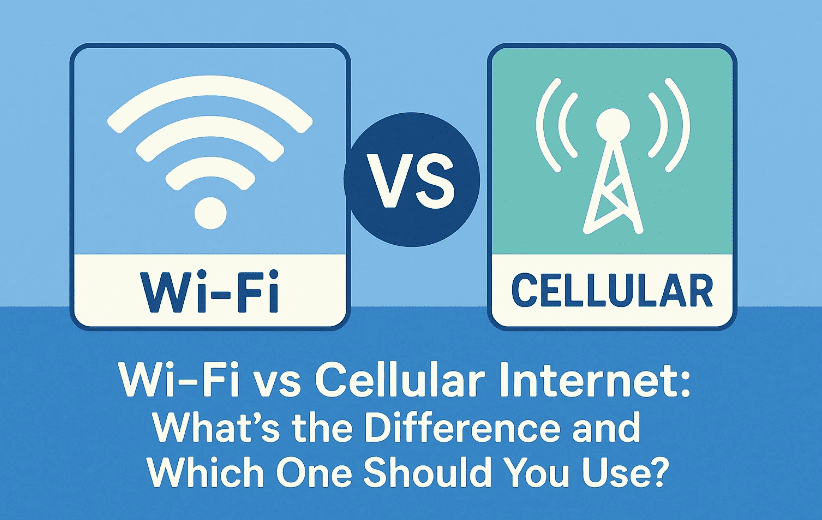
In this guide, we’ll break down the differences between Wi-Fi and cellular internet step by step. We’ll explore how each connection works, the advantages and disadvantages, real-world speed comparisons, and when you should choose one over the other.
📡 Understanding Wi-Fi Internet Connections
Let’s start with Wi-Fi — the one most of us use at home, in cafes, or at work.
🔎 What is Wi-Fi?
Wi-Fi is a wireless communication protocol that allows your device (smartphone, laptop, tablet, or smart TV) to talk to your router. That router then connects to your modem, which links you to your Internet Service Provider (ISP).
The important thing to remember: When you’re on Wi-Fi, you are not using your mobile carrier’s data plan.
That means:
- Streaming Netflix on Wi-Fi won’t eat into your monthly mobile data allowance.
- Downloading a huge game update over Wi-Fi won’t result in surprise data charges.
Instead, you’re using the internet connection that comes from your home or office network — the same one powering your smart speakers, gaming consoles, and desktops.
🛠️ How a Wi-Fi Request Works
Here’s what happens step by step when you load a website on Wi-Fi:
- You enter a web address (e.g., cnn.com) on your phone’s browser.
- The request travels wirelessly to your router over Wi-Fi.
- Your router passes it along to your modem via an Ethernet cable.
- The modem sends it out to your ISP.
- Your ISP finds the website on the wider internet.
- The information travels back in reverse — ISP → modem → router → Wi-Fi → your device.
At no point are cell towers involved. It’s entirely your home (or public) Wi-Fi network + ISP doing the work.








📲 Understanding Cellular Internet Connections
Now let’s switch to the other option — cellular data.
🔎 What is Cellular Data?
Cellular internet works over your mobile carrier’s network. Instead of sending requests to your router, your device connects directly to the nearest cell tower. That tower then passes the request through your carrier’s infrastructure and out to the internet.
This is the connection you use when:
- You’re outside the range of Wi-Fi.
- You’re traveling.
- You intentionally disable Wi-Fi to rely only on your carrier’s plan.
Unlike Wi-Fi, cellular usage does count against your data plan (unless you have an unlimited plan).
🛠️ How a Cellular Request Works
Here’s the process:
- You open a website or app on your phone.
- The request travels wirelessly over a cellular network to the nearest cell tower.
- The tower routes it to your carrier’s internet backbone.
- The request finds the destination server on the web.
- The data is sent back through the tower to your phone.
Notice how this skips routers and modems — it’s all about towers and carrier infrastructure.
⚖️ Wi-Fi vs Cellular: Performance Comparison
Now that you know how both work, let’s compare them in terms of speed and latency.
The author of the original test measured:
- 5 GHz Wi-Fi
- 2.4 GHz Wi-Fi
- Cellular (4G/5G connection)
Here are the results:
| Connection Type | Download Speed | Latency (Delay) |
|---|---|---|
| 5 GHz Wi-Fi | 288 Mbps | 22 ms |
| 2.4 GHz Wi-Fi | 76 Mbps | 17 ms |
| Cellular | 74 Mbps | 42 ms |
📊 What These Numbers Mean
- Download speed determines how fast you can stream, download, or load websites.
- Latency measures the delay (lag) between sending a request and receiving a response.
Even though cellular and 2.4 GHz Wi-Fi had similar download speeds, cellular latency was much higher. That’s because your request may travel miles to a tower before hitting the internet, while Wi-Fi typically only travels a few feet to your router.
🎮 Real-World Scenarios: Which One to Use?
Let’s go through practical use cases to see whether Wi-Fi or cellular is better.
🖥️ Video Calls (Zoom, FaceTime, Teams)
- Best choice: Wi-Fi
- Why: Lower latency makes conversations smoother with less lag.
🎮 Online Gaming
- Best choice: Wi-Fi (especially 5 GHz)
- Why: Games are extremely sensitive to latency. Cellular lag can ruin your experience.
📺 Streaming Netflix or YouTube
- Best choice: Wi-Fi (to save data)
- But cellular works fine if you’re traveling, just watch your data usage.
🌍 Traveling or Remote Work
- Best choice: Cellular
- Why: Wi-Fi isn’t always available. Cellular keeps you connected anywhere there’s coverage.
🖨️ Large File Downloads
- Best choice: Wi-Fi
- Why: Home networks usually allow much faster speeds and unlimited data.
📌 Key Advantages of Wi-Fi
- Doesn’t count against your mobile data plan.
- Lower latency (better for calls and gaming).
- Higher maximum speeds (with modern fiber and routers).
- More stable for long downloads or large uploads.
📌 Key Advantages of Cellular
- Works anywhere with coverage — you don’t need to be near your router.
- Useful when traveling or on the go.
- Backup option if your home Wi-Fi is down.
- Some modern 5G connections can rival broadband speeds.
❓ Frequently Asked Questions
Q1. Does switching to Wi-Fi save my data plan?
Yes. Anything you do on Wi-Fi doesn’t count toward your mobile carrier’s data usage.
Q2. Is cellular always slower than Wi-Fi?
Not necessarily. In some areas, 5G cellular may be faster than slow home broadband. But latency is usually better on Wi-Fi.
Q3. Can I make calls on Wi-Fi instead of cellular?
Yes — this is called Wi-Fi Calling, and most modern carriers and phones support it.
Q4. Should I turn off Wi-Fi when using cellular?
Not unless your Wi-Fi is very slow or unreliable. Generally, it’s best to leave Wi-Fi on so your phone uses it whenever available.
Q5. Is 5 GHz Wi-Fi always better than 2.4 GHz?
Not always. 5 GHz is faster but has shorter range. If you’re far from the router, 2.4 GHz may give better stability.
⚠️ Disclaimer
Speed tests vary based on your ISP, router quality, carrier coverage, and environmental factors. The numbers provided here are examples — your results may differ. Always check your data plan and Wi-Fi provider’s terms before relying on one connection type exclusively.
✅ Conclusion: Which Should You Use?
If you have the choice, use Wi-Fi whenever possible. It saves your mobile data, provides lower latency, and often gives you faster speeds. Cellular is an excellent backup and essential when you’re outside of Wi-Fi range, but relying on it for everything can mean higher bills and occasional lag.
Think of it this way:
- Wi-Fi = reliable, fast, unlimited (usually).
- Cellular = flexible, portable, but limited by your data plan.
So the next time you see that little Wi-Fi icon on your phone, rest easy — your streaming binge or online gaming session isn’t eating away at your mobile data.
Tags
wifi vs cellular, internet connection types, mobile data, wifi performance, 5g vs wifi, networking basics, latency, bandwidth
Hashtags
#WiFi #Cellular #Networking #MobileData #TechExplained #5G #InternetBasics








