In my last blog post, I shared a trick that went viral: using AI to create a fully functional iOS app. It felt like a magic trick, but to be honest, it was still a bit of a hassle. It required having a Mac, installing Xcode, and going through a complicated setup process. Well, get ready, because that’s officially the old way of doing things. I’ve found a new tool that is a total game-changer.
Today, I’m going to show you how to build a fully native, distributable iOS app from scratch without ever touching a computer. Yes, you read that right. We’re going to do all of this right on my iPhone, and you can, too. Let’s move on to the next step and check out the tool that makes this possible.
A New Tool for a New Era: The Bitrig App
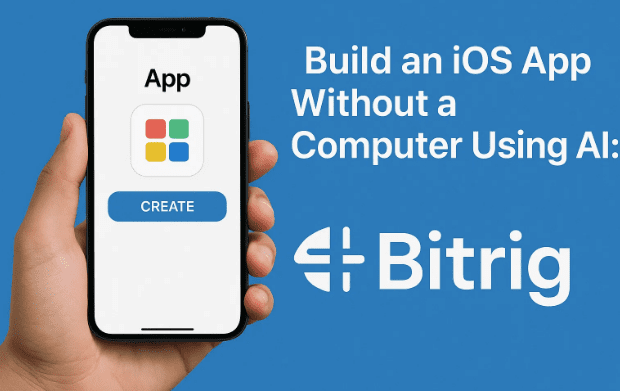
The secret to this incredible process is a new app called Bitrig. It’s available for download on the Apple App Store, and it’s built by the same engineers at Apple who created SwiftUI, which is Apple’s modern framework for building apps. This isn’t just a tool that uses AI; it’s a tool created by the people who invented the very technology that powers it. That’s a huge deal.
Here’s how it works: You download the Bitrig app on your iPhone, and instead of opening up a complex development environment with files and folders, you simply start a chat. You describe the app you want to build in plain English, and the AI handles the rest.
I wanted to see how much faster this process is, so I decided to re-create the “Tide Times” app from my previous article. I simply typed in my request: “I want an app to track tide times. It should ask me for a location, and then show the high and low tides for the next 24 hours in a simple list.”
The app started working its magic. What makes this tool so mind-blowing is that it uses AI to generate native Swift code in real-time. But here’s the kicker: it has its own Swift interpreter built right in. This means you can see the results instantly, right inside the app, without any external compilation.
Seconds later, I had a working app. I typed “Portsmouth” and got the tide times. It was that simple. My previous attempt took much longer and required me to go back and forth between different tools. But with Bitrig, you just keep chatting and refining the app right there in the conversation. It’s a truly revolutionary way to build.
From Simple to Stunning: Vibe Coding Your App
The app was functional, but I wanted to make it look beautiful. So, I typed another request: “Make the UI look beautiful. Give it a nautical or water theme. Use a nice blue gradient and maybe a curvy graph instead of a list.”
Again, the AI got to work. In mere moments, it completely redesigned the app on the fly. It replaced the simple list with a beautiful, curvy graph, added a nautical blue gradient, and gave the entire interface a polished and professional feel. This is what the creators of the app call “vibe coding”, where you’re not writing code but simply communicating your ideas to the AI to bring your vision to life.
Just for fun, I added one more feature. I asked it to include a five-star rating system for the current surfing conditions. The AI seamlessly integrated this new feature. I typed in “Blackpool” and got the tide times, and a new option to rate the surfing conditions appeared.
In a matter of minutes, I had a beautiful, fully functional app with a custom feature, all built by simply chatting with my iPhone.









The Impossible Step: Publishing Your App
In my previous article, the process ended with a functional app on my phone, but it was only for me. I couldn’t share it or distribute it to others. This is where Bitrig truly does the impossible.
I simply went to the app’s menu and tapped on the “Distribute App” option. If you have a Pro account, which is a paid subscription, you can connect your Apple Developer account to the app. An Apple Developer account costs about $99 a year, and it’s what allows you to publish apps.
With a few taps, Bitrig handled all the complex and frustrating steps that usually require a computer and a lot of technical know-how. It built the app in the cloud, handled the code signing and packaging, and uploaded it directly to App Store Connect. From there, you can distribute it to friends and family through TestFlight, which is Apple’s official beta testing platform.
The barrier to entry for app creation has been completely broken. You no longer need to be a programmer, know a language, or have a powerful computer. All you need is an idea. This is the future of creation, where a simple chat can turn an idea into a fully working, distributable piece of software. It’s an amazing example of what’s known as AI orchestration, using AI to perform the heavy lifting and make complex processes accessible to everyone.
FAQs and Final Thoughts
This experience was truly mind-blowing, and I’m convinced this is the future of software development. I want to share a few more details to give you a complete picture of this incredible tool.
Q: Is Bitrig free?
A: You can start using Bitrig for free, which is great for trying out ideas and building simple apps. However, if you want to distribute your app to TestFlight, you will need to upgrade to a Pro account.
Q: Do I still need an Apple Developer account?
A: Yes. To distribute your app and get it on TestFlight or the App Store, you still need an Apple Developer account, which costs $99 per year. Bitrig simply automates the process of building and uploading the app for you, so you don’t need a Mac or Xcode.
Q: Can I get the code that the AI generates?
A: Yes, you can. Bitrig allows you to export your entire project as a single Swift file. This means you can take the code and import it into Xcode on a Mac if you ever need to make more complex changes or work with it in a traditional development environment.
Q: How does Bitrig work without Xcode?
A: The creators of Bitrig, who are former Apple engineers, wrote a custom Swift interpreter. This interpreter allows you to run and preview the Swift code instantly on your iPhone, without needing the heavy-duty compiler and simulator that come with Xcode. When you are ready to distribute, the app is compiled on Bitrig’s servers, ensuring you get a fully optimized, native build of your app.
In my opinion, this app is a game-changer. It lowers the barrier to entry so much that anyone with a good idea can now turn it into a real app. It proves that the future of creation is not about knowing how to code, but simply about having an idea.
If you have an idea for an app, I encourage you to check this out. It’s time to stop looking for shortcuts and start building!
You can download the Bitrig app here: https://mrc.fm/bitrig.
Disclaimer
The information provided in this article is based on the features and functionality of the Bitrig app at the time of writing. The app is a new tool, and its features, pricing, and capabilities may change in future updates. Always review the app’s terms and conditions and conduct your own research before making a purchase or signing up for a subscription.
Tags
AI app development, iOS app, no computer, app building, Bitrig, Swift, SwiftUI, app distribution, TestFlight, Apple Developer
Hashtags
#Bitrig #iOSApp #NoCode #AppDevelopment #AI #Swift #SwiftUI #AppStore #TestFlight #CreatorEconomy