Microsoft is gearing up for the release of Windows 12, and as expected, there’s already a wave of curiosity, confusion, and excitement among users. The biggest question many people are asking:
👉 Will Windows 12 run smoothly on older laptops? Or will it demand powerful new hardware like NPUs (Neural Processing Units), making older devices feel outdated?
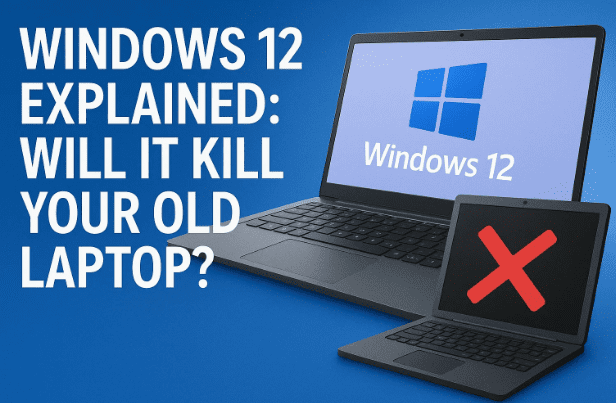
In this article, we’ll dive deep into what Windows 12 is bringing to the table, what the hardware requirements will look like, how AI integration changes things, and whether your existing laptop or PC is safe—or if you should start planning for a future-proof upgrade.
📑 Table of Contents
- Introduction: Why Windows 12 Is a Big Deal
- What Is an NPU and Why Does Windows 12 Need It?
- New AI Features in Windows 12
- Basic System Requirements for Windows 12
- Extra Requirements for AI-Enhanced Features
- Intel vs AMD vs Qualcomm: The Battle for AI Laptops
- Learning from Windows 11’s TPM 2.0 Upgrade
- How Will Non-NPU Laptops Perform?
- Better ARM and Snapdragon Support
- Visual & UI Changes in Windows 12
- Modular Updates with Germanium Platform
- Should You Buy an NPU Laptop Now?
- FAQs About Windows 12
- Final Thoughts
1. Introduction: Why Windows 12 Is a Big Deal
Whenever Microsoft launches a new Windows version, it doesn’t just bring a new design—it reshapes how we interact with our PCs.
- Windows XP was known for stability.
- Windows 7 was praised for speed and usability.
- Windows 10 unified updates across devices.
- Windows 11 introduced stricter security requirements like TPM 2.0 and modern design.
Now, with Windows 12, the spotlight is firmly on Artificial Intelligence. The operating system is expected to be AI-first, with features that rely heavily on NPUs and optimized processors.
But the big question is—what happens to the millions of laptops and PCs without an NPU? Let’s break it down step by step.
2. What Is an NPU and Why Does Windows 12 Need It?
An NPU (Neural Processing Unit) is a specialized chip designed to accelerate AI tasks. Think of it as a “mini brain” inside your CPU that handles:
- Running AI assistants like Copilot.
- Processing voice recognition faster.
- Enhancing image/video scaling with less strain on your CPU or GPU.
- Handling local AI models (LLMs) directly on your PC without cloud dependency.
Today, many new processors from Intel, AMD, and Qualcomm already include NPUs. For example:
- AMD Ryzen AI 8000 series
- Intel Core Ultra (Meteor Lake)
- Qualcomm Snapdragon X Elite
👉 Why it matters: Windows 12 will install and run on older systems, but the most advanced AI-powered features will require an NPU. Without it, you’ll miss out on enhanced experiences like AI recall memory, animated wallpapers, and real-time workflows.
3. New AI Features in Windows 12
Microsoft is not just adding small tweaks—Windows 12 is designed to be AI-centric. Here are the standout features:
- Copilot+ Integration – A smarter version of Copilot that integrates deeper into system settings, apps, and workflows.
- AI Search Engine – Context-aware local + web search without relying entirely on the cloud.
- Recall Feature – Your PC “remembers” past activities, documents, and apps, so you can recall them later even if you forget where you saved them.
- AI Scaling for Games & Videos – Improved upscaling like DLSS/FSR, but built into Windows.
- Animated Wallpapers – AI-powered dynamic backgrounds without third-party apps.
- Smart AI Timeline – Track and organize app usage, documents, and activity patterns.
👉 Some of these will run on older systems, but for full AI performance, you’ll need an NPU.
4. Basic System Requirements for Windows 12
Here’s the good news—if your PC runs Windows 11, it should also run Windows 12.
Minimum requirements (expected):
- RAM: 8 GB (basic usage)
- Storage: SSD recommended
- TPM 2.0: Required (same as Windows 11)
- GPU: DirectX 12 compatible
- CPU: Dual-core or higher
This means older laptops and desktops will still be usable. You just won’t get the premium AI features without modern hardware.
👉 Official reference: Microsoft Windows Minimum Requirements. (Windows 12 requirements will be similar, with AI optional).
5. Extra Requirements for AI-Enhanced Features
For AI-powered Windows 12 experiences, you’ll need:
- NPU-equipped CPU (Intel Core Ultra, AMD Ryzen AI, Snapdragon X Elite)
- More storage for local AI models (at least 512 GB SSD recommended)
- Better GPU for media and gaming AI scaling
Without this, Windows 12 will still run—but at reduced capabilities.
6. Intel vs AMD vs Qualcomm: The Battle for AI Laptops
The Windows 12 upgrade is also fueling a chip war:
- Intel is banking on its Meteor Lake CPUs with built-in NPUs.
- AMD is pushing Ryzen AI processors with strong AI acceleration.
- Qualcomm is entering aggressively with Snapdragon X Elite, ARM-based CPUs that promise long battery life + AI features.
👉 For users, this means more competition, better performance, and lower prices for AI laptops in the future.
7. Learning from Windows 11’s TPM 2.0 Upgrade
Remember when Windows 11 launched and many people couldn’t upgrade because of TPM 2.0? That same confusion could happen with NPUs.
- TPM 2.0 ensured better encryption and security.
- Many older devices didn’t have it, causing frustration.
- Eventually, users understood why it was needed.
Similarly, Windows 12’s AI-ready hardware push may leave some older devices behind. But Microsoft will still allow installation—it just won’t feel as futuristic.
8. How Will Non-NPU Laptops Perform?
If you have a laptop without an NPU, don’t panic.
- Everyday tasks (browsing, Office apps, streaming) → Will run fine.
- Windows 12 core system → Works just like Windows 11.
- AI tasks → Will still work, but slower and more CPU-heavy.
👉 Example: The Recall feature may still function but will take longer to fetch results compared to NPU-equipped systems.
So yes—your old laptop is not useless. It’s just less optimized for AI.
9. Better ARM and Snapdragon Support
One of the big limitations in Windows 11 was ARM compatibility. Apps on Snapdragon laptops often faced issues.
With Windows 12:
- Snapdragon X Elite promises full compatibility.
- ARM laptops will run desktop apps more smoothly.
- This puts real pressure on Intel and AMD in the laptop market.
This could also lead to cheaper, lighter, battery-friendly Windows laptops in the near future.
10. Visual & UI Changes in Windows 12
Apart from AI, Windows 12 brings a fresh design:
- Floating Taskbar – A taskbar that hovers above the desktop.
- Top Bar with Widgets – Real-time weather, forecasts, and notifications.
- Dynamic Lock Screen – Customizable, with AI-generated updates.
- Redesigned Start Menu – More app-focused and personalized.
It’s clear that Microsoft is making the interface more fluid, AI-aware, and customizable.
11. Modular Updates with Germanium Platform
Windows 12 will introduce the Germanium update platform, making updates:
- Faster (background updates while you work).
- Modular (system files, drivers, and apps updated separately).
- Less disruptive (no long reboot screens).
👉 This could finally solve the biggest complaint about Windows updates—constant interruptions.
12. Should You Buy an NPU Laptop Now?
If you’re planning a new purchase in 2025:
- Budget laptops without NPU → Still fine for students, office users, casual browsing.
- NPU laptops → Future-proof, optimized for AI features, and will last longer.
👉 Our advice: If you can stretch your budget, go for an NPU-equipped processor (Intel Core Ultra, AMD Ryzen AI, or Snapdragon X Elite). It ensures you’ll enjoy the full Windows 12 experience and beyond.
13. FAQs About Windows 12
Q1: Will Windows 12 be free for Windows 10 and 11 users?
Yes. Just like Windows 11, the upgrade is expected to be free for genuine Windows 10 and 11 users.
Q2: Do I need an NPU to install Windows 12?
No. You can install it without an NPU. But AI features like Recall, animated wallpapers, and advanced Copilot require NPU support.
Q3: Will older PCs become useless?
Not at all. They’ll still run Windows 12—just without the premium AI performance.
Q4: When will Windows 12 launch?
Microsoft hasn’t given an exact date, but leaks suggest mid to late 2025.
Q5: Can I run AI features without NPU using cloud processing?
Some features may fall back to cloud-based AI, but performance will be slower and internet-dependent.
14. Final Thoughts
Windows 12 represents a major shift—from being just an operating system to becoming an AI-powered assistant.
- If you have an older laptop → Don’t worry, you’ll still get Windows 12.
- If you want the best AI experience → Invest in a laptop with an NPU.
- If you’re building a PC → Look for AMD Ryzen AI, Intel Core Ultra, or Snapdragon X Elite.
This isn’t just another update. It’s the beginning of a new era where your OS becomes a co-pilot in your daily workflow, powered by AI.
⚠️ Disclaimer
This article is based on expected features and industry reports. Microsoft has not yet finalized the official Windows 12 hardware requirements. For the latest updates, always check the official Microsoft Windows page.
Tags: windows 12, microsoft windows upgrade, npu requirements, ai features in windows 12, windows 12 release date, windows 12 system requirements, amd ryzen ai, intel core ultra, snapdragon x elite
Hashtags: #Windows12 #Microsoft #AITech #NPUs #FutureOfPC