If you’ve recently upgraded to a new, fast, and shiny computer, chances are your old one is now collecting dust somewhere in a closet or corner of your house. It’s easy to forget about old devices, but tossing them out isn’t just wasteful — it’s also harmful to the environment.
Before you rush to recycle or sell your old PC, take a moment to think about how valuable it can still be. Even older machines have a surprising number of practical uses — from backups to home servers, from digital frames to emergency troubleshooting tools.
In this article, we’ll explore 10 creative and responsible ways to repurpose your old computer instead of throwing it away. Let’s dive in!
🌍 Why You Shouldn’t Throw Away Your Old Computer
Before we talk about reusing your old machine, let’s get one thing straight — throwing electronics in the trash is never a good idea. Computers contain materials like lead, mercury, cadmium, and PVC plastics, all of which can contaminate soil and water if they end up in landfills.
E-waste pollution is already a global issue, so being responsible with disposal (or better, reuse) is an important step toward sustainability.
If your old computer still powers on, there’s a world of things you can do with it. If it’s completely dead, then at least make sure you take it to an authorized e-waste recycling facility instead of dumping it.
Now, let’s move on to the practical and creative ways you can give your old PC a second life.
🖥️ 1. Keep It as a Backup Computer
Let’s face it — even new computers fail sometimes. If your main PC crashes, refuses to boot, or loses internet access, a spare machine can be a lifesaver.
For example, if your new computer suddenly loses its Wi-Fi or Ethernet connection, you can use the backup PC to:
- Go online to download missing drivers.
- Create a bootable USB for Windows repair.
- Access important online accounts while your main PC is being fixed.
You’ll thank yourself later for keeping an extra machine handy. It doesn’t need to be powerful — just functional enough to browse the web or run basic tools.
👨👩💻 2. Use It as a Guest or Family PC
If you’ve ever had guests or family members who need to use your computer “for just a minute,” you know how stressful that can be — especially when your personal files and work documents are on the same device.







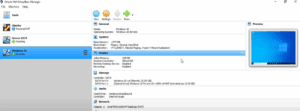

A simple solution? Turn your old PC into a guest computer.
Here’s why it’s useful:
- Visitors can check email, watch videos, or browse safely.
- Your kids can use it for homework or school projects without affecting your main system.
- You avoid unwanted downloads, malware, or accidental file deletions on your new computer.
Just reset the old PC to factory settings (or install a fresh OS) and keep it connected to Wi-Fi. It’s a free, simple, and effective shared device.
💾 3. Turn It into a File Backup or Network Storage Drive
Having a spare computer is a great way to set up your own home backup system. Instead of relying solely on cloud services, you can use the old PC as a local backup drive.
Here’s how to do it:
- Connect both computers to the same Wi-Fi or LAN.
- On your main PC, map a network drive pointing to a folder on the old computer.
- Schedule periodic file copies using File History or Robocopy.
Now you have a private and automatic backup solution inside your own home network — no external hard drives or subscriptions needed.
Let’s move to the next creative idea that helps someone else as well as the planet.
❤️ 4. Donate It to Someone in Need
Not everyone can afford a new computer. If your old one still works, consider donating it to someone who could really use it — a student, a local charity, or even a senior who just needs to browse or email.
Before donating:
- Wipe all your personal data. Use tools like DBAN or Windows’ built-in “Reset this PC” option.
- Install a clean copy of Windows, Linux, or ChromeOS Flex to make it fresh and functional again.
- Test the basic functions (Wi-Fi, USB, sound) before handing it over.
It’s a small gesture that can make a huge difference — and it keeps your device out of the landfill.
🖼️ 5. Create a Digital Photo Frame or Slideshow Display
If you have a spare desk, shelf, or TV, your old computer can be turned into a digital photo slideshow display.
Simply connect it to a monitor or TV, load your favorite photos or artwork, and use free software like:
- JPEGView (lightweight photo viewer)
- IrfanView (for slideshow loops)
- Or even set up Windows Photo Viewer to cycle through images automatically.
You can display family photos, nature wallpapers, or even informational dashboards like weather updates. It’s a creative and low-cost way to repurpose old tech.
🎬 6. Set Up a Plex Media Server
One of the coolest ways to use an old PC is to set up a Plex Media Server — a personal streaming service for your home.
Plex lets you organize movies, TV shows, and music, and stream them to your smart TV, phone, or tablet over Wi-Fi.
Here’s what to do:
- Install Plex Media Server on your old computer.
- Add your folders containing movies, series, or music.
- Access them on your devices using the Plex app or web browser.
It’s like having your own private Netflix, using your existing digital collection.
🐧 7. Experiment with Linux
If you’ve ever been curious about Linux but were afraid of breaking your main system, now’s the perfect time to try it on your old PC.
Linux distributions like Ubuntu, Linux Mint, or Zorin OS run great on older hardware and often feel faster than Windows.
Benefits include:
- Free and open-source software (no activation keys).
- Strong privacy and security features.
- Lightweight performance even on 10-year-old machines.
Visit the official sites to explore options:
Who knows — you might even find yourself switching permanently!
🧰 8. Keep It as a Troubleshooting or Service Machine
Having a spare PC can save you from days of downtime if your new system ever needs repair.
If your main computer needs servicing, simply grab your backup machine, log in, and continue your work or communication without interruption. You can even use it to:
- Create bootable drives for Windows reinstallations.
- Test USB devices or peripherals.
- Run hardware diagnostics or antivirus scans for other systems.
In short, your old computer becomes a tech toolbox — something every household should have.
🌱 9. Dispose of It Properly if It’s Beyond Repair
If your old computer is truly dead — maybe the motherboard is fried or the battery is swollen — the responsible thing to do is proper e-waste recycling.
Most cities have electronic waste collection centers where devices are safely dismantled and recycled. Some big brands like Dell, HP, and Apple also offer free recycling programs.
Whatever you do, don’t toss it in the trash. Electronics can release toxic chemicals into the environment when landfilled. By recycling, you help conserve valuable metals and reduce pollution.
💿 10. Use It to Create a Windows Installer or Rescue Drive
This one’s particularly important. If your new computer ever experiences a system crash or boot error, you’ll need a Windows installer USB to recover it. But you can’t make that installer if your main PC isn’t working!
That’s where your old PC comes in.
Follow these steps:
- Visit Microsoft’s official tool:
🔗 https://www.microsoft.com/software-download/ - Download the Windows Media Creation Tool.
- Use it to create a bootable Windows USB drive.
That USB can reinstall or repair Windows on your new computer whenever needed.
So, even if your main system fails, your backup PC ensures you’re never stuck without a recovery option.
💡 Frequently Asked Questions (FAQ)
1. My old PC is very slow — is it still useful?
Yes! You can install a lightweight Linux distribution like Lubuntu or Zorin OS Lite to make it run smoothly again.
2. What should I do before giving my old PC away?
Always erase your data securely. Use Windows “Reset this PC” or DBAN to wipe your hard drive completely.
3. Can I use my old PC as a network-attached storage (NAS)?
Absolutely. Install free software like FreeNAS or OpenMediaVault to turn it into a local server for backups.
4. Is it safe to run Linux on an older laptop?
Yes. Linux is far less resource-hungry than Windows and works great on older hardware.
5. What’s the environmental impact of throwing out old PCs?
High — computers contain metals and chemicals harmful to soil and water. Always recycle or repurpose them responsibly.
✅ Final Thoughts
Technology moves fast, and upgrades are inevitable — but that doesn’t mean your old computer’s journey has to end. Whether you turn it into a backup machine, a media hub, or a learning experiment, repurposing your old PC is good for you and for the planet.
So before you send that dusty tower or laptop off to e-waste heaven, take a second look. With just a few tweaks, it can serve you, your family, or someone in need for years to come.
Disclaimer:
Always back up and securely erase personal data before reusing or donating an old computer. This article is for informational and educational purposes only.
Tags: old computer reuse, reuse pc ideas, linux on old computer, backup computer, plex media server, guest pc, windows recovery
Hashtags: #OldPCReuse #ComputerTips #Windows #Linux #DataBackup #EcoFriendlyTech #RecycleComputers








