Cloud gaming has been a buzzword for nearly a decade, but for most of that time, it’s felt more like a dream than a reality. Services like Google Stadia and Amazon Luna promised a future where you could play AAA games on any device — but they crashed hard. Yet, one contender refused to vanish: NVIDIA’s GeForce Now.
Fast forward to 2025, and GeForce Now has quietly evolved from an experimental beta to one of the most stable and technically impressive cloud gaming platforms available. But the real question remains — is it finally good enough to replace your gaming PC?
Let’s find out in this deep dive review, where we’ll explore everything from pricing and performance to internet requirements, supported games, pros, cons, and where the service still falls short.
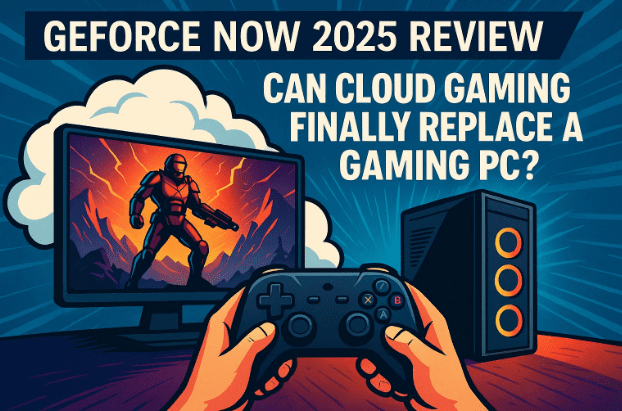
🧩 1. What Exactly Is GeForce Now?
Before we dive into the experience, it’s worth clarifying what GeForce Now actually does — because it’s often misunderstood.
GeForce Now isn’t like Xbox Game Pass or PlayStation Plus. It doesn’t give you a library of games for a flat fee. Instead, it streams the games you already own on platforms like Steam, Epic Games Store, Ubisoft Connect, and Battle.net, from powerful NVIDIA data centers straight to your device.
Think of it like renting a high-end gaming rig that lives in the cloud. You send inputs from your device; the cloud machine plays the game and sends back the live video feed — all in real time.
It means you can play demanding PC titles even on a MacBook, Chromebook, Android phone, or old laptop — as long as your internet connection is fast enough.
🌐 2. The Internet Requirement Reality Check
Let’s face it — every cloud gaming service depends heavily on your network. So before judging GeForce Now’s quality, we need to talk about what kind of connection it actually needs to perform well.
⚙️ Recommended Internet Setup
| Quality | Minimum Speed | Recommended Speed | Data Usage (Approx.) | Latency Target |
|---|---|---|---|---|
| 720p 60 FPS | 15 Mbps | 25 Mbps | 4 GB/hr | <50 ms |
| 1080p 60 FPS | 25 Mbps | 50 Mbps | 8–10 GB/hr | <40 ms |
| 1440p 120 FPS | 35 Mbps | 75 Mbps | 12–14 GB/hr | <30 ms |
| 4K 240 FPS | 50 Mbps | 100+ Mbps (Fiber) | 16+ GB/hr | <25 ms |
NVIDIA officially recommends fiber internet or stable 5G for the best experience. Anything less — especially mobile or DSL connections — may cause lag spikes or visual compression.
And yes, you definitely need an unlimited data plan. Streaming games at 4K can easily chew through 15 GB per hour.
So, if your setup isn’t there yet, GeForce Now will likely frustrate you more than it impresses.









🧠 3. The 2025 Cloud Gaming Experience: What’s Changed?
When GeForce Now launched in open beta back in 2017, it was a curiosity. Input lag was high, visual artifacts were common, and games often crashed mid-session. Fast forward to 2025 — and it’s a completely different story.
Thanks to faster global fiber networks, better data center GPUs, and NVIDIA’s massive investment in RTX 4080 and 5080 SuperPods, performance has improved drastically.
Games now launch faster, visuals are crisp and stable, and even fast-paced titles like Nine Sols or Batman: Arkham Knight feel almost indistinguishable from local play — at least on fiber connections.
Let’s move to the next section to break down what’s included in each plan and what kind of experience you can actually expect.
💰 4. GeForce Now 2025 Pricing & Plan Comparison
One of the biggest questions for new users is — which plan should you actually choose?
Here’s a clear look at the three subscription tiers offered in 2025:
| Feature | Free | Priority | Ultimate |
|---|---|---|---|
| Price | $0 | $9.99/month or $99.99/year | $19.99/month or $199.99/year |
| GPU Access | Basic (GTX equivalent) | RTX 3060 | RTX 4080/5080 SuperPods |
| Resolution | Up to 1080p | Up to 1080p 60 FPS | Up to 4K 240 FPS |
| Session Length | 1 hour | 6 hours | 8 hours |
| Queue Time | Long wait + ads | Moderate | Priority access (instant) |
| Game Syncing | Manual | Automatic | Automatic |
| Ray Tracing & DLSS | ❌ | ✅ Partial | ✅ Full |
| Data Center Hardware | Shared | Mid-tier | High-end (DLSS 3, Reflex) |
So, which one’s worth it?
- Free Plan: More of a demo than a usable service. Expect long queues, low graphics, and 1-hour limits.
- Priority Plan: Decent if you just want casual play sessions at 1080p.
- Ultimate Plan: The only version that truly delivers a “next-gen” experience. Games run beautifully, queues are minimal, and the RTX 4080/5080 hardware brings genuine PC-level performance.
🕹️ 5. Setting Up and Playing: How It Actually Works
Let’s walk through how a GeForce Now gaming session feels in practice.
Once you log into the GeForce Now app (available on NVIDIA’s website), you’ll see a dashboard with your connected game stores (Steam, Epic, Ubisoft, etc.). You can launch any supported title directly from there.
When you click “Play,” the service spins up a virtual desktop in a data center. It loads your store (like Steam) and automatically runs the game. The first time, it might ask you to log in again — after that, it remembers your credentials.
Games generally launch within 20–30 seconds, which is faster than most local HDD installations.
However, there are quirks:
- You sometimes need to confirm the game twice (once in GeForce Now, once in Steam).
- If a game needs an update, it may restart the virtual session.
- Some titles like Call of Duty or Battle.net games can still fail to load properly due to login loops or anti-cheat conflicts.
But once you’re in, it feels incredibly close to local play. Input delay is almost invisible in single-player games, and even twitchy shooters like Borderlands 4 or Space Marine 2 feel responsive enough for casual play.
🎨 6. Graphics, Latency, and Real-World Performance
So far, so good — but what does it look like?
When streaming at 1440p or 4K on the Ultimate Plan, visuals look stunning. Ray tracing works beautifully, textures load fast, and games like Indiana Jones and the Great Circle look shockingly crisp, even on non-gaming displays.
Of course, everything depends on connection stability. A dip in your Wi-Fi can trigger artifacting (blurry frames or pixel noise), but the recovery time is quick — usually within a second.
Latency-wise, you can expect:
- ~15–25 ms delay on wired fiber
- ~40–60 ms on strong Wi-Fi 6
- ~100+ ms on mobile networks
That’s good enough for most genres except competitive shooters or rhythm games, where ultra-fast reaction time is critical.
Still, the fact that a streamed Arkham Knight or Dying Light 2 feels local is a major leap forward from 2020-era cloud gaming.
🧱 7. Game Library and Limitations
Now let’s discuss the elephant in the room — game availability.
Unlike subscription services where you get hundreds of included titles, GeForce Now requires you to own games before streaming them. You’re basically bringing your own library.
While NVIDIA claims to support 4,000+ games, the list is missing many major franchises due to licensing issues.
Here’s what you won’t find:
- No GTA or Red Dead Redemption series
- No PlayStation PC ports
- No FromSoftware titles (Elden Ring, Dark Souls)
- No Konami classics
However, you’ll find a healthy collection from:
- Capcom (Resident Evil series now supported)
- Microsoft (most Game Pass PC titles sync)
- Ubisoft (Assassin’s Creed, Far Cry, Watch Dogs)
The catch? You must manually connect your accounts and sometimes reauthenticate games between sessions.
In short, the catalog is wide but uneven — you’ll need to check availability before getting too excited.
⏱️ 8. Session and Time Limits Explained
Even if you pay for the Ultimate plan, NVIDIA still caps your daily and monthly usage.
You can play:
- Up to 8 hours per session
- Up to 100 hours per month
Yes, even premium users face that 100-hour cap, though additional hours can be purchased for around $3 per 15 hours.
For heavy users, this feels unnecessarily restrictive. If you’re a casual gamer, you’ll probably never hit it. But if you’re replacing your gaming PC entirely, this limit becomes frustratingly artificial.
⚙️ 9. System Requirements: What Devices Work?
One of GeForce Now’s biggest strengths is versatility. You can use it on nearly anything that has a display and decent connectivity.
Supported Platforms:
- Windows PC (Windows 10 or 11, 64-bit)
- macOS (10.13+; both Intel & Apple Silicon)
- Chromebooks and Chrome Browser
- Android phones & tablets
- iOS (via Safari web app)
- Smart TVs (LG, Samsung, Shield TV)
A wired Ethernet connection is ideal, but Wi-Fi 5 or 6 also performs well at 1080p.
Bluetooth controllers (Xbox, DualShock, DualSense) are all supported.
You can even pair a Steam Deck or handheld PC for remote high-end gaming.
💡 10. Who Is GeForce Now Best For?
Now that we’ve seen the pros, cons, and conditions — let’s answer the key question: who should actually subscribe?
GeForce Now is ideal for:
- MacBook users who want to play Windows games
- Casual gamers who don’t want to buy a full gaming rig
- People traveling frequently but still want access to their PC games
- Gamers with strong, unlimited fiber connections
However, it’s not for:
- Users with unstable or capped internet
- Competitive multiplayer players (lag-sensitive)
- Those expecting a full Game Pass-style library
- Anyone seeking true offline play
🧩 11. The Cloud Gaming Reality Check (Pros & Cons)
Let’s take a step back and evaluate where GeForce Now stands overall.
✅ Pros:
- Excellent visual quality at 4K with RTX 4080/5080 hardware
- Low input lag, especially on fiber
- Works across devices — from Mac to Android
- Supports thousands of existing Steam/Epic titles
- Regular updates and new GPU rollouts
❌ Cons:
- Missing major AAA titles
- Complicated login process for some stores
- Requires ultra-stable internet
- Artificial 100-hour monthly cap
- Free version is nearly unusable
In short, it’s a technical marvel but a logistical headache — great if your conditions are right, frustrating if they’re not.
💬 12. Frequently Asked Questions (FAQs)
Q1. Is GeForce Now better than buying a gaming PC?
→ Not exactly. If you already have a great internet setup and don’t play more than 100 hours a month, yes — it can replace a PC for casual gaming. But for heavy users or modders, a physical gaming rig is still better.
Q2. Can I use my Game Pass library with GeForce Now?
→ Some titles are compatible, especially newer Microsoft releases. However, full Game Pass cloud integration is limited.
Q3. Does it support mods or custom settings?
→ You can tweak in-game settings (graphics, resolution, controls), but you can’t install mods or run external launchers.
Q4. Can I play offline or pause streaming?
→ No. Since everything runs on NVIDIA’s servers, internet is required at all times.
Q5. Is it worth upgrading from Priority to Ultimate?
→ Absolutely — if your connection supports it. The visual fidelity and latency improvement are significant.
🚀 13. Final Verdict: The Future of Cloud Gaming Is (Almost) Here
GeForce Now 2025 represents what cloud gaming was always meant to be — a seamless bridge between devices and high-end performance. It’s not perfect, but it’s finally practical.
For gamers with a fast, unlimited connection, it delivers shockingly good results. Games like Mafia: Definitive Edition or Dying Light 2 run at ultra settings, with minimal lag and crisp detail, even on thin laptops.
Yet, it remains a niche service. The limitations — missing titles, session caps, and high price — mean it won’t fully replace your gaming PC just yet. But it’s close.
If you’ve ever dreamed of gaming anywhere without owning expensive hardware, GeForce Now might be your first real glimpse into that future.
Official Website: https://www.nvidia.com/en-in/geforce-now/
#GeForceNow #CloudGaming #NVIDIA #GameStreaming #RTX4080 #GamingPC #TechReview #2025Gaming #PCGames #dtptips








