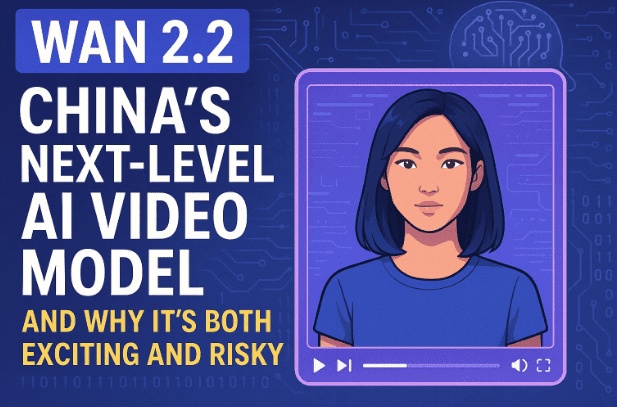
Artificial Intelligence video models are advancing at lightning speed. From generating voices to animating photos, the possibilities are expanding every month. Recently, China introduced a groundbreaking tool called Wan 2.2 Animate — and it has taken creators by surprise.
Wan 2.2 isn’t just another “AI gimmick.” It allows you to animate still photos with realistic facial expressions, hand gestures, and body movements — all synced with a reference video or audio. The results are so convincing that many believe this could be the start of a new era for filmmaking, AI influencers, and personalized content.
But here’s the best part: right now, you can use Wan 2.2 for free, without buying credits or subscriptions. In this guide, we’ll explore how it works, step-by-step instructions for using it, what kind of results you can expect, and the risks you should be aware of before experimenting.
1. What is Wan 2.2 Animate?
Wan 2.2 Animate is an AI-powered video generation tool hosted on wan.video. It lets you upload a static image of a character and combine it with a short video clip. The AI then maps the gestures, facial expressions, and movements from the video onto the still image, producing a highly realistic animated video.
Think of it as a next-gen “photo animate” feature, but with remarkable accuracy. Unlike older tools that often gave robotic or unnatural results, Wan 2.2 feels polished enough for use in short films, promotional content, AI influencers, and storytelling projects.
2. Key Features of Wan 2.2
Before jumping into the tutorial, let’s look at what makes this tool so powerful:
- 🎭 Photo Animate Mode – Bring any photo to life with natural facial movements and gestures.
- 🗣 Speech-to-Video – Syncs lip movements and expressions with your recorded voice.
- 🧍 Gesture Mapping – Captures hand movements and applies them to your character.
- 🎬 AI Influencer Creation – Design virtual personalities for social media or branding.
- 🌍 Web-based Access – Runs directly in your browser on wan.video, no installation required.
- 💸 Free Trial Available – Generate videos without paying credits during the trial period.
3. How to Access Wan 2.2 Animate
- Go to the official site: wan.video.
- Sign up with an email or third-party login option.
- Once inside, look for the Photo Animate feature.
- From there, you’ll see options to upload a character image and a reference video.
👉 Note: The tool sometimes queues tasks. If processing takes too long, try using a free VPN set to the US or UK to improve speed.
4. Step-by-Step Guide to Using Wan 2.2 for Free
Now let’s go step by step, so you can try it yourself:
Step 1: Choose “Photo Animate”
Once logged in, select Photo Animate instead of “Speech-to-Video.”
Step 2: Upload a Character Image
- Click Character > Upload from Device.
- Select the image you want to animate. (It could be a portrait photo, artwork, or even an expanded AI image.)
Step 3: Upload a Video Clip
- Tap on Video > Upload Video.
- Choose a 10–15 second video where you perform expressions, gestures, or speaking lines.
- Keep it clear and expressive — the AI will map these motions to your character.
Step 4: Confirm and Start Generation
- After uploading, click Confirm.
- Your task will enter a queue. Don’t panic if you see “0 credits available” — the trial is free.
Step 5: Wait for Processing
- Processing usually takes 6–10 minutes.
- If it seems stuck, use a VPN or try again.
Step 6: Download and Review
Once done, your final animated video will appear. You can download it, share it, or refine by trying different inputs.
5. Real-World Examples and Test Results
During testing, users have tried:










- Combining their own gestures with celebrity photos.
- Expanding AI-generated portraits in Photoshop and animating them.
- Making funny trial clips with exaggerated expressions.
The results? Surprisingly realistic:
- Smooth mouth and eye synchronization.
- Natural-looking hand gestures.
- Expressions that match the tone of the reference video.
Creators worldwide are already uploading samples showing lifelike animations that rival expensive VFX work.
6. Pros and Cons of Wan 2.2
| Pros | Cons |
|---|---|
| Free trial usage | Processing can be slow (6–10 minutes) |
| Extremely realistic expressions | Queue priority not guaranteed |
| Easy to use (browser-based) | Some risk of misuse (deepfakes) |
| Works with any photo | Paid credits don’t always speed up processing |
| Good for AI influencers and short films | Still in early phase, may have bugs |
7. Risks and Ethical Concerns
While Wan 2.2 is impressive, it also raises serious issues:
- Deepfake misuse – Someone could animate your photo and impersonate you.
- Scams – Fraudsters might generate fake videos of family members asking for money.
- Privacy – Uploading personal images to third-party servers always carries risks.
- Misinformation – Fake interviews, speeches, or viral clips could spread quickly.
👉 Important: Always use such tools responsibly. Avoid animating someone else’s likeness without consent.
8. Tips for Getting the Best Results
- Use a high-resolution portrait photo with clear lighting.
- Keep your reference video short (10–15 seconds).
- Exaggerate expressions slightly for more noticeable results.
- If generating fails, retry with a VPN set to US/UK.
- Expand images in tools like Photoshop or AI upscalers for better animation range.
9. Pricing Model: Free vs Paid Credits
Currently, Wan 2.2 offers:
- Free Trial – Zero credits, but still lets you generate videos (queue time applies).
- Paid Credits – Options like Pro or Premium tiers. However, many users report that paid processing is not faster than free trials right now.
👉 Recommendation: Stick to the free plan while it lasts. Unless you need bulk processing, paid credits don’t provide much extra benefit.
10. Frequently Asked Questions (FAQs)
Q1. Is Wan 2.2 completely free?
Yes, for now. You can generate videos without paying, though you may face queue delays.
Q2. How long does it take to generate a video?
On average, 6–10 minutes. Using a VPN may improve reliability.
Q3. Can I use it for commercial projects?
Check wan.video terms of service. Currently, it’s safe for experiments, but commercial use may require licensing.
Q4. Does it work on mobile?
Yes, it runs in the browser. But for best results, use a desktop with stable internet.
Q5. What if my task fails?
Retry with different inputs or use a VPN. The free trial sometimes experiences high demand.
11. Final Thoughts
Wan 2.2 Animate is one of the most impressive AI video models available today. It brings still images to life with expressions and gestures that look shockingly real. For creators, it’s a goldmine of possibilities — from short films and AI influencers to fun experiments.
At the same time, it comes with risks. Deepfake misuse, scams, and misinformation are real dangers. That’s why responsible use is crucial.
If you’re curious, now is the perfect time to try Wan 2.2 — completely free during the trial period. Experiment, explore, and see what the future of AI video creation looks like.
Disclaimer
This article is for educational and informational purposes only. Tools like Wan 2.2 can be misused for unethical or illegal activities. Always use responsibly and respect privacy and consent.
Tags
Wan 2.2, Wan video, AI video generator, photo animate AI, free AI tools, deepfake risks, AI influencers, AI filmmaking, China AI models, video editing alternatives
Hashtags
#Wan22 #AIVideo #AIInfluencers #PhotoAnimate #FreeAI #DeepfakeRisks #AIContentCreation #ChinaAI