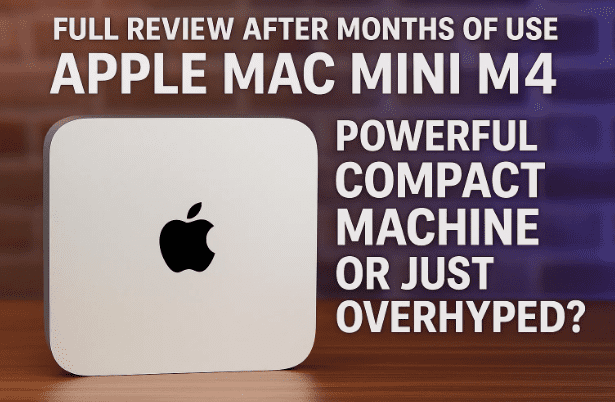
The Apple Mac Mini M4 is one of the most talked-about compact desktops of 2025. With Apple’s new M4 chip, a compact body, and surprisingly affordable pricing compared to other Mac devices, this small machine has caught the attention of students, professionals, and even video editors.
But the real question is – is it worth buying the Mac Mini M4 in 2025? Does it really deliver on performance for heavy tasks like video editing and coding, and can it replace a traditional Windows PC at this price point?
💻 Mac Mini M4 vs MacBook Air M4 vs Windows PC Build Under ₹60K – Which One Should You Buy in 2025?
In this in-depth review, I’ll share everything about the Mac Mini M4 – its design, ports, performance, limitations, and whether you should buy it over alternatives like Windows custom builds or even a MacBook Air. By the end, you’ll be able to make a clear decision about whether this device fits your needs.
📦 What’s in the Box?
Let’s start with the basics. Unlike unboxing videos that often get repetitive, here’s the reality – you don’t get much inside the Mac Mini M4 box.
- The Mac Mini unit itself.
- A power cable that attaches to the back.
That’s it. No monitor, no keyboard, and no mouse – which means you’ll need to buy or already own those accessories.
💰 Price & Variants
Pricing is one of the most interesting aspects of the Mac Mini M4.
- Student Price (with discount): ₹49,900.
- Regular Price: Around ₹60,000.
- Sale Price: Usually available between ₹52,000 – ₹55,000 during offers.
👉 I’m reviewing the base variant, which comes with:
- 16GB RAM (a huge plus compared to older base models that only had 8GB).
- 256GB SSD storage.
- Apple M4 Chip (10-core CPU + 10-core GPU).
For most users, this base variant already delivers excellent performance. But professionals needing 4K+ video editing with multiple layers may consider higher variants.
🔌 Ports & Connectivity
Apple has given a mix of ports, but also left out some important ones.
Back Side Ports:



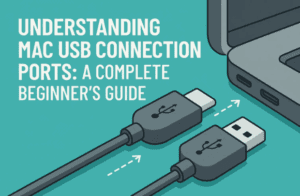
- 3x Thunderbolt Type-C (USB4) – up to 40 Gbps transfer speed.
- 1x Full-size HDMI port.
- 1x Ethernet port.
- Power connector input.
Front Side Ports:
- 2x USB Type-C Gen 3 – up to 10 Gbps transfer speed.
- 1x 3.5mm audio jack for earphones, microphones, or speakers.
- A small LED light indicator for power status.
👉 My biggest complaint? No USB Type-A ports. Apple could have easily included at least two Type-A ports. Instead, you’ll need a USB hub to connect older accessories like dongles, hard drives, or keyboards.
🖥️ Design & Build Quality
- Material: Metallic body with a plastic base.
- Dimensions: 5 inches x 5 inches, around 2 inches tall.
- Weight: Just under 700 grams.
The build is premium, and despite its size, it feels durable. Compared to bulky Windows PCs with massive cabinets, this tiny box is refreshing.
Cooling System
- There’s a ventilation grill at the back.
- Inside, a silent fan manages thermals efficiently.
- Even under heavy load (like 4K video editing or gaming), fan noise is nearly unnoticeable.
⚡ Setup & Ease of Use
Setting up the Mac Mini M4 is simple:
- Plug in the power cable.
- Connect a monitor via HDMI or Thunderbolt (Type-C).
- Attach your keyboard and mouse (wired, Bluetooth, or via dongle).
- Press the power button (awkwardly placed at the bottom).
Within seconds, the Mac Mini powers up. The LED glows, and macOS comes to life.
👉 If you move between office and home, this device is especially useful – just leave monitors at both places and carry only the Mac Mini.
🎮 Portability vs Laptops
Now, some will ask: “Why not just buy a MacBook Air instead?”
- If you need true portability (working in cafes, during travel, etc.), then yes – a MacBook Air is better.
- But the Mac Mini M4 is semi-portable – lightweight enough to carry in a backpack, but you’ll need a monitor at your destination.
For office-to-home commuters or people who already own multiple monitors, this device is a perfect in-between solution.
🖥️ Multi-Display Support
The Mac Mini M4 supports up to three external displays at once.
For editors, coders, or multitaskers, this is a big win. Even at this price point, you can run a multi-monitor setup that feels like a professional workstation.
🚀 Performance Review
Here’s where things get exciting. I tested the Mac Mini M4 with multiple scenarios.
1. Everyday Use
- Web browsing is lightning fast.
- Multitasking with 15+ tabs, Spotify, and Notes open showed zero lag.
- Apps open in seconds thanks to SSD storage.
2. Video Editing
- Software Tested: Adobe Premiere Pro 2025, Photoshop 2025, Final Cut Pro.
- Editing 4K 30fps videos (2–3 layers, with color grading and text transitions) ran buttery smooth.
- Rendering Times: Faster than my old i5 + 16GB RAM + 6GB GPU Windows PC.
- Final Cut Pro is even better optimized and handles multiple 4K layers with ease.
👉 If you’re a YouTuber or content creator, this machine is a game-changer in the budget category.
3. Programming & Development
Perfect for app developers, especially iOS and macOS apps. Xcode runs flawlessly.
For Python, Java, or web dev – performance is more than sufficient.
4. Gaming
- macOS isn’t the best for gaming.
- Some supported games run fine, but Windows PCs are still better optimized.
- If gaming is your main priority, stick to Windows + dedicated GPU builds.
🔥 Thermal & Power Efficiency
- Even under heavy workloads, performance remains stable.
- Body temperature sometimes rises to 40–41°C during gaming.
- Still, no thermal throttling observed.
- Extremely power-efficient → can run for hours on inverters during power cuts.
❌ Limitations & Problems
No device is perfect. Here are the 4 key issues I found:
Hardware Issues
- Only Type-C Ports → Requires dongles for Type-A accessories.
- Power Button Placement → Placed underneath; awkward to press each time.
Software Issues
- Limited Gaming Support → Fewer optimized titles compared to Windows.
- Plugin Ecosystem → Some free plugins easily available for Windows apps like Premiere Pro are either unavailable or paid on macOS.
✅ Pros of Mac Mini M4
- Compact and lightweight.
- Affordable compared to other Macs.
- Base model has 16GB RAM.
- Excellent for video editing, coding, and productivity.
- Silent fan and efficient cooling.
- Supports multiple displays.
- Apple ecosystem + long-term macOS updates.
❓ FAQs
Q1. Is the Mac Mini M4 good for students?
Yes. At under ₹50K (with discount), it’s one of the cheapest entry points into Apple’s ecosystem. Perfect for coding, editing, and study use.
Q2. Can it replace a full Windows PC?
Depends. For editing, coding, and productivity → Yes. For gaming and free software availability → Windows still wins.
Q3. Is 256GB storage enough?
Not really, if you edit videos or store large files. Consider external SSDs or higher variants.
Q4. How does it compare to MacBook Air?
- MacBook Air → better portability.
- Mac Mini M4 → better value for money (higher RAM in base model, cheaper overall).
📝 Final Verdict
At a price point of ₹50K–₹60K, the Mac Mini M4 is an incredible value-for-money machine. It delivers performance close to Apple’s Pro lineup at less than half the price.
If your focus is on:
- Video editing (4K timelines).
- Coding and app development.
- General productivity, web browsing, and multitasking.
…then this device is highly recommended.
But if your primary goal is:
- Gaming.
- Access to a wide range of free plugins/software.
…then a Windows PC build with a dedicated GPU is a smarter choice.
Overall, the Mac Mini M4 is the perfect entry point into the Apple ecosystem for budget-conscious creators and professionals. Its compact size, silent operation, and surprisingly high performance make it one of the best small form-factor PCs of 2025.
Tags
mac mini m4 review, apple m4 chip performance, mac mini 2025 india, mac mini for video editing, mac mini vs windows pc, mac mini for students, mac mini gaming performance
Hashtags
#MacMiniM4 #AppleM4 #VideoEditing #CodingLife #AppleReview #TechReview2025
⚠️ Disclaimer: This review is based on real-world usage and tests with editing, coding, and multitasking workflows. Gaming results may vary as macOS titles are limited. Always purchase software legally to avoid system risks.