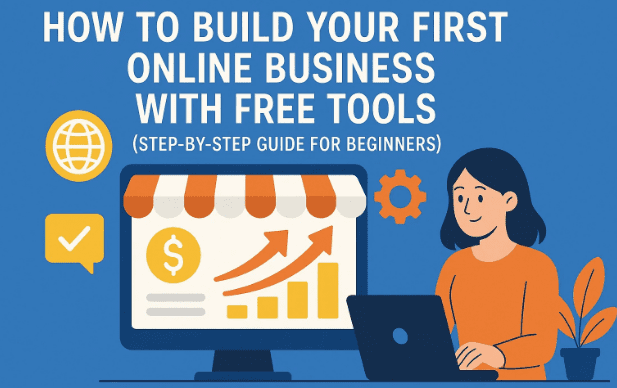
Starting an online business often feels overwhelming. Many beginners hesitate because they think they need a large budget, technical coding skills, or even a unique “big idea.” But in reality, you can launch something simple, practical, and functional today—without money, without coding, and without a website.
This article is written for complete beginners who have always wondered:
- Where do I start online?
- Do I need money or special skills?
- Can I actually build something useful as my first step?
The good news is: Yes, you can. With the help of AI and free hosting platforms, you can create your first small online tool or web app in less than an hour. Some people have even scaled this to earn consistent income. More importantly, this first project will build your confidence and teach you essential digital skills.
So, let’s start from the basics and build together.
📖 Understanding the Basics of Online Applications
Before we dive into building your first tool, it’s important to understand how web applications work. Every app or tool on the internet is divided into two main parts:
- Front End – What users see and interact with in their browser (the visual interface).
- Back End – The server-side part that manages data, security, hosting, and performance.
Traditional applications require both, but managing the backend means dealing with hosting, databases, security patches, and often extra costs. That’s why many beginners feel discouraged.
But here’s the exciting part: in our approach, we’ll skip the backend entirely. Using only the front end and free tools, you can create functional web applications with no server management at all.
🖥️ What Makes Up the Front End?
Now that we know we’ll focus on the front end, let’s break down what it actually consists of. Every webpage is built using three core languages:
- HTML (HyperText Markup Language): Provides the content and structure of the page (headings, paragraphs, buttons).
- CSS (Cascading Style Sheets): Styles the page, adding colors, layouts, and fonts.
- JavaScript: Adds interactivity, allowing users to click buttons, submit forms, or interact with elements dynamically.
For example:
- Without HTML, there’s no content.
- Without CSS, the page looks dull and unformatted.
- Without JavaScript, there’s no interaction.
Luckily, you don’t need to become an expert in these languages right away. AI can generate them for you based on simple prompts. Your role is to understand the concept and host the result online.
🛠️ Real Examples of Front-End Tools
To make this more practical, let’s look at a few real-world tools that were built in less than an hour using only front-end code:








- QR Code Generator – Type a link, generate a QR code, and scan it with your phone to open the link instantly.
- Image Compressor – Upload a picture, compress it, and download a smaller file size. Perfect for saving storage or uploading to exam forms.
- Email Extractor – Paste text and extract email addresses automatically.
- Color Palette Tool – Upload an image and get its color palette for design inspiration.
These tools are simple but highly useful. Millions of people search for these types of free utilities every day, and they require no backend setup to function.
So far, we’ve done a good job understanding the building blocks. Now let’s move to the exciting part: creating your own tool.
⚡ Step 1: Choosing Your First Tool Idea
Don’t overthink this step. Your first project doesn’t need to be revolutionary—it just needs to work. Some good beginner ideas are:
- Meeting cost calculator
- Random quote generator
- BMI calculator
- Text-to-emoji converter
- Word counter
The key is to pick something small and finish it. Once you see it live, you’ll gain confidence to build more.
🤖 Step 2: Using AI to Generate Your Tool’s Code
Here’s where AI comes in to save you weeks of coding. Tools like:
…can generate HTML, CSS, and JavaScript code instantly.
For example, let’s build a Meeting Cost Calculator. You can give AI a prompt like:
“Build a meeting cost calculator using only HTML, CSS, and vanilla JavaScript. No frameworks, no backend.”
The AI will return a block of code. Copy this into a text file, save it as index.html, and open it in your browser. You now have a working calculator that updates costs as you change the number of participants and meeting time.
Pro Tip: Vanilla means pure JavaScript, without libraries like React or jQuery. This makes your tool lightweight and easier to host.
🌍 Step 3: Hosting Your Tool Online for Free
Building a tool is great, but hosting it online is where it becomes real. Thankfully, platforms like Netlify allow you to host front-end websites for free.
Here’s how:
- Sign Up for a free Netlify account.
- Create a Folder on your PC (name it anything). Place your
index.htmlfile inside. - Drag & Drop the folder into Netlify’s “Deploy Project” section.
- Wait a few seconds, and boom—your tool is live with a public URL you can share.
Free Netlify hosting can handle up to 100,000 users per month, which is more than enough for a beginner. If you want, you can also connect a custom domain later.
💡 Step 4: Monetizing Your Online Tool
Now comes the interesting part: making money from your project. Let’s explore the most practical methods.
1. Sell Ad Spaces
You can reserve parts of your tool’s page for ad banners. Once traffic grows, companies in your niche may pay you directly for ad placement.
2. Use as a Growth Hack
If you run a blog, YouTube channel, or e-commerce store, free tools can drive traffic to your main product. For instance, an SEO blogger offering a free keyword tool can attract thousands of visitors daily.
3. Build an Email List
By embedding a simple email signup form, you can collect leads. Services like ConvertKit or Mailchimp provide scripts that can be pasted directly into your HTML.
4. Accept Donations
You can add a widget from Buy Me a Coffee to collect donations. Just paste their script code into your index.html.
🏆 The Real Value of This Process
Even if your first tool doesn’t attract many users, the real reward is the experience. Your first project will teach you:
- How to turn an idea into a working product.
- How to use AI for coding.
- How to deploy and host applications.
- How to share projects publicly and receive feedback.
Every successful creator starts small. Many entrepreneurs admit their first versions were “ugly” or basic, but they still got them online—and that’s what made the difference.
🔄 What’s Next? Scaling Your Skills
Once you’ve built your first tool and hosted it online, the natural next step is to scale up. You can:
- Learn how to integrate a backend (WordPress, Node.js, Firebase).
- Build more advanced applications with databases.
- Expand your free tools site into a traffic magnet.
- Package your tools as premium SaaS (Software as a Service).
The possibilities are endless, but it all starts with publishing your first tool today.
❓ Frequently Asked Questions (FAQs)
Q1: Do I need coding experience to start?
No. AI can generate the code for you. You only need to understand basic concepts and how to copy, paste, and host files.
Q2: Is it really free?
Yes. Using free AI tools and free hosting like Netlify, you won’t spend a single dollar unless you choose to buy a custom domain.
Q3: How long will it take me?
For your first project, expect around 30–60 minutes. After practice, you can build tools in less than 10 minutes.
Q4: Can I make real money from this?
Yes. Many websites that started as free tool collections now earn from ads, donations, and premium upgrades. However, success depends on consistency and solving real problems.
Q5: What if my first project fails?
That’s completely normal. Most creators fail multiple times before hitting success. The experience itself is valuable and prepares you for your next idea.
⚠️ Disclaimer
This article is for educational purposes only. The earnings mentioned in the examples are not guaranteed results. Building and monetizing online tools requires effort, experimentation, and continuous learning.
📌 Conclusion
Building your first online tool is easier than ever thanks to AI and free hosting platforms. You don’t need money, coding skills, or a unique startup idea to begin. All you need is the courage to create something small, publish it, and share it with the world.
Remember: your first project doesn’t have to be perfect—it just has to exist. That’s how every successful journey starts.
So, why wait? Pick a simple idea today, generate the code with AI, host it online, and take your first step into the world of online business.
Tags: online business, build tools online, free hosting, AI coding, beginner guide, web development, passive income, front end tools
Hashtags: #OnlineBusiness #AIBuild #WebTools #FreeHosting #Netlify #BeginnerGuide #FrontendDevelopment