The Arch User Repository (AUR) is one of the biggest reasons many people love Arch Linux and its derivatives like Manjaro, EndeavourOS, and Garuda Linux. It’s a vast treasure chest of software that allows you to install almost anything you can think of — even applications not officially maintained by Arch developers.
But as with every treasure chest, there are traps inside. Recently, yet another malware campaign targeted AUR users. This time, a malicious package disguised as “Google Chrome stable” was uploaded with the clear intention of infecting unsuspecting systems.
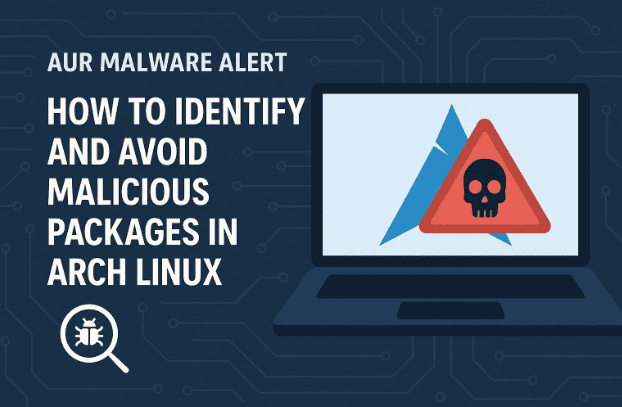
Unfortunately, this isn’t the first case — and it certainly won’t be the last. As desktop Linux grows in popularity, attackers will continue targeting community repositories like the AUR. So, what can you do to protect yourself? Let’s walk through everything step by step.
1. What Is the AUR and Why Is It Popular?
If you’re new to Arch Linux, let’s start with the basics.
The AUR is a community-maintained repository. Instead of being curated directly by Arch developers, it’s filled with PKGBUILD scripts written by users. These scripts tell your system how to build and install software — often pulling source code from external websites like GitHub.
The strength of the AUR lies in numbers:
- Thousands of packages, including obscure tools.
- Faster availability of new software than in official repos.
- Easy installation with AUR helpers like yay or paru.
Simply put, the AUR is a crowd-sourced software goldmine — but one with very little official vetting.
2. Why Malware Keeps Appearing in the AUR
With Arch and Manjaro gaining popularity, the AUR attracts not only helpful contributors but also malicious actors.
Here’s why malware keeps sneaking in:
- No central authority checks every package.
- Anyone can upload a PKGBUILD with malicious code.
- Attackers target new or inexperienced Linux users.
- Growth of the Linux desktop increases the potential victim pool.
Think of it like a crowded market: most sellers are genuine, but a few are scammers waiting to take advantage of beginners.
3. How AUR Packages Actually Work
When you install something from the AUR, you’re not pulling a prebuilt binary directly. Instead, you download a PKGBUILD file — essentially a script.






That script:
- Defines where to download the source/binary.
- Lists dependencies needed.
- Automates building and installation.
Here’s the catch: since it’s just a shell script, it can also include malicious commands. For example, a script could try to:
- Delete files from your home folder.
- Steal browser cookies or SSH keys.
- Download trojans disguised as “updates.”
This is why reading the PKGBUILD before installing is not optional — it’s essential.
4. Identifying Safe vs. Suspicious Packages
Let’s move on to the practical part: how do you tell if an AUR package is safe?
When you open an AUR page, click on “View PKGBUILD”. Now check for:
- Source URL:
- ✅ Should point to official sites (e.g.,
github.com/braveorexodus.com). - ❌ Suspicious if pointing to random file-sharing services (e.g., segs.lol).
- ✅ Should point to official sites (e.g.,
- Checksums (sha256sums):
- ✅ Present, ensuring file integrity.
- ❌ Missing, meaning the package could be altered without detection.
- License field:
- ✅ Should mention GPL, MIT, or another recognized license.
- ❌ Missing license is a red flag.
- Excessive commands:
- Look for anything that modifies system directories unnecessarily.
Even if you’re not a programmer, you can spot obvious red flags just by comparing legitimate packages with suspicious ones.
5. Case Study: The Malicious “Google Chrome Stable” Package
Let’s look at the fake Chrome package that recently appeared in the AUR.
What stood out immediately:
- No proper
source=block. Unlike normal PKGBUILDs, this one didn’t point to official Google repositories. - No checksums. This made tampering undetectable.
- No license information. Another sign of laziness or malicious intent.
- Source hosted on
segs.lol. Obviously not an official Google domain.
This is equivalent to searching “Chrome download” on Google and clicking the first shady link you see. You’d never do that on Windows — so don’t do it on Linux either.
6. Best Practices to Stay Safe on the AUR
So far, we’ve highlighted risks. Now let’s focus on actionable steps.
When installing from the AUR:
- ✅ Always inspect the PKGBUILD before installing.
- ✅ Check the source domain carefully (official vs unknown).
- ✅ Look for checksums (
sha256sums) in the script. - ✅ Read user comments for warnings.
- ✅ Use trusted maintainers with long-standing reputations.
- ✅ Update responsibly — recheck PKGBUILDs during updates.
If something feels “off,” don’t install it. Wait for feedback from others in the community.
7. Why Learning Shell Scripting Helps
Now you might be thinking: “But I’m not a programmer, I just want my apps!”
That’s fair — but learning even basic shell scripting gives you superpowers in Linux:
- Helps you understand PKGBUILDs at a glance.
- Lets you automate repetitive tasks.
- Increases confidence in system security.
Think of it as learning the basics of car maintenance. You don’t need to be a mechanic, but knowing how to check the oil saves you from disaster.
8. What Could Improve AUR Security
While responsibility lies with users, the AUR community could implement safeguards such as:
- Making checksums and license fields mandatory.
- Automated scanning of new PKGBUILDs.
- Stricter requirements for source domains.
- 2FA or stronger authentication for maintainers.
Since maintainers often manage multiple popular packages, account hijacks could have devastating effects. Stronger security is essential.
9. FAQs
Q1: Is it safe to use the AUR at all?
Yes — but only if you follow best practices. The vast majority of packages are safe and maintained by trusted users.
Q2: Do AUR helpers like yay make things riskier?
They don’t make things riskier themselves, but they make installing easier — which means you might skip reading PKGBUILDs. Always review before confirming installation.
Q3: What’s safer: AUR or downloading binaries from random websites?
AUR is safer if you verify PKGBUILDs. Random websites are riskier because you don’t know what you’re running.
Q4: Could official Arch developers prevent this?
Not completely. The AUR is community-driven by design. Adding more checks would help, but users still need to stay vigilant.
10. Final Thoughts
The AUR is both Arch Linux’s greatest strength and greatest risk. It gives you access to more software than almost any other distro, but it also leaves the door open for bad actors.
The recent malicious Chrome package is just the latest reminder that we can’t blindly trust every package. As Linux grows in popularity, attacks will grow too.
So here’s the takeaway:
- Use the AUR, but use it wisely.
- Always read PKGBUILDs.
- Trust, but verify.
Linux is about freedom — and freedom always comes with responsibility.
⚠️ Disclaimer: This article is for educational purposes only. Installing unverified software can compromise your system. Always cross-check packages before installing and stick to official sources when possible.
Tags
arch linux, aur malware, aur security, linux package management, aur pkgbuild, malicious packages aur, yay aur helper, linux security best practices
Hashtags
#ArchLinux #LinuxSecurity #AUR #OpenSource #CyberSecurity #LinuxTips #MalwareAlert #FOSS







