The Yuzu Emulator, a new Nintendo Switch emulator for Android, has officially launched, offering gamers a way to play their favorite Switch titles on mobile devices. This emulator is a continuation of the Nushu Emulator project, bringing improved performance and compatibility.
In this guide, we’ll cover:
✅ Minimum requirements for running Yuzu
✅ How to set up the emulator
✅ Best settings for optimal performance
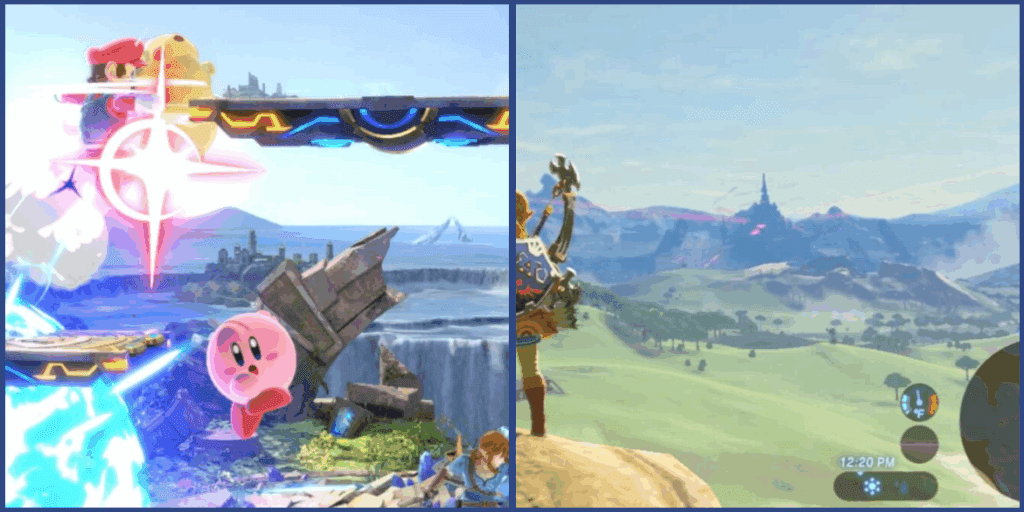
✅ Gameplay tests (including The Legend of Zelda: Tears of the Kingdom and FIFA 23)
What is the Yuzu Emulator?
Yuzu is a fork (modified version) of the Nushu Emulator, designed to bring Nintendo Switch gaming to Android. Recently, the original Nushu project was discontinued, but Yuzu continues its development with new updates and optimizations.
Key Features:
- Preliminary QN (Quick Launch) support
- Firmware 19.0.0 compatibility
- Improved stability on MediaTek & Snapdragon devices
- Two versions available: N22 (MediaTek) & Overclocked (Snapdragon)
Minimum Requirements
Before installing Yuzu, ensure your device meets these specs:
- Android 8.0 or higher
- 4GB RAM (6GB+ recommended for better performance)
- Snapdragon 4 Gen 1 or equivalent (MediaTek Dimensity 700+)
💡 For best performance, use a Snapdragon 8 Gen 2/3 or Dimensity 9000+ device.
How to Install & Set Up Yuzu Emulator
Step 1: Download Yuzu
- Get the latest APK from the official Nushu site.
- Choose between:
- N22 version (for MediaTek processors)
- Overclocked version (for Snapdragon processors)
Step 2: Install & Configure
- Open the emulator and tap “Get Started.”
- Skip unnecessary setup steps (you can adjust settings later).
- Import necessary files (game ROMs, firmware, keys).
Step 3: Optimize Settings
For the best performance, apply these settings:
General Settings
- Limit Speed Percentage: 400% (prevents slowdowns)
- Auto Stop Feature: Disabled (may cause crashes)
Graphics Settings
- Accuracy Level: Normal
- Resolution Scaling: 0.75X (for better FPS)
- VSync: Off (reduces input lag)
- Stretch to Window: Enabled
Gameplay Performance Tests
1. The Legend of Zelda: Tears of the Kingdom
- FPS: 30-60 FPS (capped)
- Performance: Smooth but with graphical glitches (due to lack of optimized drivers).
- Fix: Use Mesa Turnip Adreno drivers for better visuals.
2. FIFA 23
- FPS: Unstable (20-40 FPS)
- Issues: Textures missing (gray screen) due to no GPU driver support.
💡 For better compatibility, stick to less demanding 2D games until further optimizations.
Final Verdict: Is Yuzu Worth It?
✅ Pros:
- Continuation of Nushu Emulator with active updates.
- Decent performance on high-end Snapdragon devices.
- Preliminary QN support (future updates may improve speed).
❌ Cons:
- No stable graphics driver support (many games have visual bugs).
- Limited compatibility with AAA titles.
Tags:
Yuzu Emulator, Nintendo Switch Emulator, Android Gaming, Emulation, Mobile Gaming, Switch on Android
Hashtags:
#YuzuEmulator #NintendoSwitch #AndroidGaming #Emulation #MobileGaming #GamingTech



Disclaimer:
This guide is for educational purposes only. Emulating commercial games may violate copyright laws. Only use ROMs of games you legally own. The Yuzu Emulator is not affiliated with Nintendo.
Download at your own risk. For official updates, check the Nushu Telegram Group.
Have you tried Yuzu? Share your experience in the comments! 🎮🔥








