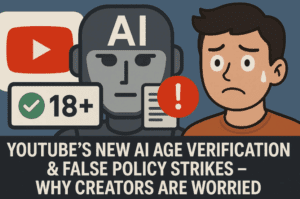
The internet is constantly evolving, and so are the efforts to make it safer—especially for younger users. Recently, YouTube began rolling out a new AI-powered update in the U.S. aimed at protecting teens and preteens. This has caused confusion among users because it launched around the same time as the UK’s Online Safety Act, but it’s important to note: this is a completely separate update from YouTube itself, not government-mandated regulation.
So, what exactly is changing on YouTube? Who will be affected? How does YouTube estimate your age using AI? And how can you confirm you’re over 18 if the system gets it wrong?
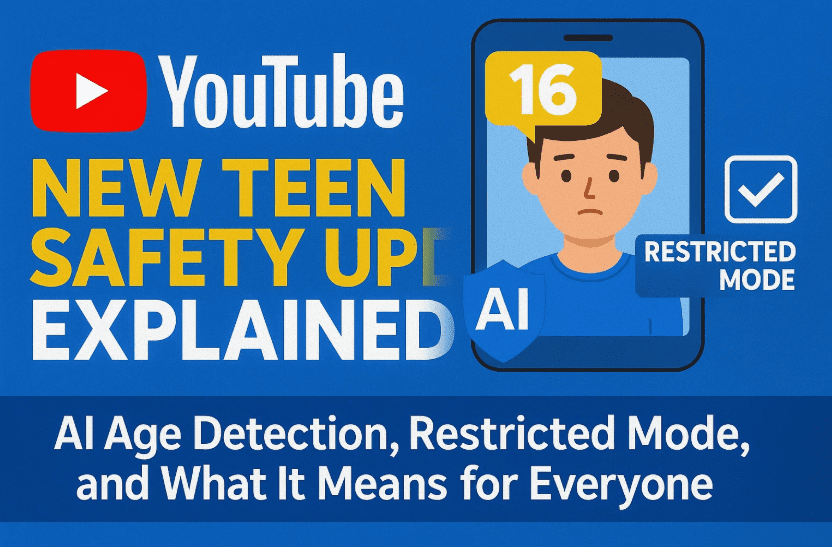
This blog post breaks down everything you need to know in a simple, human way—with clarity, questions answered, and no skipped steps.
🧒 The Core Objective: Keeping Teens Safer on YouTube
Let’s start with what YouTube is trying to do here. The platform wants to create a safer experience for younger users—especially those who aren’t honestly declaring their age in their account settings.
YouTube’s new system will:
- Use AI and machine learning to estimate a user’s age
- Apply teen-specific restrictions regardless of the account’s stated age
- Automatically adjust recommendations, ads, and access to content based on inferred age
Why Now?
Although YouTube Kids and supervised accounts have existed for years, YouTube says this update strengthens protection by identifying a user’s true age, not just what they typed during signup.
🧠 How YouTube’s AI Age Estimation Works
So far, we’ve done a good job understanding the intent. Now let’s break down how this new technology will actually work.
🔍 Signals YouTube Will Use:
YouTube’s machine learning models will evaluate:
- The types of videos you watch
- Your search queries
- The longevity of your account
- Possibly whether your Google account has an ID or credit card linked
Even if your account says you’re 25, if your viewing behavior and account data suggest you’re under 18, YouTube may apply restrictions to protect you.
💡 Think of it like this: YouTube is saying, “We can’t rely on what users say their age is—we need to verify it ourselves based on behavior and metadata.”
⚙️ What Changes If You’re Classified as a Teen?
If YouTube’s AI concludes you’re under 18, your experience will change in several ways. Let’s look at the exact features they’ll adjust.




🎯 Key Changes for Teen-Classified Accounts:
- No personalized ads (for privacy and safety)
- Digital well-being tools turned on by default
- Age-appropriate recommendations
- Limitations on repeat content, to avoid unhealthy binge behavior
- Restricted access to sensitive or mature videos
In effect, YouTube will create a more curated and safer environment for teens, similar to what’s offered in YouTube Kids—but still within the main YouTube app.
🆘 What If You’re Over 18 But Get Flagged Incorrectly?
Here’s where things can get tricky. False positives are always a concern when AI systems are involved.
🛡️ How to Prove Your Age to YouTube:
If YouTube mistakenly classifies you as a minor, you’ll be prompted to verify your age through one of the following:
- Government-issued ID
- Credit card (used for payment or verification)
Once verified, you’ll regain access to:
- Age-restricted content
- Personalized recommendations
- Normal ad settings
📺 A Real-World Example: Restricted Mode in Action
To understand what changes visually, consider this: turning on “Restricted Mode” hides many age-sensitive videos.
Popular creators like MoistCr1TiKaL (aka Charlie) have had videos restricted despite huge viewership. With restricted mode enabled:
- Thumbnails and titles for mature content disappear
- Your homepage becomes “cleaner”
- You’ll miss entire categories of entertainment or commentary
That’s what could happen to your YouTube feed if you’re classified as under 18—even temporarily.
👨💻 If You’re a Creator, Does This Affect You?
Yes, possibly. If your audience skews young, your videos might get surfaced more in the restricted mode. Conversely, if you’re a creator whose content occasionally brushes into mature territory, some of your videos might be hidden from underage viewers—even if you didn’t classify them as “Made for Kids.”
Additionally:
- You may have already verified your age via YouTube’s Advanced Features section to unlock monetization, livestreaming, etc.
- Your account activity and channel longevity can help YouTube infer your age automatically.
👀 Tip: If you create content and watch on the same account, YouTube likely already has enough data to keep your account classified correctly.
🧾 Does This Affect You Personally?
You might be wondering: “Will this update change anything for me?”
Probably Not, If You:
- Have had your Google/YouTube account for several years
- Linked a credit card for YouTube Premium, Super Chats, or memberships
- Previously provided ID for advanced channel features
But it’s still good to be aware of what’s going on, especially if:
- You share your device with teens
- You’re managing a child’s Google account
- You run a YouTube channel targeting general or mixed-age audiences
❓ Questions and Answers
Let’s go over a few common questions that might come to your mind.
Q: Can I opt out of this new age estimation system?
A: No. YouTube is rolling this out platform-wide, and there’s no opt-out for AI-based inference. You can only “correct” it by verifying your age manually.
Q: Is YouTube collecting biometric data?
A: No. YouTube hasn’t indicated it’s using facial recognition or biometric scans—just behavioral and account-related signals.
Q: What about people under 18 who use their parents’ account?
A: This system may incorrectly assume the account owner is older, which raises its own concerns—but technically, it’s against YouTube’s terms for children to use adult accounts unsupervised.
Q: Will this affect content recommendations for adults who watch kid-friendly content (e.g., teachers, parents)?
A: Possibly, but YouTube’s AI is likely smart enough to look at patterns over time, not just one-off viewing.
👨👩👧 Thoughts on YouTube’s Approach
Now that we’ve covered the what and how, let’s reflect a bit.
🤔 Do We Really Need This Update?
Some people believe this update is unnecessary. Many parents prefer to supervise their child’s YouTube usage manually, removing the YouTube Kids app and using the main YouTube app with their own judgment.
Others point out that YouTube still struggles with identifying what is and isn’t “kid-friendly content.” If the platform can’t always distinguish between appropriate and inappropriate videos, adding another layer of AI might not solve the core problem.
Example: Two videos from the same creator may be nearly identical in tone, but only one gets age-restricted.
Instead of focusing on account-level filtering, some argue that YouTube should prioritize better content moderation and transparency.
🛠️ What Should You Do Now?
If you’re concerned this update might affect your experience:
- Check your account history: Make sure it reflects your true identity (without violating privacy)
- Ensure you’re signed in to the correct Google account
- Prepare an ID or credit card just in case your account gets flagged incorrectly
- Turn off restricted mode (if enabled) to see if your feed changes
If you’re a parent:
- Consider using supervised accounts
- Monitor what your children watch and engage with
- Use YouTube’s built-in parental control settings
For creators:
- Be mindful of age restrictions and keywords
- Review your content settings regularly
- Ensure your main account has access to advanced features to reduce false flags
Final Thoughts
YouTube’s update to protect teens is part of a broader global trend to regulate how online platforms handle young users. Whether it’s the UK’s Online Safety Act or YouTube’s internal policies, the message is clear: digital platforms are expected to take more responsibility.
But execution is everything. AI models aren’t perfect, and false positives can cause inconvenience for adults while still not catching everything that might be unsafe for kids. As with all algorithmic updates, the true results will only become clear after broad implementation.
Stay informed. Watch your account for changes. And if anything goes wrong, don’t hesitate to challenge an incorrect classification—because the human side of the internet should always have a voice.
Tags and Hashtags
Tags: YouTube safety, teen protection on YouTube, YouTube AI update, age verification, restricted mode, content moderation, supervised accounts, Google policy updates, YouTube Kids
Hashtags:
#YouTubeUpdate #TeenSafety #AIonYouTube #AgeVerification #DigitalWellbeing #YouTubeCreators #OnlineSafety #YouTubePolicy #RestrictedMode #ParentingTech
Disclaimer: This article is for informational purposes only. The opinions expressed here reflect a general understanding of YouTube’s update at the time of writing and may change as the rollout progresses. Always refer to YouTube’s official blog for the latest updates.