YouTube just rolled out one of its most anticipated updates in years — A/B testing for video titles, officially called “Test & Compare.” If you thought thumbnail testing was game-changing, wait till you hear this — now, you can test up to three different titles for the same video, and YouTube will automatically select the best performer.
Yes, this is real. Yes, it’s happening. And yes, it’s not just for thumbnails anymore.
In this detailed post, we’ll explore:
- What YouTube’s new title testing feature is all about
- How to access and use it
- What works (and what doesn’t)
- Creator tips and early impressions
- How long the rollout might take
- Plus: a built-in tool to help you generate better title ideas faster!
Let’s get started and break it all down.
🧪 What Is YouTube’s “Test & Compare” Feature?
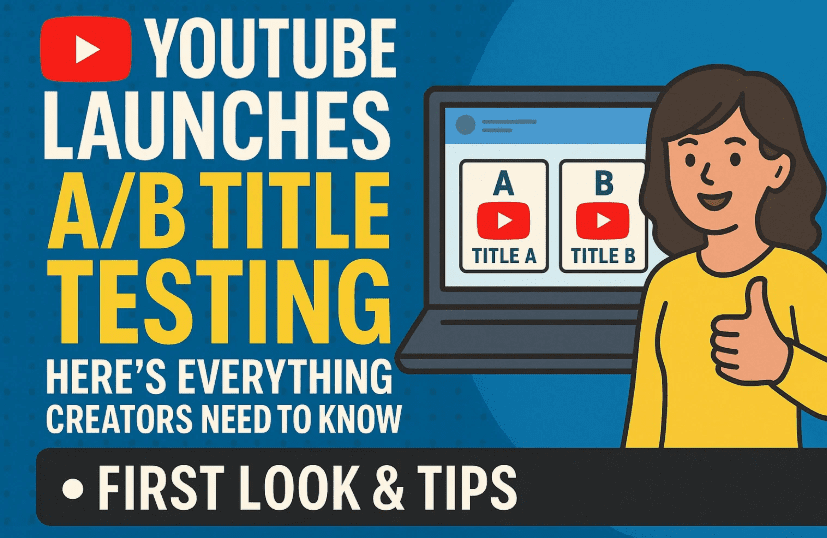
YouTube’s “Test & Compare” feature allows you to run A/B/C tests on your videos by uploading up to three different thumbnails, titles, or a combination of both — all at once. YouTube then tests these versions across viewers and selects the winner based on watch time share (not CTR — more on that later).
This update builds upon YouTube’s previously released thumbnail testing tool but now adds the most important missing piece of the YouTube package puzzle: the title.
After all, your thumbnail gets the viewer to pause, but it’s the title that makes them click.
✨ What You Can Do with the New Tool
Let’s move to what this tool actually allows you to do.
As of now, from the YouTube Studio on desktop, here’s what you can test:
- ✅ Three different titles using the same thumbnail
- ✅ Three different thumbnails using the same title
- ✅ Three combinations of different titles and thumbnails
And yes — it works during both:
- Video uploads, and
- Editing existing videos
You’ll now see a new “A/B Testing” button in two places:





- Inside the thumbnail section during upload or editing
- Inside the title field itself (top of the edit screen)
⚠️ Important limitation: Title testing is not yet available for YouTube Shorts (where thumbnails can’t be customized anyway).
🧭 How Title Testing Works (Step-by-Step)
So far, we’ve done a good job understanding the feature. Now let’s go hands-on with it.
Step-by-Step Guide:
- Open YouTube Studio and go to any published or scheduled video.
- Click Edit, then scroll to the Thumbnail section, or use the A/B Testing button near the title.
- Choose how many variants you want to test — 2 or 3 titles (or thumbnails).
- Enter your different title ideas, keeping them relevant to your audience.
- YouTube will rotate these titles randomly across viewers during the test.
- After enough data, YouTube will select the best performing version — and show it to all users permanently.
🧪 Tests can run from 1 day up to 14 days, depending on how quickly YouTube gathers sufficient data.
📊 How Are Winning Titles Chosen?
YouTube selects the winning title based on the variant with the highest watch time share — not just clickthrough rate (CTR).
Watch time share = the percentage of total watch time each title generated during testing.
📌 Many creators prefer CTR, but YouTube uses watch time because it represents engagement, not just curiosity clicks.
💡 Early Usage Tips: How to Structure Your Title Tests
Testing multiple titles can feel overwhelming. Here’s a strategy we recommend:
✅ Variant 1 – SEO-Optimized
Use keywords your audience is actively searching for. Example:
“How to Grow a YouTube Channel in 2024 (Step-by-Step)”
✅ Variant 2 – Proven Performer
Use a title style that has worked well on your past videos or is trending. Example:
“This Changed My YouTube Channel Overnight!”
✅ Variant 3 – Emotional Hook or Mystery
Try a creative, curiosity-driven title with emotional intrigue. Example:
“I Tried This for 30 Days – Here’s What Happened…”
🎯 Don’t forget — your thumbnail needs to complement the title. The stronger the pair, the better the performance.
🧠 Having this integrated into your YouTube workflow can save hours every week — especially if you’re uploading regularly.
🗓️ Who Gets Access and When?
Right now, the feature appears to be available only to creators with Advanced Features enabled.
Requirements for Advanced Features:
- No Community Guideline strikes
- Phone-verified YouTube account
- 2-Step Verification enabled
- Possibly consistent uploading and good account standing
YouTube has not made an official announcement about full rollout timelines, but based on how thumbnail testing was released:
- Thumbnail A/B testing took a full year to roll out
- Title testing is rolling out faster, possibly to all creators by the end of this year
⏳ So if you don’t have access yet — stay patient. It’s coming.
🙋 Frequently Asked Questions
Q1. Is title testing available for YouTube Shorts?
No. As of now, A/B testing for titles (and thumbnails) is not supported on Shorts.
Q2. Can I test a title and a thumbnail at the same time?
Yes! You can test three different title + thumbnail combinations together.
Q3. How many tests can I run at once?
Each video supports one active test with up to three variants.
Q4. Where do I see results?
Go to Video Analytics > Reach Tab. You’ll see watch time share per variant (no CTR yet).
Q5. Can I edit titles during testing?
Once a test begins, the titles you’ve added cannot be edited. You must end the test and start a new one.
📌 Final Thoughts: Rewriting Your First Impression Just Got Easier
YouTube’s new Title Test & Compare feature is a long-overdue addition for serious creators who want to optimize performance. Just like thumbnail testing, it gives you real audience data, not just guesswork.
While metrics like CTR or impressions-per-click would be nice to see, the simplicity and effectiveness of this tool is a huge leap forward.
Whether you’re a small creator experimenting with new formats or a growing channel trying to dial in that perfect first impression — this tool will help you win more clicks and more watch time.
Tags: YouTube title testing, test and compare YouTube, A/B test YouTube title, YouTube Studio updates, how to increase YouTube CTR, watch time optimization, vidIQ title tool, YouTube title strategy
Hashtags:
#YouTubeTitleTest #ABTestingYouTube #TestAndCompare #YouTubeStudioUpdate #WatchTimeOptimization #YouTubeGrowth #vidIQ #YouTubeTips #CreatorTools #VideoSEO
Disclaimer:
This article is for educational purposes only and based on current features available in YouTube Studio as of July 2025. Access may vary depending on channel standing, region, and YouTube rollout strategy. dtptips is not affiliated with YouTube. Always verify new feature access from your official YouTube dashboard.