AI isn’t coming. It’s already here—deeply integrated into our daily lives, work, creativity, and businesses. But with so many tools, terms, and trends flying at you daily, where do you even begin?
If you’re reading this, chances are you’re not asking if you should learn AI. You’re asking how to learn it effectively, without chasing every shiny new update or drowning in a sea of platforms.
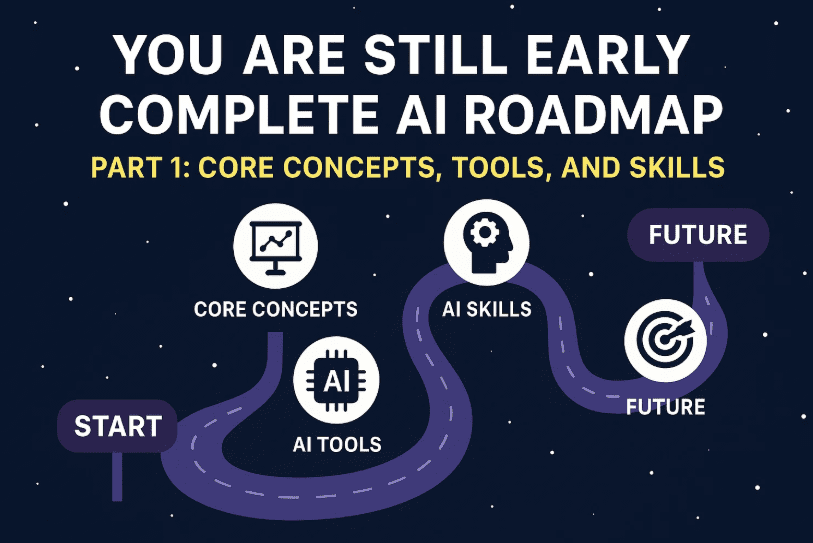
In this detailed two-part blog series, we’ll break it down for you step-by-step. Part 1 will help you understand the foundational tools, essential concepts, and core skills. Part 2 will guide you through AI automation, agent building, vibe coding, and your personalized 30-day learning plan.
Why Most People Get Stuck When Learning AI
Let’s start with a little clarity. Most people feel overwhelmed with AI for four main reasons:
1. “I’m not technical.”
You don’t need to be. Most modern AI tools are designed for non-coders. If you’re curious, can type, and are willing to experiment, you’re already ahead.
2. “AI changes too fast.”
Yes, new models and benchmarks drop weekly, but the fundamentals rarely change. ChatGPT, Claude, Gemini, Mistral, Grok—they all catch up to each other eventually. Focus on the concepts and skills.
3. “There are too many tools.”
There are thousands. But you only need 3 to 5 solid ones to do 90% of what most people need.
4. “I can’t keep up with AI news.”
You don’t need to. Just follow one or two trusted newsletters. For example, Futurepedia curates updates across industries so you don’t have to.
The 3 Paths to Learning AI
Most people learning AI today fall into one of these paths:
Path 1: The Everyday Explorer
You just want to save time. Use AI to:
- Summarize documents
- Write better emails
- Draft lesson plans (teachers)
- Organize study notes (students)
Path 2: The Power User
You’re already productive but want to go faster. You use tools like:







- ChatGPT for scripting
- Perplexity for research
- Midjourney for thumbnails
- Runway for B-roll
- Suno for music
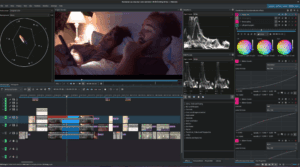
- Descript for editing
Path 3: The Builder
You want to create systems and automation using:
- N8N or Make for workflows
- Cursor for building internal tools
- No-code agents for lead gen, support tickets, etc.
You might start as an Explorer, but over time, you can move into any path with ease.
Core AI Concepts to Know
Let’s cover the basics before diving into tools:
- AI (Artificial Intelligence): Software that simulates human intelligence.
- Machine Learning: A method where systems learn patterns from data.
- Deep Learning: A subfield of ML using neural networks.
- Generative AI: Creates new content—text, images, video, music, etc.
This series focuses on generative AI, especially language models.
Important Terms:
- LLM (Large Language Model): AI trained on huge text datasets.
- Prompt: Instruction you give an AI (e.g., “Summarize this PDF”).
- Token: Units of text AI uses (part of a word).
- Hallucination: AI-generated incorrect information.
- RAG (Retrieval Augmented Generation): LLMs + real-time data.
- Neural Networks: AI architecture inspired by the brain.
5 Categories of AI Tools You Need to Know
Let’s break it down into digestible parts. These are the most useful types of AI tools in 2025:
1. Text-Based Tools (LLMs)
These are your go-to assistants for almost anything. Examples:
Common use cases:
- Writing blog posts, emails, social content
- Summarizing long documents
- Generating code or formulas
- Solving complex problems
2. Research Tools
Instead of searching Google, use AI research assistants:
- Perplexity (Perplexity.ai)
- NotebookLM (notebooklm.google)
Use these to:
- Search the web with citations
- Ask questions across your own documents
- Compile info from multiple sources
3. Image Generation Tools
Create high-quality visuals from text prompts:
- MidJourney — Aesthetic and photorealistic images
- DALL-E (ChatGPT image feature)
- Ideogram — Great for text in images like posters/logos
Image models use diffusion to remove visual noise over time and reveal the image.
4. Video Tools
Generate or edit videos using AI:
- RunwayML for video editing and motion transfer
- Pika Labs and Google Veo for text-to-video
- Topaz AI for video upscaling
- Mo for restyling existing footage
You can animate characters, control scenes with prompts, and even simulate physics.
5. Audio Tools
Create voiceovers and music easily:
- Eleven Labs — Text-to-speech, voice cloning
- Suno and Udio — Create full songs from text
- ChatGPT Voice — Talk to AI naturally
- AI Studio (Google) — Real-time voice + screen assistant
Specialized Wrappers: What Most AI Tools Actually Are
A huge portion of AI tools are actually just UI layers on top of LLMs like ChatGPT or Claude.
They package:
- A single task (e.g., writing product descriptions)
- A clean interface
- Pre-written prompts
While convenient, many of these can be recreated directly in ChatGPT with a few examples.
But some go beyond wrappers. They offer complete workflows like:
- Ad copy + image + video + A/B testing
- Full CRM automation
Use your judgment: Is this tool giving me new ability or just easier access?
Core Skills to Learn in AI (These Never Go Out of Date)
Master these, and you’ll adapt to any AI future:
1. Prompt Engineering
Get better results by following this formula:
- Aim: What you want (e.g., write a 500-word blog post)
- Context: Who it’s for, why it matters
- Rules: Formatting, tone, word limits, etc.
Example:
I’m a teacher. Write a lesson plan for 5th graders on photosynthesis in a fun and visual way.
Also use role prompting:
“You are a NASA scientist. Explain black holes to 10-year-olds.”
2. Tool Literacy
Know what tools exist, their strengths, and what’s possible in:
- Text
- Image
- Video
- Audio
- Research
3. Workflow Thinking
Break down big tasks into:
- Step-by-step pieces
- Tools that match each step
Example:
Research topic → Summarize notes → Write outline → Generate draft → Edit tone
4. Creative Remixing
Test, explore, combine tools.
Start with one idea, follow interesting results, and adapt. AI often surprises you. Embrace that.
Coming Up in Part 2…
In the next part of this blog series, we’ll explore:
- AI Agents: What they are, how to build them (no code!)
- Automations vs Agents
- Vibe Coding: Build apps with your voice
- Tools like N8N, Cursor, Windsurf, and Lovable
- A 30-day step-by-step plan to actually start using AI
Stay tuned for the full breakdown and real-world use cases in Part 2: Automation, Agents & Vibe Coding.
You are still Early – Complete AI Roadmap Part 2: AI Agents, Vibe Coding, and 30-Day Action Plan
Tags: AI learning, prompt engineering, large language models, AI tools 2025, ChatGPT alternatives, Perplexity, image generation, AI skills roadmap, generative AI, no-code AI tools
Hashtags: #LearnAI #AI2025 #ChatGPT #PromptEngineering #GenerativeAI #FutureOfWork #NoCodeAI #AITools #PerplexityAI #ImageGeneration #AIAutomation
Disclaimer: This blog is for educational purposes only and reflects tools and features available as of 2025. Tool capabilities may change over time. Always double-check AI outputs before using them in critical tasks.







