Many Windows enthusiasts enjoy imagining what the future of Microsoft’s operating system might look like, and every once in a while, a concept appears that feels surprisingly believable. One such concept, created by the well-known designer AR4789, presents an imagined version of Windows called Windows 26—a futuristic interpretation of what Windows could become in 2026. Although it isn’t real and cannot be downloaded, the concept has caught the attention of many because it doesn’t feel as far-fetched as some earlier designs. In fact, part of what makes it stand out is how closely it connects to the direction Microsoft already seems to be heading.
From the moment the login and lock screens appear, the design immediately feels familiar yet refined. The desktop interface builds upon the current Windows 11 aesthetic, but introduces a few changes that many users have been requesting for years. For example, the taskbar in this concept finally supports complete repositioning—including the ability to move it to the top of the screen. This alone is something countless Windows users have been hoping Microsoft would implement. The Start Menu also resembles the newer version currently rolling out gradually to Windows 11 users, making the concept feel like a logical evolution rather than a drastic redesign.
What makes Windows 26 especially interesting is the heavier focus on AI. Many elements of the concept revolve around personalization, automation, and system intelligence. A noticeable presence of Microsoft’s Copilot (referred to as “C-Pilot” in the concept) runs throughout the interface. This aligns closely with Microsoft’s real-world statements about the future of Windows possibly becoming “agentic”—meaning the operating system could eventually learn, act, and even make decisions autonomously in certain contexts. Some might find this exciting, while others may find the idea of a self-thinking OS a bit unsettling, but it is undeniably a direction Microsoft has hinted at.
Moving through the various screens in the concept, the familiar areas like File Explorer, the Search panel, and the Settings pages still feel grounded in Windows 11’s design philosophy. The About page, the Personalization menu, and the overall layout borrow heavily from the present-day OS. This is one of the reasons the concept feels believable—it doesn’t throw out everything we know. Instead, it tweaks, enhances, and expands what already exists.
One area that stands out is the renewed emphasis on widgets. The desktop in Windows 26 showcases multiple widgets pinned directly onto the main screen. Users can drag them around, resize them, and reorganize the layout however they prefer. This is something many Windows fans have been asking Microsoft for. While Windows 11 does offer widgets, the current implementation is confined to a panel on the left, limiting customization. Seeing a simple weather widget or calendar pinned directly on the desktop feels both nostalgic and modern at the same time. It brings back memories of the Windows Vista and Windows 7 “Gadgets,” but with a cleaner, more flexible style.
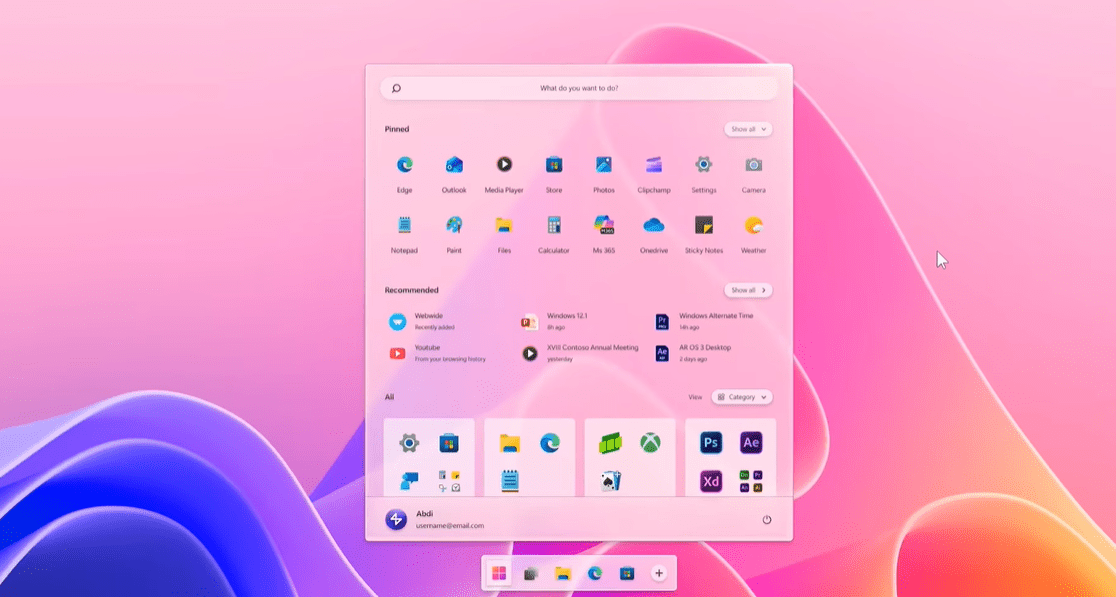
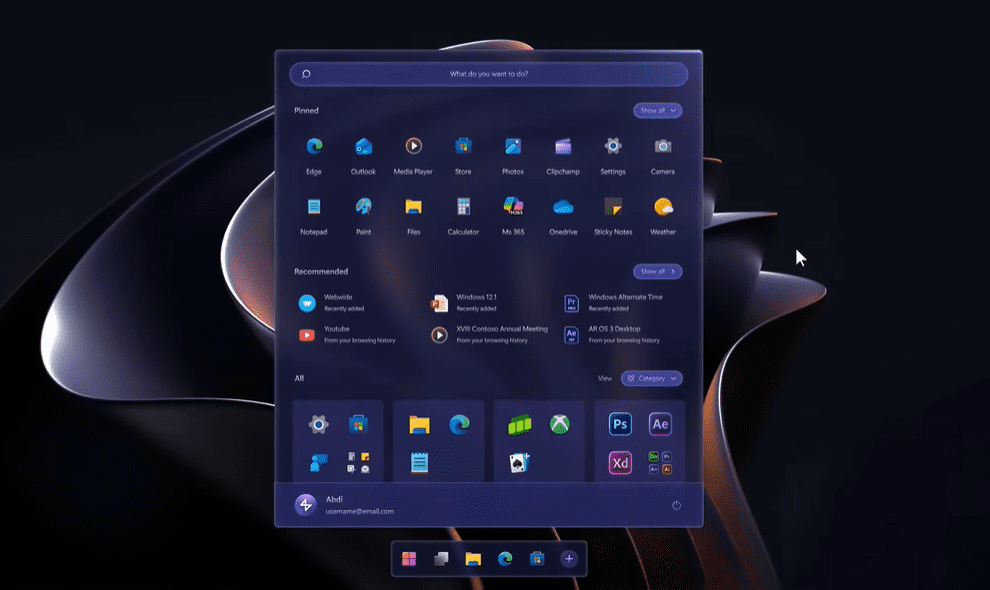
The variety of themes displayed in the Windows 26 concept further adds to the imaginative charm. Light and dark themes are shown, each with subtle refinements. The darker theme, in particular, looks dramatic and elegant—although paired with a dark wallpaper, it may appear slightly heavier than usual. Still, the mood it creates is visually striking and gives a refreshing alternative to the more subdued dark mode in current Windows versions.
Even small details like subtle animations, smoother layout transitions, and refined edges make this concept feel polished. None of it seems unrealistic or technically impossible, which is part of the reason this imaginary Windows feels so close to something Microsoft could actually release. It takes the core ideas of Windows 11—rounded corners, centered elements, layered transparency—and pushes them forward just enough to feel modern but not radically different.
Although it’s important to remember that this Windows 26 concept is not an actual operating system, it plays an important role in the larger conversation about what users really want. Concepts like this remove the typical restrictions Microsoft faces and instead reflect pure creativity and user expectations. They remind us that people value personalization, efficiency, stability, and thoughtful design choices. When creators like AR4789 showcase these ideas, they help broaden our understanding of where desktop operating systems might go.
Looking at this concept as a whole, it’s easy to imagine Microsoft adopting some of these ideas—especially the top taskbar, AI-driven personalization, and movable desktop widgets. Whether or not Windows 12 or a later version ever resembles Windows 26 remains to be seen, but this concept gives us a glimpse into a possible future where Windows feels more customizable, more intelligent, and more attuned to individual users.
Concepts like these aren’t meant to predict the future perfectly, but they do help shift our perspective. They show us not only what could be possible, but what people actually desire from their everyday operating system. And while Microsoft continues shaping the next generation of Windows with AI at the forefront, ideas like Windows 26 offer an exciting vision—one step ahead, but still grounded in reality.
#Windows26 #WindowsConcept #AR4789 #FutureOfWindows #WindowsDesign #MicrosoftWindows #TechConcepts