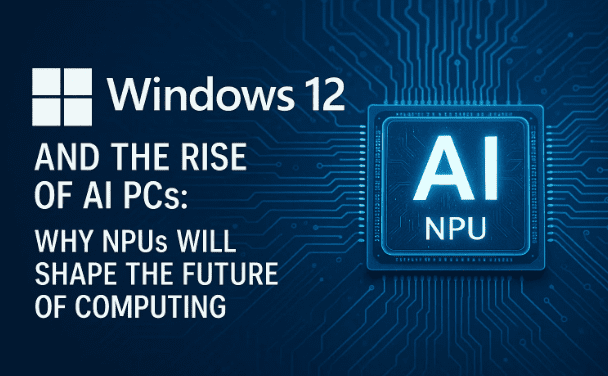
Microsoft itself has signaled a bold direction: “Windows’ future is AI.” In a blog post titled “A tiny component will make a big difference in the future of Windows,” the company hints at neural processing units (NPUs) becoming central to what’s next. That one small chip, many believe, might be the key to unlocking an entirely new generation of AI-centric computing.
In this article, we’ll walk through what we know, what we suspect, and what it all might mean — for hardware, software, and for any user thinking of buying a PC today.
The Premise: Windows as an “Agentic OS”
One of the biggest shifts hinted at is that Windows is evolving from a passive tool to a more proactive, agentic platform — one that can anticipate, assist, and act on your behalf with your permission.
In recent months:
- Microsoft reorganized Windows engineering, bringing core OS teams and feature/experience teams back under a unified umbrella. The goal? To better align engineering with the vision of a more intelligent, integrated OS.
- At Build 2025, Microsoft introduced Model Context Protocol (MCP) support in Windows — a way to let generative agents (local AI assistants) talk to native Windows apps in a standardized fashion.
- The move toward on-device AI is already underway: Windows 11 now supports DirectML integration with NPUs, enabling machine learning inference to shift from CPU/GPU to dedicated AI hardware.
In short: Windows 12 may be less about adding features, and more about shifting how the OS thinks, responds, and collaborates with the user.
The “Tiny Component” That Could Change Everything: NPUs
The blog post you cited emphasizes that a “tiny component” — the Neural Processing Unit (NPU) — is central to Windows’ AI ambitions. But what is an NPU, and why does it matter?
What is an NPU?
An NPU is a specialized chip designed to accelerate machine learning tasks, especially inference (running a trained model) efficiently, with minimal power draw. Unlike general CPUs or even GPUs, NPUs excel in parallel math operations for neural networks. Microsoft claims the NPUs in Copilot+ PCs must support 40+ TOPS (trillions of operations per second) to unlock the full suite of AI features.
Because NPUs are optimized for AI workloads, they:
- Offload machine learning tasks from CPU/GPU, freeing them up for other workloads.
- Consume less power for AI tasks, extending battery life during AI-heavy operations.
- Enable certain AI tasks to run locally (on the device), reducing reliance on cloud inference and improving latency, privacy, and responsiveness.
Microsoft’s Current Use of NPUs
Microsoft already markets Copilot+ PCs, a class of Windows 11 devices optimized for AI:
- They include NPUs with 40+ TOPS capabilities.
- These devices are intended to run features like Recall (a way to search your past PC activity conversationally), Cocreator (AI image generation/editing), and enhanced natural language/vision capabilities.
- Microsoft works with Intel, AMD, Qualcomm, and other OEMs to integrate NPUs into future PCs.
- On the software side, developer tools (DirectML, ONNX runtimes) are being extended to support NPUs.
So the transition is already underway — Windows 11 is the first stepping stone toward full NPU leverage.
From Windows 11 to Windows 12: What Might Change?
Given everything we see now, here’s a speculative (but educated) sketch of what Windows 12 might bring:



1. NPU as a Minimum Requirement / Baseline Feature
It seems plausible that Windows 12 will require NPUs (or at least support them as a standard). That would mean PCs without NPUs might be limited in how much AI they can support, or may be excluded from full Windows 12 functionality.
You already see hints: many new, powerful AI features in Windows 11 are gated to Copilot+ PCs (i.e. systems with NPUs).
2. Bay of AI Features — On-device and Hybrid
Windows 12 might bundle a set of core AI capabilities baked into the OS:
- Recall, Click to Do, Agent in Settings, etc. — already seeding in Windows 11 — will likely evolve, more powerful and integrated.
- More advanced generative features (image, video, audio editing) running locally via small models on NPUs.
- Hybrid models: small tasks done locally, large language models in the cloud when needed, switching seamlessly.
- Better ambient intelligence: OS suggestions, context-aware actions, inter-app agent cooperation (via MCP).
3. Sharper UI / UX Designed Around Intelligence
Because AI features will be more central, the UI may reflect that shift:
- More conversational interfaces, natural language prompts.
- Unified “agent hub” or “copilot core” inside Windows for handling tasks across apps.
- UI reflows that adapt to what you are doing, not just window layouts.
- Smarter window management (snapping, docking, adaptive layouts) tied to context and usage patterns.
4. Modular / Scalable Architecture
To manage different classes of hardware (NPUs, CPUs, GPUs), Windows may adopt a more modular “capability scaling” approach:
- On cheaper hardware: limited AI features, fallback to cloud.
- On more capable hardware (strong NPUs + GPU + CPU): full on-device AI stack.
- The OS may decouple core vs feature modules, enabling updates and patches more flexibly.
5. Hardware & Compatibility Impacts
This shift will have knock-on effects on the hardware ecosystem and software compatibility:
- Older PCs (without NPUs or with weak NPUs) might struggle or be unsupported.
- Developers will need to optimize apps to leverage NPUs (through DirectML, ONNX, etc.).
- Legacy 32-bit or older APIs might be deprecated or restricted, especially in AI pathways.
- OEMs and silicon vendors (Intel, AMD, Qualcomm) will push more integrated NPUs (Intel’s “AI Boost,” AMD’s XDNA, etc.).
Why Microsoft Might Wait Before Releasing Windows 12
Delaying a major OS version gives Microsoft several benefits:
- Hardware maturation
NPUs and compatible devices need time to become widespread. By waiting, Microsoft lets the PC market warm up, so more users have AI-ready hardware when Windows 12 arrives. - Ecosystem alignment
Apps, frameworks, tools, and developers need time to adopt NPUs and agentic models. A delay gives developers time to prepare. - Backward compatibility & stability
Managing the transition (ensuring old apps keep working where possible) is complex. More time helps reduce breaking changes. - User replacement cycle
Many users replace PCs on multi-year cycles. Delaying gives old hardware time to retire naturally, reducing the shock of requiring new specs.
So Windows 11 may be the last “traditional” version, and Windows 12 the first AI-native one — but Microsoft will likely time it carefully.
What Users Should Think About Now
If you are in the market for a new PC, or considering whether to upgrade:
- Prefer “Copilot+ PC” or AI-ready machines
These offer NPUs and hardware support for next-gen AI features. In fact, Microsoft already lists a class of hardware that meets NPU / AI specs. - Be cautious with older machines
Machines lacking NPU support may be limited in their AI feature set — or may be left behind entirely in the Windows 12 era. - Watch for tools & SDK updates
If you are a developer, tracking the DirectML extensions, ONNX runtimes for NPUs, and the new MCP APIs will be key. - Manage expectations
Just because Windows 12 might be “AI everywhere” doesn’t mean every feature will work offline or on every machine. Cloud will still have a role. - Privacy & control become more important
The more “agentic” the OS, the more decisions about data, permissions, transparency, and trust matter.
A Sample “Super Blog” Draft (Refined)
Below is a refined version of your text, stitched together with added context, structure, and polish. You can adapt, cut or expand it as you like.
Title: Windows 12 is AI — Here’s What That Could Mean
Welcome to the Windows and tech channel, dear readers. As Microsoft begins rolling out 25H2 updates, many in the community are fixated on the next big version: Windows 12. Could it arrive next year? The year after? We don’t yet know. But Microsoft has recently dropped powerful hints that it’s shaping Windows around one core principle: AI.
A Microsoft blog post, titled “A tiny component will make a big difference in the future of Windows,” places the spotlight on neural processing units (NPUs). The idea: Windows 12 — or whatever the next version is — might lean heavily on AI, and that demands new hardware as a baseline. In other words, NPUs may no longer be optional.
If you go back and watch announcements over the last year, you’ll see Microsoft increasingly pushing “Copilot+ PC” branding and NPU-enabled experiences. Many of the most exciting AI features in Windows 11 — Recall, Click to Do, Agent in Settings — are only available on Copilot+ PCs. That tells us something: Microsoft is already reserving the richest AI experiences for NPU-capable machines.
This raises a big question: Will Windows 11 be the last “normal” version, supporting standard x64 software, while Windows 12 ushers in a new era of AI-native computing? It seems possible. In that case, the minimum hardware bar will be higher — not just more RAM or storage, but an NPU, and potentially other AI-centric specs. That may be one reason Microsoft is pacing the rollout: letting older PCs age out naturally as the market transitions.
For those considering a PC upgrade now, it’s worth thinking about investing in AI-ready hardware. A “Copilot+ PC” with an NPU might be your bridge into the next generation of Windows. I plan to choose one when I upgrade. It’s less about going ARM or x64 — it’s about supporting the NPU and Copilot vision.
In short: Windows’ future could be Windows 12 AI — and the hints Microsoft is dropping suggest they’re already building toward that. What do you think? If you like this content, please subscribe, like, and share. Thank you for reading.
Conclusion & Final Thoughts
We don’t (yet) know the exact release date or full feature list for Windows 12. But the clues are strong:
- Microsoft is building Windows in an AI-first direction, moving toward agentic interactions.
- NPUs are emerging as a foundational hardware component for next-gen AI features.
- Windows 11 is already seeding elements of this transition (DirectML for NPUs, MCP, agent tools).
- Windows 12 may raise the baseline hardware requirements, shift the architecture, and lean heavily into local + hybrid AI.
Tags:
Windows 12, Microsoft Windows, Windows 11 successor, Copilot Plus PC, NPU, AI computing, Windows features, Windows 12 release date, AI in Windows, neural processing unit, Windows 12 requirements, Microsoft Copilot, Windows AI future, Windows rumors, Windows updates 2025
Hashtags:
#Windows12 #Microsoft #Windows11Successor #AIPC #CopilotPlusPC #AIComputing #NPUPowered #WindowsFuture #MicrosoftAI #TechNews #NextGenWindows #WindowsUpdate #ArtificialIntelligence