As Microsoft prepares to officially end support for Windows 10 on October 14, 2025, millions of users are left wondering what their options are. Whether you’re a home user or a business owner, it’s critical to understand the implications of this transition and the choices available to ensure the security and functionality of your PC.
This article will walk you through the various paths you can take, including official Microsoft solutions, alternative operating systems, and helpful third-party tools.

✅ Can You Continue Using Windows 10 After Support Ends?
Yes, technically, you can keep using Windows 10 even after support ends. Your PC will still function, but it will no longer receive security updates or technical support from Microsoft, making it more vulnerable to malware and cyberattacks.
❌ Key Risks:
- Increased Security Vulnerabilities
- Lack of Technical Support
- Software Compatibility Issues Over Time
💰 Option 1: Extended Security Updates (ESU)
Microsoft offers Extended Security Updates (ESU) for businesses and certain enterprise users, allowing continued access to critical patches for a fee starting at $30 per year.
However:
- Currently, only one year of ESU is confirmed.
- Future extensions (up to 3 years) may happen, but each year typically doubles in price.
- It’s designed primarily for enterprises, not casual home users.
🖥️ Option 2: Windows 10 IoT Enterprise LTSC
Another option is switching to Windows 10 IoT Enterprise LTSC 2021, a long-term servicing channel OS designed for embedded and business-critical devices.
🔑 Key Features:
- 10 years of support (until January 13, 2032)
- No feature updates — only security and critical patches
- No bloatware or pre-installed apps
- Stable version (22H2) for years to come
⚠️ Disclaimer:
Windows 10 IoT Enterprise LTSC is not legally available for home users. It requires Microsoft Volume Licensing and is sold only through authorized Microsoft partners to verified businesses. Many online “cheap key” sellers offer unauthorized or pirated volume license keys, which can result in software piracy violations and security issues.
🛠️ Option 3: Use ZeroPatch
If you want to stay on Windows 10 and still receive essential security patches, ZeroPatch is a micro-patching service that delivers small patches for known vulnerabilities — even in closed-source software like Windows.
- Pro Version Price: $24.95/year + tax
- Free Version Available (limited support and updates)
🔗 Visit ZeroPatch: https://0patch.com
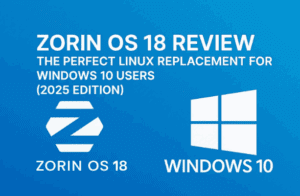
🐧 Option 4: Switch to Linux (e.g., Zorin OS)
If you’re open to a different operating system, Linux is a great alternative. One user-friendly option is Zorin OS, which mimics the Windows interface and is ideal for beginners.
- Completely free & open source
- Regular security updates
- Excellent for older PCs
- Wide range of software support
🔗 Visit Zorin OS: https://zorin.com/os









🔌 Option 5: Use Windows 10 Offline
For those who want to continue using Windows 10 but avoid online risks:
- Disconnect from the internet permanently
- Use the system for offline tasks like printing, local software, or media
- No online exposure = no incoming threats
⚠️ You still risk security flaws if you reconnect or plug in infected drives.
🧱 “I Have Antivirus, I’m Fine” — Think Again
Many believe antivirus and firewalls alone are enough. However:
Without system updates, you’re not protected against OS-level vulnerabilities, no matter how good your antivirus is.
An outdated OS is like a house with locked doors but open windows. Without patches, attackers can exploit those open windows.
🔁 Cloning and Backups: Be Prepared
Once Windows 10 reaches end-of-life, cloning your drive and creating a bootable USB become crucial.
💽 Create a Drive Clone:
- Use tools like Macrium Reflect or EaseUS Todo Backup
- Backup your Windows 10 system with settings and software intact
- Restore your system easily if something breaks
🔧 Create a Bootable USB:
- Use Rufus or Microsoft Media Creation Tool (before EOL)
- Keep a copy of the Windows 10 installer for clean reinstallation or recovery
After EOL, Microsoft may remove free ISO access from its website.
🔗 Download Rufus: https://rufus.ie
🔗 Microsoft Windows 10 ISO (available before EOL): https://www.microsoft.com/software-download/windows10
🔚 Final Thoughts: What Should You Do Now?
Before October 14, 2025:
- Evaluate your hardware to see if you can upgrade to Windows 11.
- Explore alternatives like Linux or ZeroPatch.
- Create recovery tools now before they’re gone.
- Avoid pirated versions of LTSC — they’re risky and often illegal.
Whether you upgrade, switch, or stay on Windows 10, it’s important to act early and plan ahead. Don’t wait until the last moment — take control of your digital security and ensure your system is protected well into the future.
📌 Tags:
Windows 10 End of Life, Windows 10 Alternatives, Windows 10 Support Ending, LTSC, IoT Enterprise, ZeroPatch, Linux for Beginners, Zorin OS, Windows 10 Clone, Windows 10 Backup, Bootable USB, Security Updates, Microsoft ESU, Windows 10 Options
📢 Hashtags:
#Windows10 #EndOfLife #Windows10Support #LTSC #ZeroPatch #Linux #ZorinOS #Windows10Backup #PCSecurity #MicrosoftUpdates #ESU #BootableUSB #OperatingSystem







