Let’s be honest — nobody likes those sudden “Restart Required” messages, and it’s tempting to delay Windows Updates until the last possible moment. But here’s the hard truth: skipping Windows updates is like jumping into a pool with no water — it may seem fine until it’s too late.
As Microsoft prepares to end support for Windows 10 in October 2025, it’s critical that users understand why Windows Updates matter, what risks you face without them, and what your options are going forward — whether you’re a casual user or running a business.
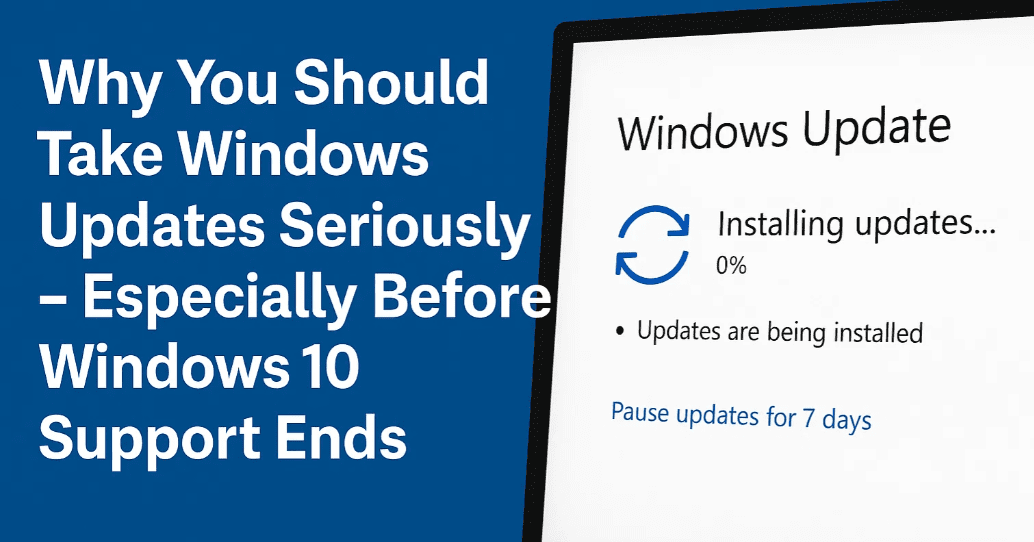
🔐 Why Windows Updates Are Critical
1. Security Patches: Your First Line of Defense
The internet is crawling with malware, ransomware, phishing threats, and zero-day exploits. These threats are no longer created just for mischief — they’re part of a billion-dollar cybercrime industry.
Microsoft uses Windows Update to deliver security patches that fix vulnerabilities, some of which may have existed for years before being patched.
Real Example:
When Windows XP lost support in 2014, a severe Internet Explorer vulnerability surfaced. Microsoft surprised everyone by patching it — even though support had officially ended. Turns out, the vulnerability had been reported to Microsoft five years earlier and sat unpatched until it became a PR nightmare.
🔎 Bottom line: Just because an exploit is being patched today doesn’t mean it was discovered today. It might have existed silently for years.
2. Bug Fixes and Driver Updates
Not all updates are about security. Many include:
- Fixes for system crashes and freezes
- Driver updates for storage, graphics, and network hardware
- Performance and compatibility improvements
Flashback:
The infamous 100% disk usage bug in Windows 10 was partially caused by bad storage drivers. Many users only saw it fixed once Windows Update delivered proper driver updates.
🧠 Skipping updates can cause performance issues, even with modern hardware like SSDs.
3. New Features and Enhancements
Love it or hate it, Windows is constantly evolving.
Feature updates bring:




- UI enhancements (like the new Start Menu in Windows 11 25H2)
- Tools like Windows Subsystem for Linux (WSL)
- Integration with cloud services, Copilot, and more
Sometimes these are backported to older versions like Windows 10 — but only if they’re still supported.
⚠️ What Happens When Windows 10 Reaches End of Support?
On October 14, 2025, Microsoft will officially stop delivering updates for Windows 10. That includes:
- ❌ No more security patches
- ❌ No technical support
- ❌ No driver or feature updates
- ❌ Software developers will start phasing out support
📌 If you’re still running Windows 10 after this, your system becomes increasingly vulnerable with each passing day.
🦠 Unsupported = Target
Cybercriminals actively target unsupported systems. Many exploit developers hold back vulnerabilities (called zero-days) just to deploy them once support ends — when they know no patches will arrive.
💬 Think you’re safe because you’re cautious online?
If you’re not getting updates, you’re already ignoring the #1 security practice: keeping your software current.
🖥️ Software and Hardware Will Leave You Behind
After end of support:
- Browsers like Chrome and Edge will stop updates for Windows 10
- Antivirus companies may follow suit — and those who don’t may offer a false sense of security
- New hardware won’t support older OS versions with proper drivers
🧠 Your antivirus is like an airbag. Useful — but not enough if your brakes (security patches) have failed.
💼 Businesses, Listen Closely
If you’re running a business on Windows 10, end of support brings even higher stakes:
- Data breaches
- Ransomware attacks
- Customer privacy violations
- Compliance failures
⚠️ Relying on outdated systems isn’t just a technical issue — it’s a liability.
✅ What Are Your Options?
🔄 1. Upgrade to Windows 11
If your hardware supports it, this is the most direct solution. You’ll continue getting:
- Latest security patches
- Access to Microsoft support
- New features like Copilot, AI tools, and enhanced UI
Don’t meet the hardware requirements? Many users are successfully installing Windows 11 on unsupported hardware using unofficial methods. While not recommended by Microsoft, it still provides a safer experience than staying on unsupported Windows 10.
💵 2. Use Windows 10 Extended Support (Paid Option)
Microsoft offers Extended Security Updates (ESU) for Windows 10:
- Cost: $30/year
- Applies to devices using local accounts
Or use your Microsoft Rewards points or enable cloud backup with OneDrive for a free extended support option — though it will likely tie you deeper into the Microsoft ecosystem.
🔁 This option is a temporary fix — not a long-term solution.
🧭 3. Switch to Windows 11 LTSC
The Long-Term Servicing Channel (LTSC) version of Windows 11 is built for stability and minimalism. It offers:
- 10 years of security updates
- No Copilot, ads, or bloatware
- Lower hardware requirements than consumer Windows 11
👉 You can purchase LTSC licenses from reliable vendors like VIP SCD Key — just ensure you’re getting a legitimate key.
📌 Frequently Asked Questions
❓ Is it safe to continue using Windows 10 after October 2025?
No. Without updates, your system becomes an easy target for malware and other attacks.
❓ Will antivirus software protect me if I stay on Windows 10?
Not entirely. Antivirus can’t protect against operating system vulnerabilities that remain unpatched.
❓ What if my PC doesn’t support Windows 11?
You can try installing Windows 11 unofficially or switch to Windows 11 LTSC, which has lower requirements.
❓ What’s the difference between free and paid extended support?
The free option requires signing in with a Microsoft account and enabling services like cloud backup. The paid version works with local accounts.
🧰 Amazon Affiliate links
💽 SSD Upgrade for Better Performance:
👉 https://amzn.to/3U3voyU
🔒 Trusted Antivirus for Windows 11:
👉 Avast Premium Security 2020
🔖 Tags
Windows Update, Windows 10 End of Support, Windows 11 Upgrade, Windows Security, Feature Updates, Windows LTSC, Extended Support, Microsoft Patch, Antivirus, Driver Update, Unsupported OS, PC Security
📢 Hashtags
#Windows10 #WindowsUpdate #PCSecurity #Windows11 #LTSC #Microsoft #CyberSecurity #TechTips #UpgradeNow #SystemUpdate
⚠️ Disclaimer
This article is for informational purposes only. Installing unofficial builds or bypassing hardware restrictions to install Windows 11 is not officially supported by Microsoft and may void your warranty or violate licensing terms. Proceed at your own discretion.








