Windows 11 was supposed to be the refined, modern operating system that fixed everything people disliked in Windows 10. But as time passes, it almost feels like the opposite is happening. Updates arrive with promises of polish and stability, but they often bring a fresh set of complications that make daily computing more frustrating than it should be. If you’re someone who simply wants their system to stay stable and predictable, the current state of Windows 11 may feel disappointing. And when you consider how long these issues have lingered, the situation becomes even more concerning.
Before we explore the deeper system-wide problems, let’s begin with something more visible — the new Start Menu. It’s the perfect example of how Microsoft’s design decisions sometimes create more frustration instead of solving long-standing troubles.
The New Start Menu: Big, Restrictive, and Surprisingly Unusable
Every new version of Windows brings some type of Start Menu redesign — some good, some questionable. But the most recent Start Menu rolling out across Windows 11 feels like a step backward for many users.
Intro to the New Experience
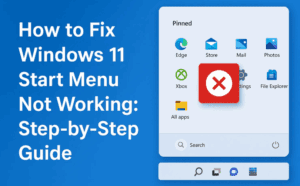
The moment you open it, the first thing you’ll notice is how heavy and oversized everything feels. It’s as if the Start Menu is trying to be a dashboard rather than a simple place to launch apps. Unfortunately, the bigger problem isn’t the design alone — it’s what the user cannot do with it.
A Start Menu You Can’t Customize
When people talk about modern Windows issues, the recurring theme is limitations. And this new Start Menu continues that trend in a surprising way.
You cannot create new categories.
You cannot rename existing categories.
You cannot move apps between categories.
You cannot resize the Start Menu.
In other words, all the fundamental actions a user would expect from a personalized Start Menu are simply gone. The categories that Microsoft gives you are fixed in place, and the pinned section at the top becomes redundant because the lower section repeats many of the same apps anyway. This duplication quickly turns the interface into a cluttered wall of icons.
Users who value organization will probably feel boxed in. You may have a preferred workflow where groups help you navigate long lists of tools, especially if you manage dozens of applications. But on this Start Menu, every choice has been predetermined for you. And that rigidity breaks the very purpose of having a Start Menu in the first place.
Search, Bing, and Extra Noise
The search bar remains at the top, and although it does the job, it frequently pushes web results even when you are looking for something on your system. Many users disable this behavior to avoid unnecessary clutter, but that adds another layer of custom tweaking just to keep the Start Menu functional.
It doesn’t help that this new interface doesn’t feel lightweight or efficient. Instead of acting like a clean gateway into your system, it becomes another example of features added without considering what users actually want.
The Bigger Problem: Windows 11 Stability Is Declining
Once you look past the Start Menu and begin using the system for everyday tasks, the more persistent issues begin to show up — and this is where the real concern lies.



A Pattern of Bugs Across Versions
Windows 11 25H2 and 24H2 have accumulated a long list of complaints from users. Freezing screens, disappearing taskbars, broken search experiences, failing Explorer windows, and duplicated Task Manager windows are only a fraction of the problems people have reported.
Some of these bugs have existed for months. Others reappeared after previous fixes. But what’s becoming more noticeable is how often one fix creates several new issues. This creates a cycle where updates feel unpredictable, especially for users who rely on stable performance for work.
Microsoft Admits the Issues — But Fixes Are Slow
One of the more surprising things is that Microsoft has openly acknowledged severe issues in recent builds, especially after mid-2025 updates. Problems affect core components like:
- Explorer.exe
- ShellHost.exe
- Start Menu Experience Host
- Search and indexing
- Taskbar and system tray
And yet, many of these items sit on the “We are working on a resolution” list for extended periods.
Meanwhile, users continue to experience freezing, stuttering, sudden UI resets, and random application crashes. For some, even basic tasks like opening File Explorer or switching between apps feel unreliable.
The Decade-Old Shutdown Bug
Adding to the frustration is the fact that Microsoft only recently fixed the infamous “Restart Instead of Shutdown” bug—a problem that existed for almost ten years. If such long-standing issues took that long to resolve, users worry similar lingering issues will stay around far too long.
Why Updates Keep Making Things Worse
At some point, the question naturally arrives: How does a company as large as Microsoft keep introducing new bugs faster than it fixes the old ones?
Feature Overload and AI Everywhere
One theory is that Microsoft is focusing too heavily on expanding features rather than strengthening the foundation. Windows 11 has become a host for embedded AI systems, CoPilot integration, Bing-linked search, and a growing set of side panels and promotional surfaces across the interface.
While AI-driven tools may be exciting on paper, most traditional PC users simply want a fast, clean, stable operating system without distractions. Instead, Windows now makes users disable or uninstall features they never asked for.
Telemetry, Ad Surfaces, and Background Features
A growing number of settings must be manually turned off to keep the system lean. Telemetry options, sidebar messages, app suggestions, and the new “recommendations” in File Explorer often feel intrusive. For power users, it becomes a ritual to debloat every fresh installation.
Breaking What Already Worked
The loss of simplicity becomes even more noticeable when you compare Windows 11 against earlier versions like 23H2, which was significantly more stable. Instead of building on that dependable foundation, Microsoft moved on to newer builds that repeated past mistakes.
The Real-World Experience: Freezing, Crashes, and Daily Annoyances
Here’s where users truly feel the impact. You can have the best hardware, the fastest SSD, and the latest drivers — but Windows 11 can still stutter or freeze without warning.
Freezing During Videos
Many users reported full-screen freezes while watching videos, which is both disruptive and concerning. At first, users blamed hardware, but when multiple people reported identical symptoms on different systems, it became clear that the issue was software-based.
Taskbar Randomly Disappearing
Few things are as jarring as the entire taskbar vanishing while you’re mid-task. Restoring it usually requires restarting Explorer, and even then, it may happen again later.
Application Crashes
Explorer crashes, settings panels refusing to load, and sudden system stutters have become common reports among the community.
And the most frustrating part? Some of these issues don’t appear on Microsoft’s “known issues” list at all, even when thousands of users experience them.
Alternatives: Start Menu Replacements and Why People Use Them
For many Windows users, living with the default Start Menu simply isn’t an option anymore. That’s why third-party Start Menu replacements have become popular. Tools like Start11 give users back the control that Windows removed: resizing menus, creating custom groups, organizing shortcuts, and restoring a clean layout.
These tools aren’t free, but they solve immediate problems in a way Microsoft hasn’t managed to.
But relying on third-party tools shouldn’t be necessary for something as fundamental as the Start Menu. That’s why people feel increasingly disappointed.
The Linux Suggestion: Why It Doesn’t Work for Everyone
Whenever Windows problems are discussed, someone inevitably says, “Just switch to Linux.”
Linux is excellent for older systems, development work, server environments, and lightweight computing. But for many users — especially gamers, creators, and professionals dependent on specific software — Linux simply doesn’t provide everything they need. Compatibility gaps still exist, and performance in certain workloads isn’t always consistent.
So while Linux remains a great alternative for many, it’s not a universal escape.
What Microsoft Needs To Fix
If Microsoft genuinely wants users to embrace Windows 11, the solution isn’t more features or deeper AI integration — it’s stability. People want:
- A Start Menu that respects personalization
- A system that doesn’t freeze or crash
- Updates that fix problems without creating new ones
- Control over features rather than forced integrations
- A clean interface without ads
Windows 11 has potential, and users want it to succeed. But that requires Microsoft to slow down, refine what exists, and listen to real user feedback.
Disclaimer
This article reflects user experiences and system behavior reported across multiple Windows 11 builds. Not every user will face the same issues, and hardware configurations may influence stability. Always create backups before installing major updates.
#Windows11 #WindowsProblems #StartMenu #TechExplained #dtptips