When you first hear about a game being built on Unreal Engine 5, you probably expect jaw-dropping visuals — shimmering lighting, hyper-realistic textures, and vast open worlds. But along with that visual glory comes a big downside: performance demand. Gamers often find that even high-end systems start sweating when running these next-generation titles.
One of the latest examples of this is Borderlands 4, released recently in September. Despite its stylized, comic-book-like graphics (not the typical “realistic” look you’d expect from heavy games), it is one of the most demanding Unreal Engine 5 games yet. So why is that?
Let’s dive deep into five key reasons why Unreal Engine 5 games — and Borderlands 4 in particular — are so resource-hungry, and how NVIDIA’s AI-powered GPU technologies like DLSS 4 and Reflex, found in powerful cards such as the Colorful GFS RTX 5080, make such games buttery smooth to play.
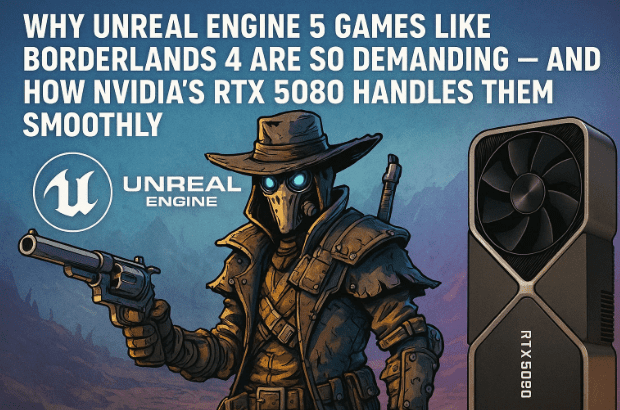
1. A Quick Overview of Borderlands 4 and Its Art Style
Before we analyze the heavy-lifting side of things, let’s get familiar with the game itself.
Borderlands 4 is an action looter-shooter — a genre where your primary motivation is blasting through enemies and collecting better weapons, shields, and loot. The Borderlands series has been around for over 16 years, recognized for its unique humor, fast-paced gunplay, and most notably, its distinct visual style.
That visual identity comes from something called cel-shaded art style. Unlike typical 3D games that aim for realism, cel-shading makes 3D objects look like 2D comic art. It uses:
- Flat color fills instead of gradient textures,
- Thick black outlines around characters and objects,
- Hard, stylized shadows that mimic cartoon aesthetics.
Despite looking “simpler,” cel-shaded games can be incredibly complex under the hood — especially when they combine that aesthetic with Unreal Engine 5’s real-time lighting and world-simulation systems.
And that’s exactly what makes Borderlands 4 such a fascinating (and demanding) example.
2. Reason 1: Unreal Engine 5’s Heavy Tech Stack — Nanite, Lumen & World Partition
Epic Games’ Unreal Engine 5 represents a leap forward from its predecessor. It’s not just a graphics engine; it’s a real-time world simulator that brings cinematic quality into gameplay.
Let’s look at three of its biggest innovations — all of which contribute to heavy performance demands.
🧱 Nanite — Infinite Geometric Detail
Nanite is Unreal Engine 5’s virtualized micro-polygon system. In simple terms, it allows developers to use film-quality assets — think of 3D rocks, walls, or statues with billions of triangles — without manually simplifying them.












Normally, highly detailed models would choke GPUs, but Nanite dynamically streams only the visible portions of geometry. However, this comes at a cost: it requires high-speed data processing and GPU compute power.
When Nanite isn’t supported (as was the case for vegetation in earlier UE 5.5 builds), foliage and grass have to use older rendering methods — which ironically perform worse because they can’t take advantage of Nanite’s optimization.
💡 Lumen — Real-Time Global Illumination
Lumen is Unreal’s new real-time lighting engine. It simulates how light bounces off surfaces dynamically. Instead of pre-baked lighting (used in older games), Lumen calculates reflections, refractions, and ambient light in real time.
That means every light source — explosions, sunlight, neon signs — continuously interacts with the environment. The result is stunning realism, but it hammers the CPU and GPU with calculations.
🌍 World Partition — Smarter Streaming, More CPU Load
Gone are the days of loading screens between areas. World Partition automatically divides the game world into grids and loads only the sections near the player.
This dynamic system improves immersion but also means constant streaming, loading, and unloading of assets in real time — a process that depends heavily on CPU bandwidth and fast SSD speeds.
The Outcome
When all three — Nanite, Lumen, and World Partition — run simultaneously in large open areas filled with vegetation, particles, and enemy AI, Unreal Engine 5 hits peak resource usage.
That’s why Borderlands 4, despite not being “photo-realistic,” demands top-tier hardware to maintain consistent frame rates.
3. Reason 2: Vegetation, Open Worlds, and the Missing Nanite Link
Epic Games continuously updates Unreal Engine 5 — versions 5.5, 5.6, and beyond — with new features. Borderlands 4 was built on version 5.5.4, which released before vegetation gained Nanite support (added in 5.6).
That means all the grass, shrubs, and trees in Borderlands 4 had to use traditional polygonal meshes, which are far heavier for the GPU to render.
Here’s why that matters:
- Open outdoor scenes feature massive amounts of foliage.
- Each blade of grass, leaf, or bush adds to the triangle count.
- Unreal must still apply dynamic lighting (Lumen) and shadow calculations to every object.
So even though indoor scenes perform well, outdoor areas cause huge frame-rate drops because they combine:
- Heavy vegetation meshes,
- Lumen lighting,
- Particles like dust and fog,
- Distant terrain rendering via World Partition.
This combination creates a perfect storm for your GPU — and explains why Borderlands 4 often pushes even high-end PCs to their limits.
4. Reason 3: Dynamic Level of Detail (LOD) and Overloaded Physics
Game developers use a clever trick called LOD (Level of Detail) to optimize performance.
When you look at a rock that’s far away, the engine renders a low-detail version. As you move closer, it seamlessly swaps to a higher-detail model.
However, Unreal Engine 5 — and particularly Borderlands 4 — takes this further by introducing dynamic elements.
For example:
- Trees sway in the wind.
- Grass bends as you move through it.
- Debris and environment objects react to explosions or physics.
That realism is beautiful, but it adds complexity. Each moving object requires constant CPU-GPU synchronization.
You may notice when walking toward distant objects that they suddenly start animating — shifting from static to dynamic mode. This “pop-in” effect happens because the game dynamically switches simulation layers depending on your distance.
While it’s visually advanced, it increases the load on both the CPU (for physics and AI pathfinding) and GPU (for rendering and animation).
So even though the transitions feel natural, your hardware is working overtime behind the scenes.
5. Reason 4: Real-Time Cutscenes and Shader Compilation Stutter
Modern AAA games aim for seamless transitions between gameplay and storytelling. Instead of using pre-rendered cutscenes (essentially video files), they now use real-time cutscenes — rendered live by your GPU using the same assets as gameplay.
Why this matters
- Real-time cutscenes allow your current character skin, weapons, or environment state to appear exactly as in gameplay.
- But they also demand the same resources — lighting, shaders, physics — during cinematic sequences.
- This often causes a performance dip or FPS lock (many games cap real-time cutscenes at 30 FPS to maintain consistency).
So when you jump from 120 FPS gameplay into a 30 FPS cinematic, the sudden change is noticeable — especially in first-person shooters.
Shader Compilation Stutter
Another overlooked issue is shader compilation. Every time you change visual settings (like texture quality or resolution), Unreal Engine needs to recompile shaders.
During loading screens, that’s fine. But if you tweak graphics mid-game, the engine quietly compiles shaders in the background — causing micro-stutters for a few minutes.
This phenomenon, known as shader compilation stutter, affects many Unreal Engine 5 games. Some of it can be mitigated with better caching and driver support — and that’s where modern GPUs like NVIDIA’s RTX 5080 come in handy.
6. Reason 5: The AI Magic — NVIDIA DLSS 4, Multi-Frame Generation & Reflex
Now that we’ve covered why Unreal Engine 5 games are so demanding, let’s see how NVIDIA’s latest AI technologies help overcome these limits.
The Colorful GFS RTX 5080, built on NVIDIA’s new Blackwell architecture, introduces an incredible AI-powered rendering pipeline that transforms how heavy games run.
🧠 What is DLSS 4?
DLSS stands for Deep Learning Super Sampling — a technology that uses neural networks to upscale lower-resolution frames into higher-resolution images.
In DLSS 4, the AI doesn’t just upscale; it also predicts new frames using motion data between previous frames — a process called Optical Multi-Frame Generation (MFG).
Here’s how it works:
- The game actually renders internally at a lower resolution (say 1080p).
- DLSS 4 uses AI inference to generate missing pixels, creating a 4K-like image.
- Multi-Frame Generation then predicts intermediate frames, effectively doubling or tripling your FPS.
- The GPU workload drops dramatically, while visual clarity stays razor-sharp.
In Borderlands 4, enabling DLSS 4 can boost performance up to 5.5× faster at 4K Ultra settings — without sacrificing detail.
⚡ NVIDIA Reflex — Killing Input Lag
No matter how high your FPS, if there’s input delay, the experience suffers. NVIDIA Reflex tackles this by synchronizing CPU and GPU workloads to reduce latency between your mouse click and the on-screen result.
When you enable DLSS 4’s frame generation, Reflex automatically turns on, further improving responsiveness. In Borderlands 4, Reflex can reduce input latency by up to 54 %, letting you aim, shoot, and react faster.
That’s why even in heavy firefights, gameplay feels crisp and responsive rather than sluggish.
Combining AI and Performance
Together, DLSS 4, MFG, and Reflex create the perfect trifecta:
- Higher frame rates
- Lower latency
- Sharper visuals
For a title as demanding as Borderlands 4, that means the difference between “barely playable” and “butter smooth.”
7. Performance Testing Across 1080p, 2K, and 4K
Let’s talk about real-world performance observations when playing Borderlands 4 on a Colorful GFS RTX 5080 using DLSS 4.
Before going step-by-step, note that DLSS 4 offers multiple presets: Quality, Performance, and Ultra Performance. The Quality mode usually provides the best balance between clarity and smoothness.
🔹 Step 1: 1080p Full HD
Starting at 1080p, frame rates are extremely high — sometimes reaching hundreds of FPS. The gameplay feels fluid, input response is instant, and Reflex keeps latency minimal.
For competitive players, this resolution remains ideal when you want maximum FPS and zero lag.
🔹 Step 2: 2K (1440p)
At 2K, the game strikes a sweet spot between clarity and performance. Visuals look crisp, and thanks to DLSS 4, FPS remains comfortably high even in intense open-world scenes or heavy gunfights.
Many gamers consider 1440p the modern “standard” resolution — and Borderlands 4 proves why.
🔹 Step 3: 4K Ultra
Now, at 4K Ultra settings, you’d normally expect frame rates to plummet — but surprisingly, DLSS 4 MFG maintains remarkably high FPS while preserving cinematic image quality.
Latency remains low, lighting effects shine beautifully, and animations stay smooth. Seeing Borderlands’ stylized art pop in 4K is genuinely breathtaking.
Side-by-side comparisons clearly show how DLSS 4 outperforms native rendering without any noticeable compromise.
8. Why Modern AAA Games Need AI-Assisted Rendering
Today’s AAA titles combine gigantic open worlds, advanced physics, dynamic weather, and real-time lighting. These features simply can’t be handled efficiently through traditional rendering alone.
AI-assisted methods like DLSS 4 bridge that gap by offloading tasks from the GPU to specialized Tensor Cores designed for neural inference.
Here’s why that’s crucial:
- Game worlds are getting exponentially larger.
- Texture and asset resolutions are approaching cinematic quality.
- Real-time reflections, shadows, and ray tracing consume enormous resources.
Without technologies like DLSS 4 and Reflex, even top-tier hardware would struggle to keep up.
That’s why the Colorful GFS RTX 5080 (based on NVIDIA’s Blackwell architecture) is so significant — it’s designed for this new era of AI-accelerated gaming, allowing engines like Unreal 5 to reach their full potential.
9. Common Questions About Unreal Engine 5 Optimization
Q1. Why do Unreal Engine 5 games have more stuttering than older ones?
Because UE 5 uses real-time lighting (Lumen) and advanced streaming (World Partition), assets and shaders are constantly loaded and compiled in the background. That leads to micro-stutters, especially when settings change mid-game.
Q2. Does DLSS 4 affect image quality?
Not noticeably in Quality mode. In fact, due to AI-driven pixel generation, DLSS 4 often produces sharper results than native resolution — especially when paired with good anti-aliasing.
Q3. Do I need Reflex separately?
No. When you enable DLSS Frame Generation in supported games, Reflex automatically activates to reduce input lag.
Q4. Can lower-end GPUs use DLSS 4?
DLSS 4 requires hardware with Tensor Cores, available only on RTX 40-series GPUs and newer (including the RTX 5080).
Q5. Why does my game recompile shaders every time I launch it?
Because each hardware and driver combination generates unique shader caches. When GPU drivers update or game patches change assets, shaders must recompile to match the new pipeline.
Q6. Are real-time cutscenes worth the performance drop?
Yes. While they’re resource-intensive, they provide visual continuity — your current gear, lighting, and environment appear seamlessly. It’s part of why modern games feel more cinematic.
10. Final Thoughts
So now you know why even stylized games like Borderlands 4 — not just hyper-realistic ones — can be incredibly demanding. It’s not about how “real” something looks, but how much real-time simulation is happening under the hood.
Unreal Engine 5’s Nanite, Lumen, and World Partition systems deliver stunning visuals at the cost of heavy computation. And as we’ve seen, NVIDIA’s DLSS 4 AI upscaling, Multi-Frame Generation, and Reflex technologies are the key to making these experiences smooth and enjoyable.
Pairing those with the Colorful GFS RTX 5080 GPU means you’re not just brute-forcing performance — you’re using AI to play smarter, not harder.
Whether you’re a gamer chasing every frame or a developer understanding next-gen engines, one thing is clear: the future of gaming performance isn’t just in raw horsepower — it’s in intelligent rendering.
#UnrealEngine5 #Borderlands4 #RTX5080 #DLSS4 #NvidiaReflex #AIGaming #NextGenGraphics #ColorfulGPU






