Have you ever wondered why most wealthy individuals and professionals use MacBooks instead of Windows laptops? While Windows dominates the global market, Apple’s MacBooks remain the top choice among elites. In this article, we’ll explore the key reasons behind this preference and whether a MacBook is worth the investment for you.
Top Reasons Why Rich People Use MacBooks
1. Superior Build Quality & Design
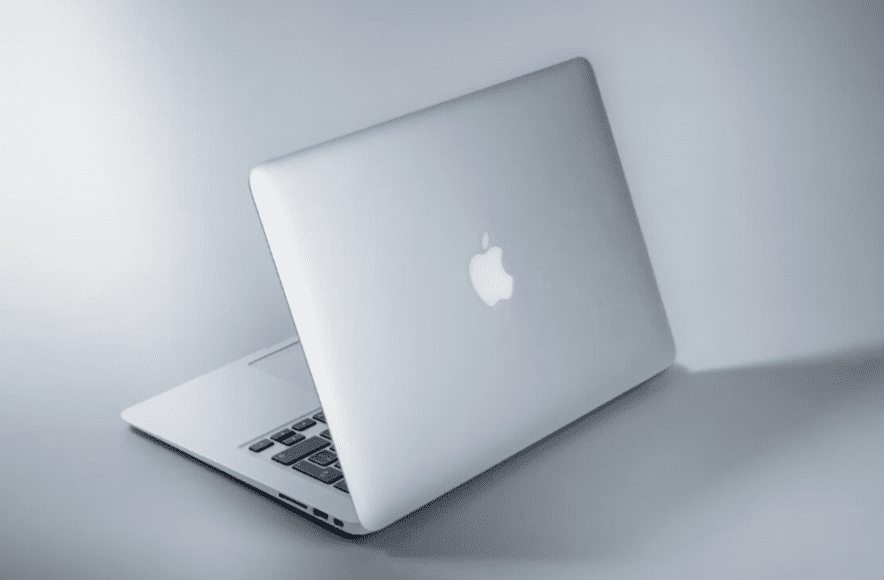
MacBooks are known for their premium aluminum unibody design, sleek aesthetics, and durability. Unlike many Windows laptops that feel plasticky, MacBooks offer:
✔ Thin & lightweight (Highly portable)
✔ Robust construction (Less prone to wear and tear)
✔ Minimalist elegance (Professional look)
2. Seamless Ecosystem Integration
Apple’s ecosystem (iPhone, iPad, Mac, Apple Watch, AirPods) provides unmatched connectivity:
✔ Handoff – Start work on iPhone, continue on Mac.
✔ AirDrop – Instant file sharing between Apple devices.
✔ Universal Clipboard – Copy on iPhone, paste on Mac.
✔ iCloud Sync – Photos, notes, and files update in real-time.
No Windows laptop offers this level of integration with smartphones.
3. Industry-Leading Battery Life
MacBooks boast 15-20 hours of battery life (M1/M2/M3 chips), while most Windows laptops struggle to cross 6-8 hours.
- Efficient ARM-based processors (Less heat, better performance per watt).
- Optimized macOS (No background bloatware).
4. High Resale Value
MacBooks retain 60-70% of their value even after 3-4 years, unlike Windows laptops that depreciate rapidly.
- A 3-year-old MacBook Pro still sells for ₹50,000-70,000.
- A 3-year-old Windows laptop often drops to ₹20,000-30,000.
5. Best for Creative Professionals
✔ Video Editing (Final Cut Pro, DaVinci Resolve)
✔ Graphic Design (Adobe Photoshop, Illustrator)
✔ Music Production (Logic Pro, Ableton Live)
✔ App Development (Xcode for iOS apps)
MacBooks are the standard in creative industries.
Disadvantages of MacBooks
1. Expensive Upfront Cost
- MacBook Air (M1) starts at ₹90,000
- MacBook Pro (M3) starts at ₹1,60,000
- No budget options (Unlike Windows laptops at ₹30,000-50,000).
2. Limited Software Compatibility
- Many Windows-exclusive apps (e.g., AutoCAD, some games) don’t run natively.
- Requires virtualization (Parallels) or dual-boot (Boot Camp).
3. Non-Upgradable Hardware
- RAM & SSD are soldered (Can’t upgrade later).
- No USB-A, HDMI, or SD card slots (Need dongles).
4. Fewer Ports
Most MacBooks only have 2-4 Thunderbolt/USB-C ports, unlike Windows laptops with:
✔ HDMI ✔ USB-A ✔ Ethernet ✔ SD card slots
Who Should Buy a MacBook?
✅ Creative Professionals (Video editors, designers, musicians)
✅ Business Executives (Long battery life + premium build)
✅ Apple Ecosystem Users (iPhone + iPad owners)
Who Should Stick to Windows?
✅ Gamers (Macs lack high-end GPU support)
✅ Budget Users (Cheaper Windows options available)
✅ IT Professionals (Needs Linux/Windows-specific software)










Final Verdict
MacBooks are luxury devices with top-tier performance, battery life, and ecosystem benefits. However, they’re not for everyone—especially if you need gaming, upgradability, or budget options.
🔹 Best MacBook Alternatives (Windows):
- Dell XPS 13 (Premium build)
- HP Spectre x360 (2-in-1 versatility)
- Lenovo ThinkPad X1 Carbon (Business-grade)
Tags:
MacBook vs Windows, Apple Ecosystem, Best Laptops for Professionals, MacBook Pro Review
Hashtags:
#MacBook #Apple #WindowsLaptop #TechComparison #LaptopGuide
Disclaimer:
- Prices mentioned are approximate (India).
- Performance may vary based on usage.
- Always check latest models before purchasing.
Which laptop do you prefer? Let us know in the comments! 🚀







