India’s digital landscape is changing rapidly, and Reliance Jio — one of the country’s largest telecom players — continues to push innovation beyond traditional internet services.
After revolutionizing mobile data, broadband, and entertainment with JioFiber and JioTV, the company has now stepped into a new category — cloud computing for everyday users — through a service called Jio PC.
But what exactly is Jio PC? How does it work? Do you need to buy a new computer for it? And can non-Jio users — like Airtel or Vi subscribers — access it?
Let’s understand everything about Jio PC in this detailed article — from setup requirements and working process to subscription plans, usage benefits, and important limitations.
💻 1. What Is Jio PC?
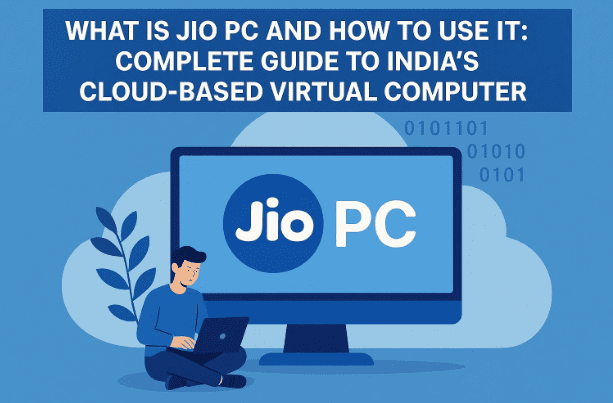
Simply put, Jio PC is a virtual desktop service provided by Reliance Jio.
It allows users to convert their television into a full-fledged computer — without needing to purchase an actual desktop or laptop.
Instead of running on local hardware, the computer operates through the cloud, which means all the processing happens remotely on Jio’s servers.
In simple terms:
- Your TV acts as the screen.
- Jio’s Set-Top Box (STB) acts as the connection point.
- The computing power and data storage come from Jio’s cloud servers.
This means you can do typical computer activities — browsing, online learning, attending meetings, using web apps, and even light programming — without buying a physical PC.
⚙️ 2. How Does Jio PC Work?
Jio PC works using a Virtual Desktop Infrastructure (VDI) — a system where your desktop environment runs on remote servers instead of your personal device.
When you connect your keyboard, mouse, and TV to the Jio Set-Top Box, the system creates a cloud-based desktop session that appears on your screen.









Everything you do — opening apps, saving files, or attending a class — happens on Jio’s servers, not locally.
Here’s the step-by-step process simplified:
- Your Jio STB connects to Jio’s cloud via your Jio Fiber or AirFiber internet.
- The system loads a Linux-based desktop interface (Ubuntu).
- You interact with the PC using your connected keyboard and mouse.
- All files and applications are stored securely on Jio Cloud.
This approach allows even low-cost hardware setups to perform heavy tasks because the computing is done remotely.
🖥️ 3. What Equipment You Need to Use Jio PC
If you want to use Jio PC, here’s what you’ll need to get started:
| Requirement | Purpose |
|---|---|
| Smart TV | Acts as your PC monitor or display. |
| JioFiber or Jio AirFiber connection | Provides high-speed internet connectivity. |
| Jio Set-Top Box (STB) | Converts your TV into a virtual desktop device. |
| Keyboard and Mouse | For typing, navigation, and control. |
| Active Jio PC Subscription | Enables cloud access and data storage. |
If you already have Jio Fiber and its set-top box, you won’t need to buy additional hardware — only the Jio PC subscription.
However, non-Jio users (Airtel, Vi, BSNL) cannot use Jio PC as it requires Jio’s home broadband infrastructure.
🧠 4. Jio PC System Specifications
According to the official Jio website, the Jio PC virtual environment comes with the following specifications:
| Feature | Details |
|---|---|
| RAM | 8 GB (virtual memory) |
| Cloud Storage | 100 GB |
| Operating System | Ubuntu Linux |
| Access Type | Virtual Desktop via Jio Cloud |
| Data Safety | Files stored on cloud remain safe even if hardware is replaced |
This setup is sufficient for:
- Web browsing and document editing
- Online classes and video conferences
- Coding, programming, and Linux-based tasks
- Daily productivity activities
While you won’t get Windows or macOS here, Ubuntu Linux provides a stable, free, and secure alternative suitable for education and light office use.
🧩 5. Step-by-Step: How to Set Up and Use Jio PC
Now that you know what it is, let’s go through the actual process of setting it up.
This section is crucial, so make sure you follow every step carefully.
Step 1: Get Jio Fiber or Jio AirFiber Connection
You must have an active Jio broadband connection (either fiber or air-based). This ensures you can access Jio’s private network required for cloud desktop streaming.
Step 2: Connect the Jio Set-Top Box (STB)
Your STB acts as the main hardware interface. Connect it to your smart TV via HDMI cable and ensure it is powered on.
Step 3: Attach Keyboard and Mouse
Plug in a USB keyboard and mouse to the Jio Set-Top Box. You can also use wireless devices if compatible.
Step 4: Activate Jio PC Subscription
Visit the official Jio website or contact Jio customer care to activate your Jio PC subscription plan.
Plans start at ₹599 per month (exclusive of GST). We’ll explain all plan options below.
Step 5: Access Jio PC Interface
Once subscribed, your STB menu will show a “Jio PC” option. Select it to launch the cloud desktop.
You’ll see a Linux-based (Ubuntu) interface where you can open apps, web browsers, files, and more.
Step 6: Save Files Safely on Cloud
All your work is automatically stored on Jio’s secure cloud. Even if your STB is replaced or disconnected, your files remain safe online.
💰 6. Jio PC Subscription Plans Explained
Reliance Jio currently lists five subscription plans for Jio PC on its official website.
All plans include 8 GB RAM, 100 GB cloud storage, and unlimited usage within the validity period.
Here’s a detailed comparison:
| Plan Price | Validity | RAM | Cloud Storage | Notes |
|---|---|---|---|---|
| ₹599 | 1 Month | 8 GB | 100 GB | Entry-level plan for short-term use |
| ₹999 | 2 Months | 8 GB | 100 GB | Best for trial or educational users |
| ₹1,499 | 4 Months | 8 GB | 100 GB | Limited offer plan with discount |
| ₹2,499 | 8 Months | 8 GB | 100 GB | Long-term access for professionals |
| ₹4,599 | 15 Months | 8 GB | 100 GB | Best value plan with extended validity |
Note: All prices are exclusive of GST, meaning the final cost may be slightly higher at checkout.
Each plan allows unlimited access hours — you can use Jio PC as much as you want during the active period.
📶 7. Can Airtel or Vi Users Use Jio PC?
A common question many users ask is whether they can use Jio PC with non-Jio broadband services like Airtel Xstream or Vi broadband.
Unfortunately, the answer is No — Jio PC is currently exclusive to Jio Home users.
This includes:
- Jio Fiber broadband
- Jio AirFiber wireless home internet
That’s because the virtual desktop runs entirely on Jio’s private cloud network, which is not accessible through external ISPs.
In short, if you’re an Airtel or Vi user, you’ll need to switch to Jio Home connection before using Jio PC.
🌟 8. Advantages of Using Jio PC
Now that we’ve discussed the technical setup, let’s explore the real-world benefits.
Here’s what makes Jio PC unique and potentially revolutionary for many households:
1. No Need to Buy a Computer
You can use your existing TV as a computer. For students or small businesses, this eliminates the need for a costly desktop or laptop.
2. Cloud-Based Safety
Even if your set-top box is damaged or replaced, your data remains securely stored on Jio Cloud.
3. Accessible from Anywhere
Since everything is cloud-hosted, you can access your Jio PC setup from any Jio-connected device (once multi-device support expands).
4. Great for Education and Work
Attend online classes, type assignments, join video meetings, or work remotely using the same interface.
5. No Hardware Maintenance
Unlike traditional PCs, there’s no hardware wear or software crashes to worry about. Everything is managed remotely by Jio’s servers.
So far, we’ve covered the positives. Now let’s look at what you need to be careful about.
⚠️ 9. Important Limitations and Drawbacks
While Jio PC offers impressive potential, there are a few practical limitations worth noting:
1. Internet Dependency
Since it’s a cloud-based virtual computer, it requires continuous internet.
If your Jio connection drops, the virtual desktop stops working instantly.
2. Temporary Session Disconnection
If your connection returns within 15 minutes, your session resumes safely.
But if the disconnection lasts longer, unsaved work may be lost.
3. Linux-Only Platform
Jio PC currently runs on Ubuntu Linux, which may not support certain Windows-specific applications like MS Office or Adobe software.
4. Limited Storage
100 GB of cloud storage is good for normal users but might feel restrictive for multimedia creators or developers.
5. Exclusive to Jio
Non-Jio users cannot access the service, which limits its adoption compared to more open cloud platforms.
🚀 10. How Jio PC Could Shape India’s Cloud Computing Future
The concept of “Virtual Desktops for Everyone” is a powerful one.
With Jio PC, Reliance is essentially democratizing access to computing — allowing students, small business owners, and remote users to experience PC functionality without buying expensive hardware.
In the long term, this could:
- Support India’s Digital Education Mission.
- Empower rural households to access digital resources.
- Reduce electronic waste, since fewer physical computers are needed.
- Boost cloud-based productivity adoption among first-time users.
If Jio continues to enhance it — by adding Windows compatibility or Android app access — this could become India’s first mass-market Cloud PC platform.
❓ 11. Frequently Asked Questions (FAQ)
Q1. What exactly is Jio PC?
It’s a virtual desktop service from Reliance Jio that converts your TV into a computer using Jio’s cloud servers.
Q2. Do I need a physical computer for this?
No. You only need a TV, Jio Set-Top Box, keyboard, and mouse.
Q3. Can I use Jio PC with Airtel or Vi internet?
No. It only works with Jio Fiber or Jio AirFiber connections.
Q4. What happens if my internet disconnects?
Your work remains saved for 15 minutes. Beyond that, the system shuts down and unsaved work may be lost.
Q5. What OS does Jio PC use?
Jio PC runs on Ubuntu Linux, a fast and secure open-source operating system.
Q6. Is data stored locally or online?
All data is stored on Jio Cloud, ensuring safety even if your device is damaged.
Q7. Is Jio PC good for kids and students?
Yes. It’s ideal for online learning, browsing, and basic productivity without requiring an expensive laptop.
🧩 12. Final Thoughts
Reliance Jio’s entry into the cloud desktop space with Jio PC is a bold and forward-looking step.
It aligns with India’s vision of making technology accessible to every household — bridging the digital divide without burdening users with expensive devices.
For students, home users, and small business owners, Jio PC provides a simple, affordable, and cloud-secure computing solution.
However, like any new technology, it comes with trade-offs — such as its dependency on stable internet and limited app support due to its Linux-based environment.
Still, it marks the beginning of a new era of virtual computing in India — one where the television in your living room could be all you need to get digital work done.
⚠️ Disclaimer
This article is intended for informational purposes only. Pricing, specifications, and features may change as Jio updates its services. Always refer to the official Jio website (https://www.jio.com) or customer support for the latest details before purchase or activation.
Tags:
Jio PC, Reliance Jio, Cloud Computing, JioFiber, Virtual Desktop, Ubuntu Linux, Indian Tech, Digital India, Cloud Storage, Jio AirFiber
Hashtags:
#JioPC #RelianceJio #CloudDesktop #DigitalIndia #JioFiber #TechNews #VirtualPC #UbuntuLinux