If you’re planning to earn online—whether through blogging, e-commerce, online courses, freelancing, or website development—then the two most essential elements to understand are domain names and web hosting. These are the foundation of the digital world. In this article, we will break down both concepts in simple, non-technical language, making it easy even for beginners to grasp.
🔹 What is a Domain Name?
A domain name is essentially the address of your website on the internet. Just as you need an address to visit someone’s office, you need a domain name to visit a website.
Examples of Domain Names:
Whenever you want to access a website, you either type in its domain name or click on a link that uses it. Likewise, when you create your own website, you’ll share its domain name with others to help them reach it.
🔹 How to Purchase a Domain Name
There are many companies known as domain registrars that allow you to buy domain names. A few popular ones include:
Let’s walk through a basic example using Hostinger:
Steps:
- Visit hostinger.in
- Search for your desired domain (e.g.,
7streaks.com) - If it’s available, you’ll see the pricing (commonly starting around ₹499/year)
- Add it to your cart
- Fill in your details and complete the payment
Once payment is done, that domain is officially yours for the purchased duration (usually 1–2 years initially, with renewal options).
🔹 What is Web Hosting?
If a domain is your website’s address, then web hosting is the land where your website is built.
A website consists of:
- Images
- Text
- Logos
- Code
- Multimedia files
All of these need to be stored somewhere. That “somewhere” is called web hosting.
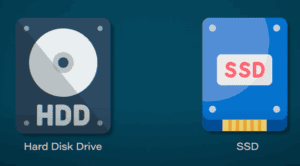
Hosting companies provide storage space on their servers (computers with massive hard disks) where your website files live. When someone visits your domain, it fetches and displays the stored content from these servers.




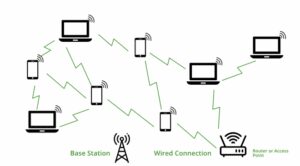
🔹 How Hosting Works with Domain
Here’s a simple flow:
- A visitor types your domain name in the browser.
- That domain points to the hosting server.
- The server returns the files (your site’s layout, images, text, etc.) to display your site.
Without hosting, your domain would lead nowhere.
🔹 Choosing the Right Hosting Provider
There are many popular hosting providers, such as:
Recommended for Beginners: Hostinger
Why Hostinger?
- Affordable pricing (starting at ₹149/month)
- Beginner-friendly interface
- Free domain with select hosting plans
- 25 GB SSD storage (plenty for small to medium websites)
- Host up to 25 websites on a single plan
You can start by clicking on “Start Now” and selecting the plan that best suits your needs—single, premium, or business. These plans come with features like:
- Free SSL
- Website builder tools
- 24/7 support
Once purchased, you can manage everything from Hostinger’s user dashboard, including domains, hosting, email, and more.
🔹 Summary
| Component | Purpose |
|---|---|
| Domain | Your website’s name/address (e.g., example.com) |
| Hosting | The space where your website lives and runs |
You need both a domain and hosting to make a website go live on the internet.
🔹 What’s Next?
Now that you understand domains and hosting, your next step could be learning how to design a website using WordPress—a free platform that makes web development easy, even for non-coders.
In future articles, we’ll explore:
- How to use WordPress to design websites
- How to earn money by creating websites for clients
- How to enhance digital and soft skills to succeed online
Stay tuned for more practical tutorials that help you grow your digital career.
🔖 Tags:
domain, hosting, buy domain, web hosting, hosting tutorial, hostinger, godaddy, digital skills, website basics, hosting for beginners
🔎 Hashtags:
#Domain #Hosting #WebDevelopment #WebsiteBasics #Hostinger #DigitalSkills #OnlineEarning #LearnWebHosting #BuyDomain #BuildWebsite
If you’re serious about starting your digital journey, now’s the time to buy your domain and hosting and begin building your online presence. Keep learning and growing!








