A server is more than just a high-powered computer—it’s the backbone of network infrastructure in both large enterprises and home networks. In this article, we’ll explore what a server is, the roles it plays, how it differs from a desktop computer, and the types of servers used in modern computing.
What Is a Server?
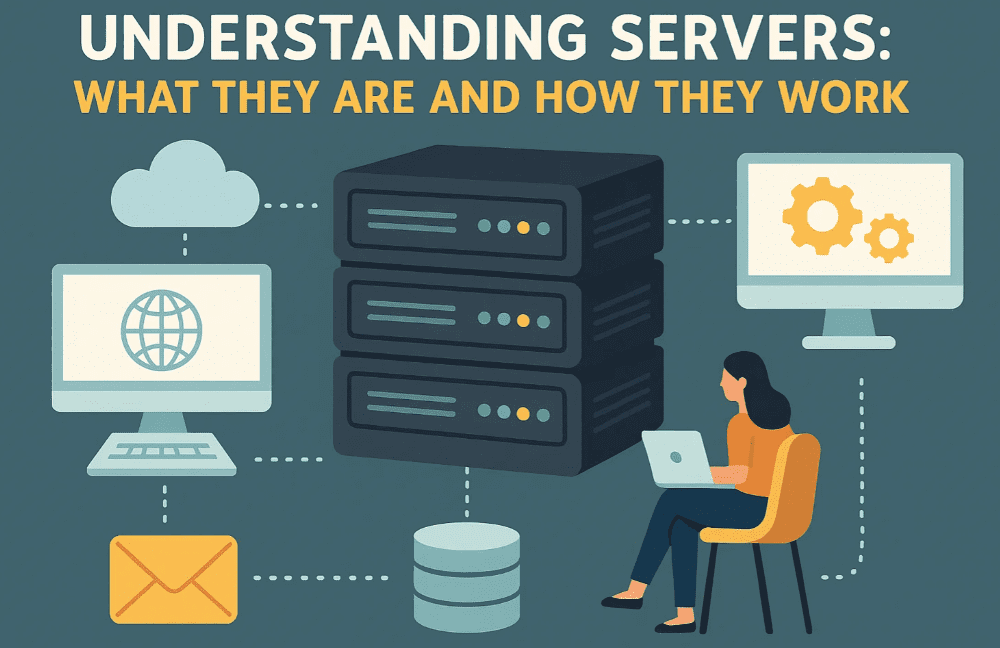
A server is a dedicated computer designed to provide specific services to clients—which can be other computers or devices—over a local network or the Internet. The services offered by a server can include:
- Hosting websites
- Managing emails
- Storing and serving data
- Handling databases
In a typical setup, multiple clients connect to a centralized server to access resources or services. Servers are often housed in data centers, but they can also operate in home networks.
Types of Server Setups
There are two common ways organizations deploy servers:
- Dedicated Server for Each Service:
- One server for web hosting
- One server for email
- One server for file storage
This model is used by large businesses for efficiency and performance.
- All-in-One Server:
- A single server handles multiple services
Common in small businesses or home networks.
- A single server handles multiple services
Physical vs. Functional Definition
It’s important to note that a server is not strictly a specific piece of hardware. Any computer can act as a server if configured correctly. For example:
- A regular desktop computer can serve as a file server by sharing folders on a home network.
- It can also be a web server if you install and run web hosting software like Apache or Nginx.
However, desktop computers have hardware and software limitations, making them unsuitable for heavy-duty server roles. They can’t manage many simultaneous client connections or operate non-stop efficiently.
Why Servers Are Built Differently
Servers are engineered for reliability, performance, and uptime. Key differences include:
1. Processor Type
- Desktop: Intel Core series processors (e.g., i5, i7)
- Server: Intel Xeon processors or AMD EPYC series
- Xeon supports multi-processor setups
- Designed for multi-threaded tasks and server workloads
2. Memory (RAM)
- Servers use ECC (Error-Correcting Code) RAM, which:
- Detects and corrects memory errors
- Reduces downtime and data corruption
- Ensures system stability
3. RAM Capacity and Cache
- Server CPUs support higher RAM capacities
- Larger cache memory for faster data access
- Higher core counts for parallel processing
4. Storage and Data Protection
- Use of RAID (Redundant Array of Independent Disks) configurations
- Hot-swappable drives: Replace faulty drives without shutting down the system
- RAID mirroring ensures data isn’t lost if a drive fails
5. Power Supply
- Redundant power supplies: Keep the server running even if one power source fails
6. Operating System
- Servers run on specialized server operating systems, such as:
- Windows Server
- Linux distributions, e.g., Ubuntu Server, CentOS
- macOS Server (now deprecated but previously used in Apple environments)
These systems are built to:
- Stay online 24/7
- Handle thousands of connections
- Provide robust security and performance
Common Types of Servers
Here are a few widely used server types based on the service they provide:
1. Web Server
- Hosts websites
- Contains HTML, CSS, JS, images, etc.
- Runs web server software like Apache, Nginx, or IIS
2. Email Server
- Manages sending and receiving of emails
- Supports protocols like IMAP, POP3, and SMTP
- Can be accessed via webmail or email clients (e.g., Outlook, Thunderbird)
3. Database Server
- Manages structured data using a Database Management System (DBMS) like:
- Supports data retrieval using queries like SQL
Final Thoughts
A server is an essential component in today’s digital world. From hosting your favorite websites to storing your cloud data and managing your email, servers work behind the scenes to keep your digital life seamless. While home users may use desktop PCs for light server roles, professional environments require robust, redundant systems engineered for performance, uptime, and reliability.
Understanding the role and capabilities of servers helps you make better decisions whether you’re setting up a small home network or managing enterprise infrastructure.







Tags:
servers, desktop vs server, server hardware, web server, email server, database server, server RAM, RAID, ECC memory, Xeon, Linux server, Windows Server
Hashtags:
#Servers #WebServer #DatabaseServer #EmailServer #Xeon #ECCMemory #RAID #WindowsServer #LinuxServer #ITInfrastructure #NetworkBasics
Disclaimer: This article is for educational purposes only. Server configurations, software choices, and hardware recommendations can vary depending on individual or organizational needs. Always consult with a qualified IT professional before setting up servers in production environments.








