If you’re someone who uses Google Search Console regularly to monitor your website’s SEO performance, you’re in for a useful new addition. Google has rolled out a new “Insights” tab inside Search Console, and while it may seem familiar at first glance, it actually offers a smart summary of what’s working on your website and what’s not — in terms of clicks, content performance, and query trends.
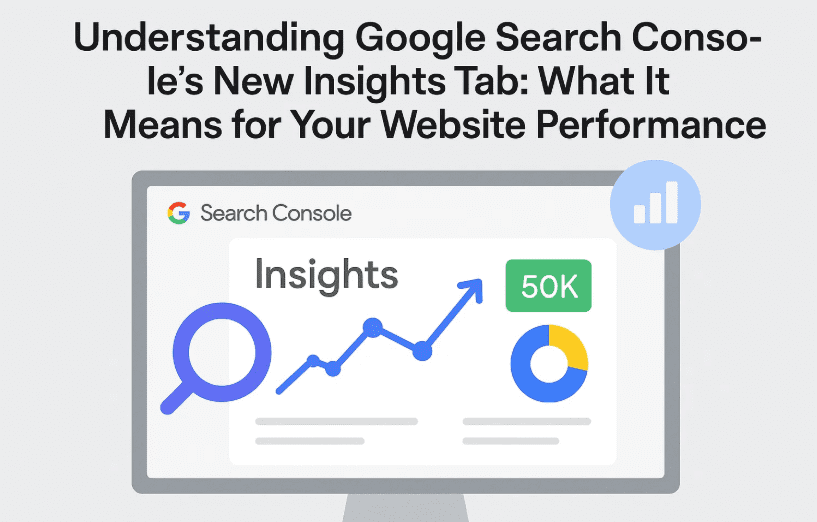
Let’s explore this feature in detail, see how you can use it effectively, and discuss what exciting features might be on the horizon.
🧠 What Is the New “Insights” Tab in Google Search Console?
So far, if we wanted to analyze how our pages were performing on Google Search — including metrics like impressions, clicks, CTR (Click Through Rate), and ranking positions — we would head straight to the Performance tab in Google Search Console. That’s where most of the core SEO data lives.
But now, Google has added a new “Insights” tab, which acts more like a snapshot dashboard that quickly highlights changes in performance, content growth, and user queries — all in one place.
And don’t worry — the feature isn’t hard to find. It’s now available directly in the left-hand menu of Search Console.
✨ Let’s Break Down the Four Sections of the Insights Tab
Once you open the Insights tab, you’ll notice it’s divided into four primary sections, each offering a different angle of website analysis. Let’s understand each one in a bit more detail.
1. Content-Based Insights
This section gives you an overview of which of your website’s pages are currently performing better or worse in terms of clicks compared to the previous period (typically the last 28 days).
Before we dive into bullet points, here’s something worth noting: this section doesn’t show all metrics (like CTR or impressions). It only focuses on clicks to keep things simple and highlight major trends.
You’ll see:
- Pages that saw increased clicks compared to the previous period.
- Pages that dropped in clicks, showing where you may need to optimize.
- Percentage increase or decrease — for example, “Page A is up by 400% in clicks.”
(However, note that if the base clicks were small, the % increase might not be as meaningful.)
2. Query-Based Insights
This part shows you the top queries driving traffic to your website.
Here’s what you can expect:


- The most frequently searched queries that led users to your site.
- Queries that showed an increase in clicks this time vs. the last 28 days.
- Queries that dropped in performance and may need attention.
- Each with a percentage change indicator, such as “Query X down by 23%”.
3. Country-Based Performance
This section highlights geographical data:
- Which countries are driving traffic to your site.
- Which locations are gaining or losing clicks compared to earlier.
This helps understand whether your site is trending regionally or if you need to tailor your content to suit a new or declining audience base.
4. Traffic Sources & Additional Insights
Finally, the Insights tab also gives a glimpse of other traffic sources, such as:
- Image search
- News tab
- Video search (if applicable)
This section gives you a broader idea of how people are discovering your content outside traditional web search.
🔄 How Does This Connect with the Performance Tab?
Here’s an important point to understand:
Whenever you click on a specific query or page inside the “Insights” tab, you’ll be redirected to the Performance tab, but with filters applied (based on what you clicked).
This shows that Insights is not an entirely new data source — it simply summarizes what already exists inside the Performance tab, but in a cleaner, digestible format.
So, you’re not getting new metrics — just new ways to read existing metrics.
🤖 What Might Be Coming Next? (AI Integration Thoughts)
Now this is where things get exciting.
This new Insights tab seems like a foundation step towards something bigger: AI-based features inside Google Search Console.
Much like Google Analytics has Analytics Intelligence, which lets you ask natural language questions like “What’s my top-performing page this week?”, Google Search Console may also soon get:
- AI-powered content recommendations
- Alerts for underperforming pages
- Suggestions for content opportunities or search trends
- Smart filters or snapshots using Gemini/AI Mode
This would bring Search Console closer to a smart assistant for SEOs, rather than just a raw data dashboard.
❓Frequently Asked Questions (FAQ)
Q1. Is the Insights tab showing new data?
A: No. It is simply summarizing data already available in the Performance tab, primarily focusing on clicks.
Q2. Can I change the metric from “clicks” to something else like “CTR” or “impressions”?
A: Not currently. The Insights tab is limited to click-based trends only.
Q3. Why do some pages show a huge percentage growth even with low click numbers?
A: Because the base number is small. For instance, a growth from 1 click to 5 is 400%, but not significant in real terms.
Q4. How can I make use of this Insights data?
A: Use it to:
- Track underperforming content
- Spot content gaining momentum
- Monitor geographical growth
- Prepare strategy tweaks for keywords that are declining
🧩 Final Thoughts: A Welcome Addition with Big Future Potential
So far, we’ve explored how this new Insights tab helps bring clarity and quick visibility to your content performance. While the data isn’t “new,” the layout, filters, and instant comparative view make it faster and more beginner-friendly for spotting SEO trends.
And if Google continues this trajectory — maybe even integrating AI like Gemini — the Search Console could become far more than a technical tool. It could turn into a strategic assistant for content creators and SEO professionals.
📌 Tags:
google search console, search console update, insights tab, seo tracking, performance tab, google seo, google web tools, serp data, keyword tracking
📢 Hashtags:
#GoogleSearchConsole #SEOtips #SearchConsoleUpdate #WebsitePerformance #GoogleInsights #SERPanalytics #KeywordTrends
⚠️ Disclaimer:
The insights and interpretations shared in this article are based on the latest available version of Google Search Console as of July 2025. Google may introduce additional changes or remove features without prior notice. Please use the official documentation for professional use or enterprise implementation.
Let me know if you’d like a version of this post formatted for WordPress with heading tags, featured image suggestion, or internal linking strategy.








