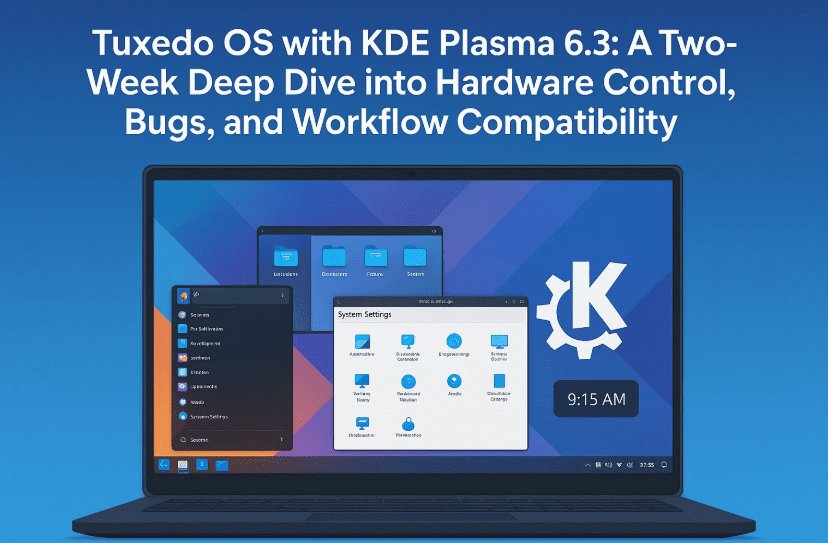
In the ever-evolving landscape of Linux distributions, Tuxedo OS has carved a niche as a system tailored for Tuxedo-branded hardware but freely available for anyone to use. Powered by KDE Plasma 6.3 and based on Ubuntu, Tuxedo OS promises seamless hardware integration, a modern UI, and developer-friendly tools out of the box.
But does it live up to expectations? I recently gave Tuxedo OS a second chance after switching back from Fedora, especially after some issues arose with DaVinci Resolve. What followed was a two-week journey filled with surprises, both good and not-so-good. Let’s dive deep into what worked, what didn’t, and how it stacks up against alternatives.
First Impressions: What is Tuxedo OS?
Tuxedo OS is a Linux distribution created by German hardware vendor TUXEDO Computers. It’s based on Ubuntu, uses KDE Plasma as its desktop environment, and includes some helpful custom tools such as:
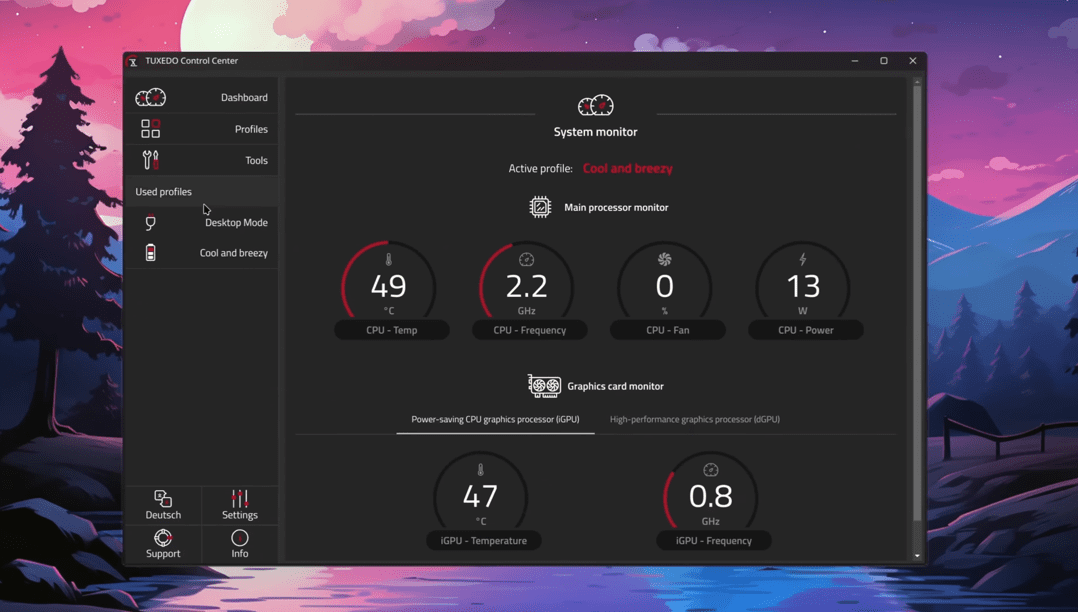
- Tuxedo Control Center: For adjusting performance profiles, GPU power limits, fan curves, and keyboard behavior.
- Firmware & driver automation: Streamlined updates for firmware and drivers specifically tuned for Tuxedo hardware.
The OS is not limited to Tuxedo laptops—you can install it on any device. But it’s clearly optimized for TUXEDO-branded machines.
Let’s Start with What Worked Well
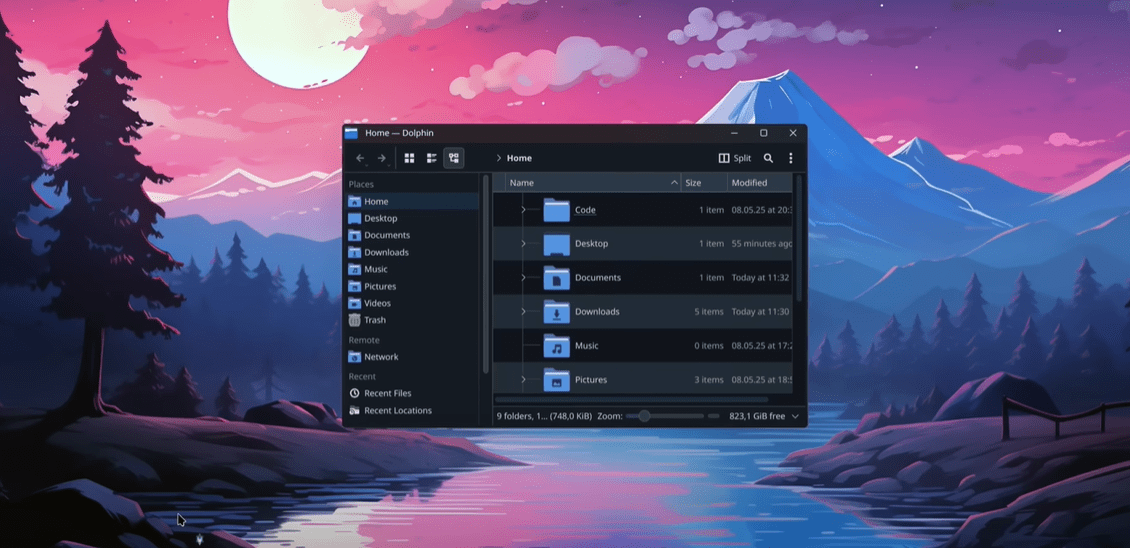
After the installation, the experience felt promising, particularly with hardware-level controls being tightly integrated into the OS.
Hardware Control Features:
Before we get to the quirks and issues, let’s acknowledge some genuinely impressive capabilities:
- GPU Power Management: You can limit the discrete GPU’s power draw to 115W to conserve battery life.
- Performance Profiles: Choose between balanced, power-saving, or performance modes via GUI—no terminal needed.
- Fan and keyboard controls: Configure behavior based on system temperature or external input, very useful on a laptop.
💡 On Fedora, you can install the control center manually, but you’ll miss deeper hardware-specific features like firmware integration or persistent GPU settings.
So far, so good. But now, let’s look at some of the shortcomings that appeared during extended usage.
So What Went Wrong?
Let’s move to the next section: software-level oddities and inconsistencies. Most of these issues aren’t dealbreakers but could definitely impact your day-to-day workflow—especially if you’re not a Linux expert.
1. Media Playback Didn’t Work Out of the Box
Even though VLC was preinstalled, trying to play videos resulted in audio with no video. That’s… not ideal.
Workaround:
- Installing the Flatpak version of VLC fixed the issue.
- Alternatively, you could install the missing video codecs manually, but that’s a hassle for new users.
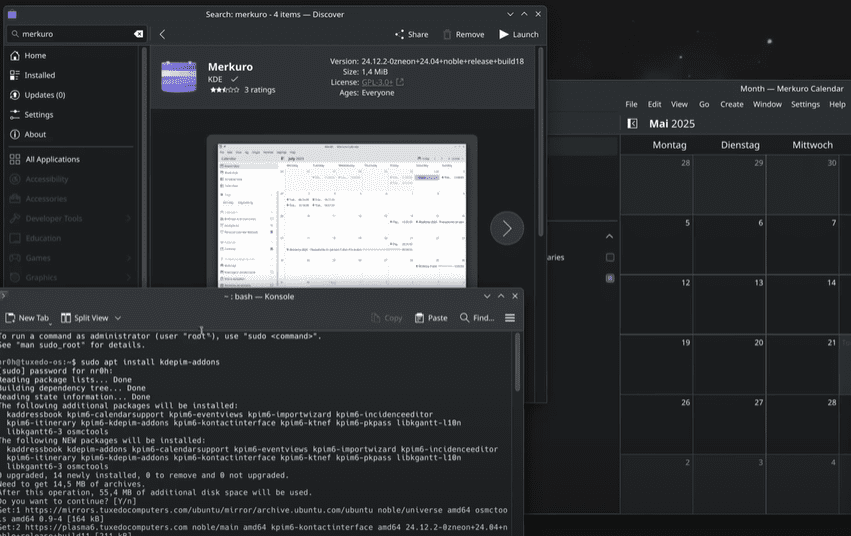
2. Missing Calendar App
The KDE Plasma widget shows a calendar, but you can’t add events unless you install a separate application.




Fix:
- Install KOrganizer or Merkuro.
- Install online account support to sync Google Calendar or Nextcloud.
Why this isn’t included by default is unclear, considering most desktop environments provide calendar apps preinstalled.
File Sharing Issues on KDE: The Never-ending Story
If you frequently use a NAS (network-attached storage) or Samba shares, KDE Plasma might still feel clunky.
Here’s the problem:
- KDE’s file browser (Dolphin) doesn’t mount shares in a universal file path.
- Applications like DaVinci Resolve won’t recognize shares unless mounted to a proper system directory.
Even worse:
- The mount path changes every time due to KIO-fuse behavior.
- This makes automation or linking shares to apps near impossible.
Proper solution:
- Manually mount file shares via the
/etc/fstabfile. - Use tools like
autofsorsystemdmount units for dynamic handling.
🤔 These steps are too advanced for beginners, yet they’re essential for anyone using shared drives in creative workflows.
The Biggest Issue: Suspend Bug
Here’s where things really fell apart.
The issue:
- Upon suspending (closing the lid or locking), the laptop reawakens and immediately goes back into suspend mode—creating a frustrating loop.
- Whether on the login screen or desktop, the system becomes nearly unusable unless you quickly reboot.
Potential workaround:
- Use CLI tools to reset system services.
- Disable suspend and use hibernate or manual sleep if needed.
Still, for a polished experience, this is a major letdown—especially since laptops should handle suspend/resume perfectly.
KDE Plasma 6.3: Beautiful, Powerful, But Still Buggy
Let’s take a moment to appreciate the progress KDE has made. Plasma 6.3 is arguably one of the fastest and most customizable desktop environments on Linux.
The Positives:
- Beautiful Material You-inspired themes
- Fully customizable panels, icons, animations
- Excellent multi-monitor and touch gesture support
- KWin scripts allow tiling, dynamic displays, and window rules
However, it’s not without flaws.
The Bugs:
- Panel editing is still unstable. Widgets overlap or get stuck.
- Changes aren’t reflected until a logout/login cycle.
- Minor issues pile up—annoying but not unfixable.
🧠 If you’re an advanced user, you’ll likely know a workaround. But for casual users, these glitches might seem like a poor polish.
The Customization Edge
If you’re someone who loves tweaking your desktop until it’s uniquely yours, KDE Plasma remains unmatched.
Some advanced features that stood out:
- Swap themes, icons, and cursors from the GUI
- Set global shortcuts or gestures for multitasking
- Customize touchpad gestures (e.g., switch desktops)
- Add automation with KWin scripts
Even for productivity or creative work, Plasma offers unique workflows. But only if you’re willing to put in the time.
Why I Switched Back to Fedora (and GNOME)
Let’s be honest—Tuxedo OS wasn’t terrible. In fact, it was good in many areas. But GNOME on Fedora just works better for me.
Why GNOME + Fedora Felt Right:
- Better out-of-the-box experience for suspend/resume
- Simpler, distraction-free UI
- Native flatpak and Wayland support
- Consistent scaling and touchpad gestures
It’s not perfect—GNOME has its own limitations like restricted scroll speed controls, and less room for UI customization. But the workflow stability and predictable behavior were too hard to ignore.
Q&A Section
Q1: Is Tuxedo OS good for beginners?
For basic users with Tuxedo hardware—yes. But when you start using advanced features like network shares or suspend/resume, it may require CLI knowledge.
Q2: Can I install Tuxedo OS on a non-Tuxedo laptop?
Absolutely. It’s open source and based on Ubuntu, so it supports a wide range of devices.
Q3: Is KDE Plasma 6.3 ready for production?
Mostly. It’s fast and functional, but occasional bugs like broken widgets or panel issues can affect stability.
Q4: How does Tuxedo OS compare to Fedora or Pop!_OS?
Fedora is more polished and GNOME-based. Tuxedo OS shines in customization but may feel raw in some areas. Pop!_OS is geared toward hybrid GPU support and developers but hasn’t updated its DE in a while.
Final Thoughts
Tuxedo OS is a distribution that dares to blend polish with flexibility. It excels at customization and hardware control—especially if you’re using TUXEDO devices—but still suffers from minor usability quirks and bugs that need polishing.
KDE Plasma 6.3 is powerful, elegant, and evolving. But perhaps it was shipped a bit too soon with Tuxedo OS for it to be considered a “just works” distro, especially for creators or travelers depending on reliable suspend, file sharing, or seamless media playback.
If you’re someone who enjoys tinkering, you’ll likely appreciate Tuxedo OS. But if you’re looking for stability, minimal bugs, and workflow consistency, distros like Fedora (GNOME), Linux Mint (Cinnamon), or even Debian might offer a better out-of-box experience.
Tags:
linux review, tuxedo os, kde plasma 6.3, ubuntu based linux, tuxedo control center, linux suspend bug, plasma customization, fedora vs tuxedo, linux distro comparison, open source linux
Hashtags:
#LinuxReview #TuxedoOS #KDEPlasma #OpenSource #UbuntuBased #LinuxLaptop #FedoraLinux #LinuxCustomization #TuxedoControlCenter #GnomeVsKDE
Disclaimer:
The experience shared here is based on testing done on a real TUXEDO laptop over two weeks. Bugs and behavior may differ across devices. Always test new operating systems in a safe or dual-boot setup before making them your primary OS. All product names and trademarks are the property of their respective owners.








