If you’re looking to run Windows applications or games on your Android device, a reliable Windows emulator is essential. In this article, we’ll rank the top five Windows emulators for Android in 2025 based on performance, compatibility, low-end device support, and overall user experience.
Let’s dive in!
#5: Horizon Emulator (Discontinued)
Horizon Emulator was once one of the best-performing Windows emulators for Android. It utilized an N22 benchmark build of Windows, which significantly boosted performance but also led to heating and crashing issues.
Key Features:
- High performance (when functional)
- Optimized for gaming
- Used a modified version of Mobileox Edge
Drawbacks:
- Development officially discontinued
- Frequent crashes and overheating
- Controversial due to being a leaked version of Mobileox Edge
Verdict: While Horizon was impressive, its discontinuation and instability make it the least reliable option today.
#4: MySpine Emulator (Experimental)
MySpine Emulator is a new project under development for the past 6-9 months. It uses an Android Wrapper graphics driver, improving compatibility for Mali GPU devices and unsupported Snapdragon processors like the Snapdragon 8 Elite.
Key Features:
- Better Mali GPU support
- Active development
- Works with older games (e.g., Assassin’s Creed Rogue, GTA 4)
Drawbacks:
- Still in experimental stages
- Incompatible with newer games (GTA 5 and others)
- Limited game library
Verdict: A promising project, but not yet ready for mainstream use.
#3: Winlator Android 10.0 (Hot Fix)
Winlator Android has been a popular choice, but its latest version (10.0 Hot Fix) has mixed reviews. Earlier versions (like 7.1.3) performed better, but recent updates introduced issues like virtual gamepad failures and on-screen control problems.
Key Features:
- Glycy support (improved graphics)
- Decent performance on mid-range devices
- Virus-free after the hot fix
Drawbacks:
- Performance drop in newer versions
- Touch control issues
- Not as optimized as older builds
Verdict: A mid-tier emulator with potential but needs refinement.
#2: Winlator Frost / WinC Mode
Winlator Frost is a modified version of Winlator with enhanced performance and better customization. It includes:
- Vort Graphics Driver (better Mali GPU support)
- Winlator AFAF mode (best performance)
- Advanced tweaking options
Key Features:
- High compatibility with older games
- Better performance than standard Winlator
- Supports Glycy and custom drivers
Drawbacks:
- No Mali GPU support in WinC Mode
- Not optimized for latest Snapdragon processors
Verdict: The best-performing Winlator variant, but limited by hardware compatibility.
#1: GameHub Windows Emulator
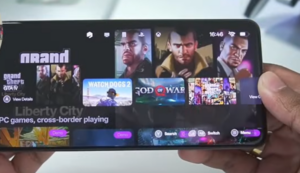
GameHub Emulator takes the top spot for its stability, ease of use, and pre-configured game settings.






Key Features:
- Plug-and-play setup (pre-configured for games like Spider-Man, GTA 5, God of War)
- Snapdragon-optimized
- Easy component imports (no manual file transfers)
Drawbacks:
- No Mali GPU support (MediaTek/Exynos devices won’t work)
- Less customization than Winlator Frost
Verdict: The best overall Windows emulator for Android in 2025—stable, user-friendly, and powerful.
Final Thoughts
Here’s a quick recap of our rankings:
- GameHub Emulator (Best Overall)
- Winlator Frost / WinC Mode (Best Performance)
- Winlator Android 10.0 (Mid-Tier)
- MySpine Emulator (Experimental)
- Horizon Emulator (Discontinued)
Which One Should You Choose?
- For Snapdragon users → GameHub
- For Mali GPU devices → Winlator Frost
- For older games → MySpine
What’s your favorite Windows emulator? Let us know in the comments!
Tags:
Windows emulator, Android gaming, PC games on Android, best emulators 2025, GameHub, Winlator, MySpine, Horizon Emulator
Hashtags:
#WindowsEmulator #AndroidGaming #PCGamesOnAndroid #BestEmulators2025 #GameHub #Winlator #MySpine #TechReview
Disclaimer: Some emulators mentioned may require technical setup and are not officially supported on all devices. Use at your own risk. Always download software from official sources to avoid security risks.







