If you own an Android TV or Google TV, your entertainment experience can be taken to the next level with the help of some powerful yet underrated applications. Whether you’re frustrated with laggy performance or just want to unlock more features, this article introduces ten carefully selected apps that will enhance your TV usage, improve navigation, boost productivity, and even make your screen saver smarter.

Let’s dive into the best Android/Google TV apps you should install right now.
1. FLauncher – A Clean and Lightweight TV Launcher
📲 Download FLauncher from Google Play
FLauncher replaces your bloated TV home screen with a lightweight, minimalistic interface. Most Android TVs, especially budget models, suffer from lag due to heavy launchers filled with OTT apps and ads. FLauncher solves this by decluttering your screen and removing distractions. It even adds a shortcut icon for the Google Play Store, which isn’t usually accessible directly on many Android TVs.
2. Dispatch – Minimal UI with Smart Content Suggestions
📲 Download Dispatch from Google Play
Dispatch offers a similarly clean layout but adds smart suggestions for OTT content. Unlike FLauncher, it includes a Quick Settings section for easier access to essential functions. It may take about 15–20 minutes initially to fetch metadata, but once set up, it’s a solid upgrade for both form and function.
3. Aerial Views Screensaver – 4K Beauty on Your Idle Screen
📲 Download Aerial Views Screensaver*
(*Full link may vary; search on Play Store if it doesn’t open.)
Typical TV screensavers are often static and uninspiring. Aerial Views Screensaver lets you use high-quality 1080p or even 4K drone footage as your TV’s screensaver. Categories range from cities to natural landscapes, and Dolby Vision-supported videos are also available, making your TV idle screen as captivating as the content itself.
4. Serverless Bluetooth Keyboard & Mouse
📲 Bluetooth Keyboard and Mouse
Turn your smartphone into a Bluetooth remote control for your TV. After pairing your phone with your TV (via Bluetooth or MAC address), you can use it as a basic remote, a trackpad with cursor control (similar to LG’s air remotes), and even copy-paste text into your TV – something most remotes can’t do efficiently.
5. TVOverlay – See Mobile Notifications on Your TV
This app mirrors mobile notifications directly on your TV. It’s perfect when you’re watching something but don’t want to miss important alerts like meeting reminders or call notifications. However, it’s a double-edged sword — private messages may pop up unexpectedly on the big screen. Use with discretion depending on your environment!



6. ATV Tools – The Ultimate Android TV Utility App
This is not just another app – it’s a powerhouse toolkit for Android TV users. With ATV Tools, you can:
- Install APKs from your phone directly to the TV
- Transfer media files (images, videos, PDFs)
- Browse your TV’s file system
- Clear app caches
- Take screenshots
- Attempt screen recording (may not work on all TVs)
- Power off or restart the TV
- Monitor system info like RAM, storage, and CPU usage
- And more!
This app is ideal for power users who want full control over their smart TV.
7. Octohide VPN – Free VPN for TV
Want to access geo-restricted content on streaming services like Netflix or Prime Video? Octohide VPN provides a free VPN solution for Android TV users. Browse blocked websites, access international apps, or watch content not available in your region – all securely.
8. Just Video Player – Simple Yet Powerful Media Playback
📲 [Search “Just Video Player” on Google Play]
Ideal for offline content consumption, Just Video Player lets you play videos directly from your USB drive or SSD. It supports multiple video formats, offers folder-based navigation, and provides subtitle support. The interface is clean and distraction-free, making it perfect for personal media viewing.
9. LocalSend – Seamless File Transfer Across Devices
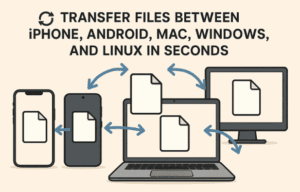
LocalSend is a must-have cross-platform file transfer tool. It works on Android, iOS, Windows, macOS, and Linux. Want to send a file from your phone to your TV or from your PC to your tablet? Just open the app, select the file, accept the transfer on the other device, and you’re done — no internet or cables required.
Many users find it even faster and more reliable than Android’s Quick Share or Apple’s AirDrop.
Bonus Tips:
- Try different launchers like FLauncher and Dispatch to see which fits your needs best.
- Be cautious while using apps like TVOverlay to avoid any embarrassing notifications on-screen.
- ATV Tools is perfect for advanced users — but explore its features gradually.
- Always download apps from trusted sources like the Google Play Store.
📌 Tags:
Android TV apps, Google TV tips, smart TV customization, launcher for Android TV, Bluetooth remote for TV, Android TV VPN, Just Video Player, LocalSend, ATV Tools, TV screensaver 4K
📢 Hashtags:
#AndroidTV #GoogleTV #TVApps #SmartTVTips #FLauncher #DispatchLauncher #LocalSend #JustVideoPlayer #TVOverlay #OctohideVPN #ATVTools #ScreenSaver4K #TVCustomization
⚠️ Disclaimer:
Some of the apps mentioned here require additional permissions, and a few may not work with all TV models. Always verify compatibility with your specific device before installing. Additionally, screen recording on Android TV is restricted in many regions and may not function as expected.








