If you’re planning to build your first gaming or work-PC on a budget (say approximately ₹50,000-₹60,000 in India or roughly US $600-800 in the US), you’re about to embark on an exciting journey. Building a PC means you tailor it to your needs, you save some money, you learn how things work—and you get something you can upgrade later.
But: if you make even one of the common mistakes, your PC might run slowly, games might lag, or you may even damage hardware. Since in a budget build every rupee (or dollar) matters, avoiding costly mistakes is especially important.
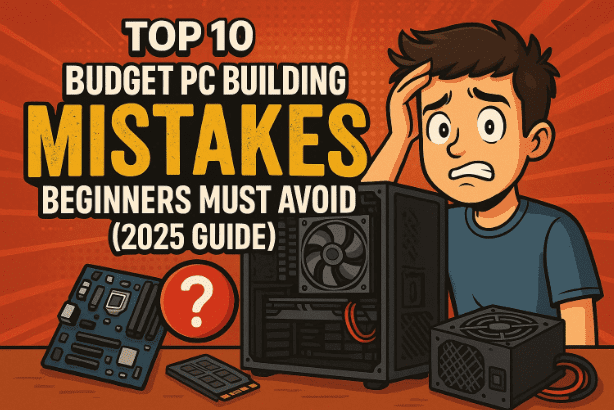
In this article we’ll walk through 10 common mistakes beginners often make in budget PC builds — and how you can fix or avoid them. Then we’ll move on to planning your budget split and suggested parts in both the Indian and US markets. Let’s get started.
Mistake 1: Imbalanced CPU & GPU Pairing
Let’s move to our first key mistake.
Many beginners pick a very cheap CPU and then install a high-end GPU (or vice-versa). For example: selected a mid-range GPU like an RTX 3060 but paired it with an entry-level CPU like a Ryzen 3, or selected a powerful CPU with a weak graphics card. This creates a bottleneck — where one component limits the performance of the other.
Why it’s a problem
- If the CPU is weak compared to the GPU, the GPU cannot reach full potential because the CPU becomes the slowest part, waiting on the GPU.
- Similarly, a powerful CPU with a low-end GPU wastes the CPU’s headroom — you pay more for the CPU while the GPU drags the performance down.
- The result in a budget build: you lose performance for your money — a poor 1080p/1440p gaming experience, unnecessary heat, wasted budget.
How to fix it
- Choose balanced combos in your budget. For example: in India, a system like ASUS GTX 1650 + AMD Ryzen 7 9700X would not be ideal (too big CPU for the GPU). Instead pick something like Ryzen 5 5600G + GTX 1650 or RX 6600 for a budget build.
- In the US market similarly: pair a mid-tier CPU with a matching GPU so neither component is wasted.
- Use sites like PCPartPicker (in the US) to check compatibility and identify bottlenecks. (PCPartPicker)
- Always ask: “If my GPU is rated for this frame-rate or resolution, will the CPU keep up?” If not, scale accordingly.
Quick example
- Good pairing: Ryzen 5 5600G + GTX 1650 → ideal for 1080p gaming, balanced spend.
- Poor pairing: Ryzen 3 + RTX 3060 → you’ll be CPU-limited; better to invest more in the CPU or choose a lower GPU.
Mistake 2: Insufficient RAM
On to mistake number two. Many budget builders pick 8 GB of RAM because it’s cheaper — but in 2025 this is no longer enough for most gaming, multitasking or future-proofing.
Why it’s a problem
- Modern games, streaming, background apps all consume more RAM. With only 8 GB you’ll face: lag in games, slow multitasking, apps crashing.
- Dual-channel vs single-channel: If you use a single 8 GB stick, you lose bandwidth (dual-channel gives higher memory throughput).
- Slow RAM speeds also impact performance. If your motherboard supports 3200 MHz or more, using slower RAM wastes potential.
How to fix it
- Minimum: 16 GB DDR4 RAM (two sticks of 8 GB each) in dual-channel configuration.
- Preferably memory clocked at 3200 MHz or higher if your motherboard supports it.
- In India, you’ll often find dual-channel kits (2×8 GB) at reasonable prices during sales.
- Ensure your motherboard’s QVL (Qualified Vendor List) supports the RAM kit you choose — check the manufacturer’s site.
Mistake 3: Ignoring Motherboard-CPU Compatibility
Alright, heading into mistake number three. This is more technical but very important. A common error: buying a CPU and a motherboard independently without checking whether they are compatible (socket type, BIOS version, chipset support).
Why it’s a problem
- The CPU socket must match the motherboard socket (e.g., AM4 vs AM5, LGA1700 vs LGA1200).
- The motherboard chipset (e.g., B550, A520, H610) must support the CPU (both physically and via BIOS).
- If you buy a CPU that the motherboard doesn’t support out of the box (or needs a BIOS update), the system may not boot.
- In budget builds especially, you might not want to deal with BIOS updates or extra costs.
How to fix it
- Always check the manufacturer’s CPU support list for the motherboard you’re choosing.
- Example from the script: For Ryzen 5 5600G, choose a B550 or A520-chipset board, not an old P450 (which may require BIOS update).
- Use compatibility checkers: PCPartPicker (US) or regional equivalents like PCPartsPicker India (India). (PCPartsPicker India)
- If using older stock or discounted board, check if BIOS update is needed and whether you have means to perform it (some boards offer BIOS flash without CPU, some don’t).
Mistake 4: Choosing a Cheap, Low-Quality PSU
Let’s move to mistake number four: Under-investing in your power supply unit (PSU). This is not an area to skimp on, even in a budget build.
Why it’s a problem
- A cheap/no-name PSU may not deliver stable power or may lack critical protections (like over-voltage, over-current, short-circuit protection).
- Poor quality PSUs can cause system instability, random crashes, even permanent damage to CPU, GPU, or motherboard.
- Your PSU defines upgrade headroom: if you later add a stronger GPU or extra drives, the PSU must support that.
How to fix it
- For a budget build target a PSU rated at least 450 W or 550 W with an 80 Plus Bronze certification (or better).
- Choose a reputable brand (Corsair, Seasonic, EVGA, Antec etc.).
- Example: In India you might find a good 550 W 80+ Bronze PSU for ₹3,000-4,000 during sales.
- Ensure cables include necessary connectors (24-pin motherboard, 8-pin CPU, PCI-e 6/8-pin for GPU).
- Check efficiency, fan noise, warranty.
Mistake 5: Skipping an SSD
Next, mistake five: Many budget builders rely only on a hard drive (HDD) for storage and skip the SSD. In 2025 this is almost inexcusable.
Why it’s a problem
- HDDs are orders of magnitude slower than SSDs in accessing data. If your OS, games and apps are on an HDD, boot and load times will be painfully slow.
- The “feel” of PC speed heavily depends on storage: faster boot, faster game launches, smoother experience.
- Using only an SSD also allows you to avoid the mechanical HDD bottleneck and move faster.
How to fix it
- Use a 500 GB (or 1 TB) NVMe SSD (or at least a SATA SSD) for OS + games/apps. In India you’ll find good deals at ₹3,000-₹4,000 for 500 GB NVMe drives.
- For extra mass storage, you can add a 1 TB HDD (say ₹3,500) for older games or media files.
- Example build combo: 500 GB NVMe + 1 TB HDD = you get the best of both worlds: fast OS/games + enough space for bulk storage.
- On the US market similar logic applies: invest in an NVMe SSD, skip the tiny HDD unless you really need bulk storage.
Mistake 6: Poor Cooling / Case Airflow
Mistake six: Taking the case/cooling for granted. Budget builds sometimes end up with a cheap case with minimal airflow or no extra cooling fans. Overheating leads to throttling and shorter component lifespan.
Why it’s a problem
- Poor airflow means heat accumulates inside the case, the CPU/GPU will throttle (reduce speed) to avoid damage.
- Throttling reduces performance even if you spent on good parts earlier.
- Heat shortens component life and increases noise due to fans ramping up.
- A tight or crowded case with fewer fans also makes future upgrades harder.
How to fix it
- Choose a case with good airflow, preferably mesh front, ample fan mounts (3-4 fans pre-installed or ability to install).
- Ensure your build includes at least one intake and one exhaust fan for balanced airflow.
- If budget allows, add an aftermarket CPU cooler (air cooler or AIO) especially if you plan minor overclocking or heavy workloads.
- Make sure GPU size, cooler height, case clearance are compatible before purchase.
- Example: In India you’ll find cases with 3 fans around ₹5,000-6,000 during a sale; such a case is better than an ultra cheap case that chokes.
- In the US market the same principle: allocate some budget to good cooling rather than go bare-bones.
Mistake 7: Neglecting Cable Management
On to mistake number seven — something many beginners skip because it seems cosmetic, but is very important.
Why it’s a problem
- Poor cable management blocks airflow, increases dust accumulation, raises temperatures and limits upgrade ease.
- A messy build is harder to service (for cleaning, replacing parts) and looks unprofessional.
- Even if functionally it works, the “feel” and maintenance cost go up.
How to fix it
- Use cable ties/Velcro straps, route wires behind the motherboard tray or through case cut-outs.
- Make sure the power cables, data cables are neatly bundled and not criss-crossing the airflow path.
- Plan your build so that cables reach their connectors without being taut or in the way of fans.
- Taking 10-15 minutes to organize wires pays off in cleaner build, easier future upgrades and better airflow.
Mistake 8: Overlooking Monitor & Peripherals in Budget
Mistake eight: putting all budget into CPU/GPU/parts and forgetting that the monitor, keyboard, mouse matter. If your monitor is weak (low refresh rate, low resolution), your gaming experience suffers no matter how strong the PC is.








Why it’s a problem
- If you pair a capable PC with a 60 Hz 1080p monitor, you won’t feel the benefit of higher frame rates or smoothness.
- In budget gaming especially, monitor becomes the “window” to your system’s performance—if it’s poor you waste the investment in PC.
- Without planning monitor/peripherals your total spend may overshoot or mis-allocate budget.
How to fix it
- For budget builds, aim for a monitor such as 24″, 1080p (Full HD), 100 Hz+ refresh rate.
- In India you may find something around ₹8,000-₹9,000.
- In the US market something like 24″ 1080p 144 Hz can be had for ~US $150-$200.
- Allocate part of your budget for monitor and essential peripherals rather than spending everything on internal parts.
Mistake 9: Paying Extra for Unnecessary Features
Mistake nine: In a budget build, it’s tempting to add flashy features like RGB lighting, premium high-end motherboards, more slots than you’ll ever use, fancy aesthetics—but these often don’t provide performance gains and divert budget away from areas that matter.
Why it’s a problem
- Buying a high-end chipset board (say X570 in AMD world) when a B550 would serve budget gamers just as well means you pay more without meaningful performance boost.
- Fancy RGB, premium styling, extra features add cost but don’t help your frame rate or smoothness.
- The opportunity cost: those savings could instead go into faster GPU, more RAM or better cooling.
How to fix it
- Prioritise performance-yielding upgrades: CPU/GPU, sufficient RAM, SSD, PSU, cooling — before aesthetics.
- Choose a mid-tier motherboard that supports your requirements (future upgrades, enough ports), rather than highest tier.
- Add RGB or premium features only after you have performance fundamentals covered and if budget allows.
Mistake 10: Failing to Research & Check Compatibility
Finally, mistake number ten — the fundamental one. Many beginner builders skip the research, rely on a local shop’s suggestion (which may be motivated by margin), or assume all parts will just “work together.” This is risky.
Why it’s a problem
- Without research you may buy incompatible parts, overpriced components, or sub-optimal deals.
- Some components might require BIOS update, have compatibility quirks, or fit only in certain cases.
- In the script you mentioned local shop suggestions being biased; indeed one Reddit user noted: “pcpartpicker is best to check for any compatibility issues. So always check your build there.”
- In budget builds you cannot afford mismatches or wasted spend.
How to fix it
- Use a compatibility checker: For India use PCPartsPicker India (see link) or equivalent; for US use PCPartPicker.
- Read reviews, watch reputable build-guides, compare prices, check forums for feedback.
- Make a list of components, verify each works with your case, motherboard, PSU, cooling, etc.
- During sale events, compare multiple offers rather than impulse buy.
- Double-check specifications: socket type, chipset, RAM speed, PSU connectors, case dimensions.
Budget Planning & Part Split (India vs US)
So far we’ve covered the ten common mistakes and how to avoid them. Now let’s plan your budget and show a clear part-split table — one for India (₹50k-₹60k budget) and one for the US (US $600-$800 budget). This will give you a guideline on how to allocate your money effectively.
1 Budget Split Guidelines
A good guideline for a balanced budget PC build is:
- CPU: ~30% of budget
- GPU: ~30% of budget
- RAM + Storage: ~20% of budget
- Motherboard + PSU + Case + Cooling: ~20% of budget
This ratio helps ensure you don’t over-invest in one area and neglect another.
2 Example Table: India (₹50,000-₹60,000 budget) vs US (US $600-$800 budget)
| Region | Approx Budget | CPU (~30%) | GPU (~30%) | RAM + Storage (~20%) | Motherboard + PSU + Case + Cooling (~20%) |
|---|---|---|---|---|---|
| India | ₹ 50,000-₹ 60,000 | ₹15,000-₹18,000 | ₹15,000-₹18,000 | ₹10,000-₹12,000 | ₹10,000-₹12,000 |
| US | US $600-$800 | US $180-US $240 | US $180-US $240 | US $120-US $160 | US $120-US $160 |
3 Example Part Suggestions
For the Indian market, a balanced mid-budget build might include:
- CPU: AMD Ryzen 5 5600G (or similar)
- GPU: GTX 1650 or RX 6600
- RAM: 16 GB (2×8) DDR4-3200
- Storage: 500 GB NVMe SSD + 1 TB HDD
- Motherboard: B550 or A520 chipset (check BIOS)
- PSU: 550 W 80+ Bronze
- Case: Good airflow with 3-4 fans
For the US market, you’d pick similar spec parts but priced in USD:
- CPU: e.g., Intel Core i5-12400F or Ryzen 5 5600
- GPU: GTX 1650/3050 or RX 6600
- RAM: 16 GB DDR4-3200
- Storage: 500 GB NVMe SSD
- Motherboard: B660 or B550 equivalent
- PSU: 550 W 80+ Bronze
- Case: Mesh front, 3 fans pre-installed
Note: Component pricing fluctuates (sales, availability, import duties in India) so always check current deals.
General Tips for a Successful Budget Build
Okay — we’re almost done. Before the FAQs and wrap-up, here are some general tips to help you get the most out of your budget build:
- Plan your build before buying: finalise all parts, check compatibility, mark sale periods.
- Use tools like PCPartPicker (or Indian equivalents) to check compatibility.
- Wait for sale events (Indian festivals, Flipkart Big Billion Days, Amazon’s deals) — you’ll often find key savings.
- Don’t feel pressured to buy the latest “flagship” GPU if your budget won’t support balanced components — better a balanced mid-tier than an unbalanced high-end.
- Keep receipts, warranties, and check return policies. Hardware fails happen.
- After building, do stress-testing (e.g., using tools like Prime95 or AIDA64) to ensure your system is stable under load. (You mentioned this in your original script.)
- Keep the system clean, update BIOS and drivers, monitor temps (especially if cooling/case was budget).
- Leave some headroom for future upgrades (i.e., if today you have a GTX 1650, you might upgrade later to RX 6700 etc — if your PSU, case and motherboard allow).
- Build the machine yourself (or supervise if someone helps) — you’ll learn and avoid vendor mis-match.
FAQs
Q1: Is 8 GB RAM absolutely insufficient for gaming in 2025?
Yes, for most modern AAA games and multitasking, 8 GB will likely cause bottlenecks. You may get away with lighter titles, but not for good experience or long-term. So aim for 16 GB.
Q2: Can I mix a new GPU with my old case and PSU?
Yes but check: the PSU must have the correct PCI-e power connectors, enough wattage and be reliable. The case must have enough space (clearance), airflow, and front ports you need. If any of these are weak, you’ll suffer performance or usability issues.
Q3: How often do I need to update BIOS on a new motherboard?
Only if your CPU is newer than what the motherboard originally shipped for, or if you face instability. Many budget motherboards allow BIOS updates via flash-back without CPU. But always check the manufacturer’s support page first.
Q4: Are cheaper no-name PSUs okay if they’re cheap?
Not recommended. The PSU is the backbone of your system. A failure can damage other components. Stick to trusted brands with certified efficiency (80+ Bronze or higher).
Q5: Should I buy a high-end motherboard to “future-proof”?
Only if your budget allows and you are sure you’ll upgrade soon. But in a budget build the better investment is in CPU/GPU/RAM. A mid-tier board with necessary features is often sufficient for several years.
Disclaimer
The information in this article is provided for educational and planning purposes only. Hardware pricing and availability vary widely by region, retailer, sales, import duties and currency-fluctuations. Always verify current pricing, compatibility and return policies before purchasing. Building PC hardware involves risk (static-damage, incorrect mounting etc.). If you are unsure, seek help from a qualified technician or experienced builder. The author is not responsible for any damage, data loss or financial loss resulting from use of this information.
#BudgetPC #PCBuilding #GamingPC #BeginnerGuide #PCBuild2025 #IndiaPCBuild #USPCBuild