From desktops to smartphones, operating systems (OS) are the invisible software that power nearly every digital device in our lives. Whether you’re browsing the internet, editing a document, or launching a game, your OS is quietly running in the background.
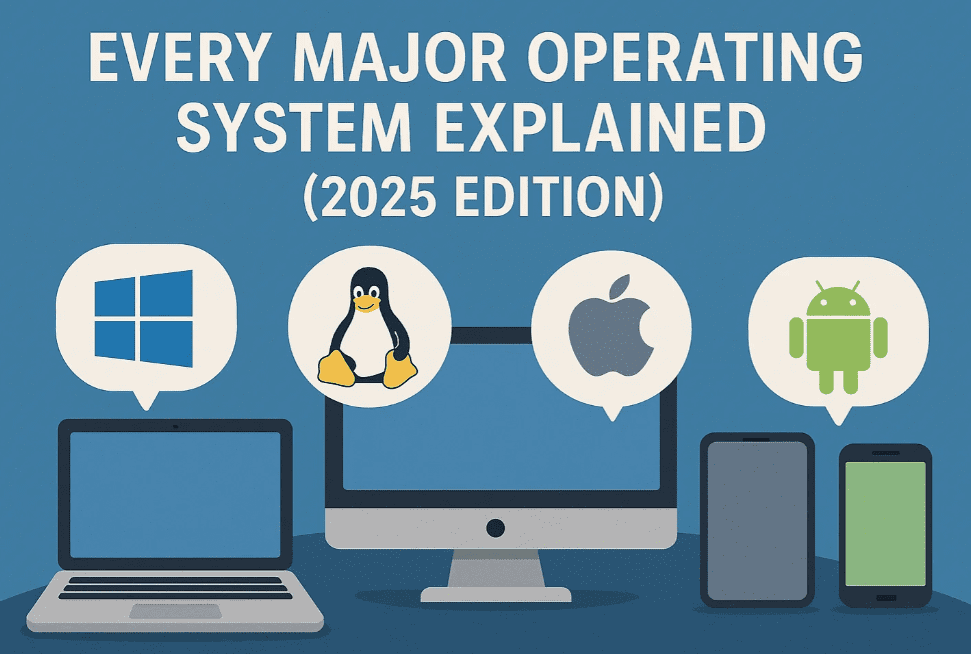
In this article, we break down the world’s most widely used operating systems—Windows, macOS, Linux, Chrome OS, Android, iOS, UNIX, and BSD—explaining what they are, their strengths and weaknesses, and who they’re really for.
🪟 Windows – The World’s Most Popular Desktop OS
Developed by Microsoft, Windows made its debut in 1985 as a graphical layer over MS-DOS. It has since evolved through iconic versions like Windows 95, XP, 7, 10, and now Windows 11.
✅ Key Strengths:
- Compatible with most hardware (laptops, desktops, tablets)
- Supports almost every major software, including gaming
- User-friendly and ideal for beginners
❌ Weaknesses:
- Requires relatively powerful hardware
- Frequent and sometimes intrusive updates
- Vulnerable to malware and viruses
- Known for system crashes (Blue Screen of Death)
🔗 Buy Windows & Microsoft Software [Affiliate links]:
🍎 macOS – Apple’s Sleek and Seamless Ecosystem
macOS is Apple’s proprietary operating system, launched in 2001 and exclusive to Macs (MacBook, iMac, Mac Studio, etc.).
✅ Key Strengths:
- Excellent stability and performance due to tight integration with Apple hardware
- Preferred by creative professionals (video, music, graphic design)
- Seamless sync with iPhone, iPad, Apple Watch, and AirPods
- Longer battery life and fewer forced updates
❌ Weaknesses:
- Works only on expensive Apple hardware
- Not ideal for gaming
- Some pro software and customizations are limited
🐧 Linux – The Open Source Powerhouse
Unlike Windows or macOS, Linux is not a single OS but a family of distributions (distros), such as Ubuntu, Fedora, Debian, and Arch.
Created in 1991 by Linus Torvalds, Linux is known for its flexibility and lightweight performance.
✅ Key Strengths:
- Free and open-source
- Can run on older or low-spec hardware
- Highly customizable
- Extremely secure; used in servers, cybersecurity, and development
❌ Weaknesses:
- Steeper learning curve for beginners
- Relies more on command-line usage
- Compatibility issues with mainstream apps and games
Popular Linux distros for beginners: Ubuntu, Linux Mint, Fedora
💻 Chrome OS – Lightweight & Web-Focused
Developed by Google, Chrome OS was released in 2011 and powers Chromebooks. It’s cloud-based and browser-centric, ideal for lightweight use.
✅ Key Strengths:
- Fast boot time and background updates
- Low cost and very beginner-friendly
- Highly secure (cloud-first)
- Runs Android apps via Google Play Store
❌ Weaknesses:
- Relies heavily on internet connection
- Limited support for desktop-class apps
- Not designed for high-end gaming or multitasking
Best suited for schools, office work, and web browsing.
📱 Android – The World’s Most Popular Mobile OS
Android, launched by Google, is an open-source operating system powering billions of smartphones and tablets across brands like Samsung, Xiaomi, OnePlus, and more.








✅ Key Strengths:
- Highly customizable UI and theming
- Massive app ecosystem via Google Play Store
- Available on a wide range of devices, from budget to flagship
❌ Weaknesses:
- Inconsistent software updates
- Bloatware pre-installed by manufacturers
- Slightly less optimized than iOS for some apps
Best for users who value flexibility and customization on mobile.
🍏 iOS – Apple’s Mobile Operating System
iOS powers the iPhone and iPad, delivering a seamless experience across Apple’s ecosystem.
✅ Key Strengths:
- Highly stable and regularly updated—even for older devices
- App Store is curated with high security standards
- Deep integration with macOS, iCloud, AirDrop, and more
❌ Weaknesses:
- Limited customization options
- No expandable storage or headphone jack
- Apps cannot be sideloaded (App Store only)
Ideal for users who want a polished, secure, and well-integrated mobile experience.
🧠 UNIX – The Foundation of Modern Operating Systems
UNIX was developed in the late 1960s at Bell Labs. It’s rarely used by general consumers but powers many mission-critical systems.
✅ Key Strengths:
- Multitasking and multi-user support
- Used in banking, servers, and scientific research
- Extremely stable and reliable
❌ Weaknesses:
- Expensive (up to $1,447 per user license)
- Complex for non-technical users
UNIX forms the basis for macOS, BSD, and even parts of Android and Linux.
📡 BSD – A Unix-Like Powerhouse for Networking and Infrastructure
BSD (Berkeley Software Distribution) is another OS family that originated from UNIX in the 1970s.
✅ Key Uses:
- Powers critical infrastructure like firewalls (pfSense), PlayStation OS, Netflix CDN, and more
- Known for stability, performance, and security
❌ Weaknesses:
- Rarely used by regular consumers
- Better suited for servers, networking, and embedded systems
BSD variants include FreeBSD, OpenBSD, and NetBSD.
❓ FAQs – Operating Systems 101
Q: Can I install macOS on a regular PC?
Technically yes (Hackintosh), but it violates Apple’s terms and is often unstable.
Q: Which OS is best for gaming?
Windows leads in compatibility and GPU driver support. Linux gaming is growing thanks to Proton, but Mac and Chrome OS lag behind.
Q: Is Linux safe for beginners?
Yes—especially with beginner-friendly distros like Linux Mint or Ubuntu. But expect some learning curves.
Q: Can I run Android apps on Windows or Linux?
Yes! Use emulators like Bluestacks (for Windows) or Waydroid (for Linux).
🧭 Final Thoughts – Which OS Should You Choose?
Each operating system serves a unique purpose:
| OS | Best For |
|---|---|
| Windows | Versatility, gaming, office work |
| macOS | Creative professionals, Apple users |
| Linux | Developers, privacy advocates, tinkerers |
| Chrome OS | Students, lightweight users, web browsing |
| Android | Customization lovers, smartphone diversity |
| iOS | Security, ecosystem integration |
| UNIX/BSD | Corporations, servers, infrastructure use |
Ultimately, your goals, devices, and preferences should drive your OS choice.
🔖 Tags
windows, macos, linux, chrome os, android, ios, unix, bsd, operating systems comparison, best os for gaming, linux vs windows, apple ecosystem, open source os, mobile os comparison
📢 Hashtags
#Windows11 #macOS #Linux #ChromeOS #Android #iOS #UNIX #BSD #OperatingSystem #TechExplained
Disclaimer: This article is for informational purposes only and reflects a general comparison of major operating systems as of 2025. Specifications and software support may vary based on hardware, region, or OEM decisions. Always check official sources for up-to-date compatibility and licensing information.








