If you’ve been creating content on YouTube for any length of time, you know how important it is to keep track of your channel’s performance. Views, subscribers, watch time, and revenue aren’t just numbers—they’re vital indicators of how your content is connecting with your audience.
And while YouTube Studio provides all of this data, sometimes it’s not the fastest or most convenient way to check your analytics, especially if you’re just casually browsing YouTube or working on other things. That’s where VidIQ’s Channel Stats Bar comes in—a tool that’s been around for years, but has now received a major redesign that makes it more powerful, faster, and even more in tune with YouTube’s own interface.
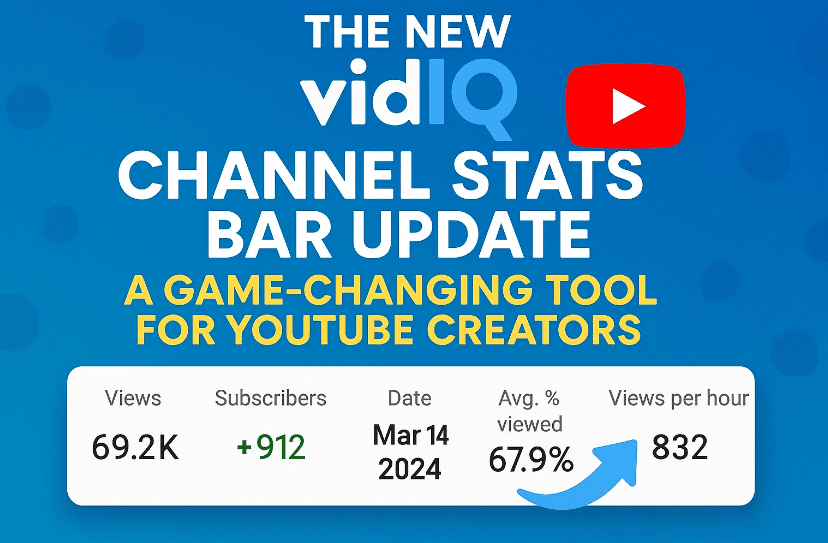
This update is one of those rare changes that “just works” without creating unnecessary complexity. Let’s walk through what’s new, how to set it up, and why it could become your go-to analytics dashboard.
1. What Is the VidIQ Channel Stats Bar?
Before we dive into the new features, let’s briefly talk about what the Channel Stats Bar is.
The Channel Stats Bar is part of the VidIQ browser extension—a free tool you can install on Chrome, Edge, or Firefox that adds powerful analytics and optimization features directly into YouTube’s interface.
For years, the stats bar has sat at the top of the YouTube desktop site, showing you five key metrics about your channel without requiring you to open YouTube Studio. With just a hover of your mouse, you could see quick analytics updates, including views, subscribers, and watch time.
Think of it as your YouTube “security blanket”—a constant presence that lets you monitor your channel’s health in real-time.
2. The Old vs. the New Design
For over seven years, VidIQ kept the stats bar’s design mostly the same. It was simple, functional, but admittedly a little outdated compared to YouTube’s evolving interface.
With this update, the Channel Stats Bar has been redesigned to:
- Match YouTube’s modern, minimalistic UI.
- Blend seamlessly into the top right-hand corner of the screen.
- Provide faster, more detailed analytics.
- Offer customization options to focus only on the metrics you care about.
The result? A cleaner, more subtle tool that’s both less intrusive and more useful.
3. More Than Just Five Metrics
The biggest upgrade is the data itself.







Previously, you were limited to five predefined metrics. Now, you can choose from a wider range of analytics, covering different time frames and performance categories.
Here’s what you can now view instantly:
- Real-Time Stats (last 60 minutes, last 48 hours)
- Recent Performance (last 7 days, last 28 days)
- Lifetime Stats (total views, total subscribers)
- Revenue Tracking (daily, weekly, monthly estimates)
- Engagement Metrics (likes, comments, shares)
Even better, switching between time frames is instant—no more waiting for YouTube Studio to reload for 10+ seconds.
4. Setting Up Your Favorites
One of the smartest features of the new stats bar is Favorites.
Instead of showing all available metrics (which can be overwhelming), you can “favorite” the ones that matter most to you, and they’ll always appear at the top of the bar.
Example setup for a YouTube creator:
- Real-time views (last 60 minutes)
- Views in the last 48 hours
- Lifetime subscribers
- Lifetime views
- Revenue from the last 7 days
This way, you have your most important KPIs in front of you at all times, whether you’re watching another creator’s video, browsing comments, or searching for content ideas.
5. Instant Access from Anywhere on YouTube
This is where the VidIQ Channel Stats Bar shines.
Unlike YouTube Studio, which requires you to stop what you’re doing, click into analytics, and wait for data to load—the stats bar works on top of YouTube’s main site.
Whether you’re:
- Watching videos for inspiration
- Checking out a competitor’s channel
- Searching for trending topics
- Responding to comments
…your channel’s performance metrics are always there—just one hover or click away.
6. Customizing Your Analytics View
VidIQ understands that not all creators are the same. Some want precise data down to the last digit; others prefer rounded figures for a quick glance.
The settings menu (gear icon) lets you:
- Toggle individual metrics on/off (remove anything you don’t want cluttering your bar).
- Show exact numbers (e.g., 11,723 views instead of 11.7K).
- Control refresh frequency (how often your stats update).
This customization ensures you only see what matters most to you—nothing more, nothing less.
7. How to Install and Use the VidIQ Channel Stats Bar
If you haven’t tried it yet, here’s a step-by-step setup guide:
- Download the VidIQ Browser Extension
- Go to VidIQ’s official website.
- Install the extension for Chrome, Edge, or Firefox.
- Sign in with Your YouTube Account
- Grant permissions so VidIQ can pull your channel’s analytics data.
- Enable the Channel Stats Bar
- Once installed, visit YouTube, and you’ll see the stats bar in the top right corner.
- Customize Your Metrics
- Click the gear icon.
- Select your favorite metrics.
- Choose exact or rounded numbers.
- Monitor Your Channel Anywhere
- Hover over the bar for a quick overview.
- Click metrics for deeper breakdowns.
8. Why This Update Matters for Creators
YouTube is a fast-moving platform. Trends change daily, audience interest shifts, and algorithms adapt constantly. If you want to grow and adapt, you need quick, reliable access to performance data.
The updated VidIQ Channel Stats Bar gives you:
- Speed – Instant loading of analytics.
- Convenience – No need to open YouTube Studio constantly.
- Customization – Focus only on the stats you care about.
- Consistency – Keep an eye on your channel’s health while doing other tasks.
For creators managing multiple uploads per week (or even per day), this can save hours every month.
9. Frequently Asked Questions (FAQ)
Q1: Is the VidIQ Channel Stats Bar free?
Yes, it’s one of VidIQ’s 100% free tools included with their browser extension.
Q2: Will this replace YouTube Studio?
No. While it gives you quick access to many important metrics, YouTube Studio still provides deeper insights, detailed reports, and features like audience demographics.
Q3: Does it work on mobile?
No, the Channel Stats Bar is only available on desktop browsers.
Q4: Can I track multiple channels with it?
Yes, as long as you’re signed into each channel on the browser where VidIQ is installed.
Q5: Will it slow down my browser?
In most cases, no. The extension is optimized to run efficiently in the background.
10. Final Thoughts
The VidIQ Channel Stats Bar has always been a useful “sidekick” for YouTube creators. But with this update, it’s gone from good to great—faster, more customizable, and better integrated with YouTube’s modern design.
If you’re serious about understanding your audience and tracking your growth, this tool can make a noticeable difference in how you work. It’s one of those rare free upgrades that genuinely improves the creator experience.
So go ahead—install it, customize your favorites, and start keeping an eye on your channel’s heartbeat without missing a beat yourself.
Disclaimer
While the VidIQ Channel Stats Bar is a safe and legitimate tool, it requires access to your YouTube account data to function properly. Always ensure you’re downloading from VidIQ’s official website to avoid malicious imitations.
Tags: youtube analytics, vidiq, youtube growth tools, youtube creators, browser extensions for youtube, channel stats, youtube revenue tracking, youtube studio alternative, free youtube tools, real-time youtube analytics
Hashtags: #YouTubeTips #VidIQ #YouTubeAnalytics #ContentCreatorTools #YouTubeGrowth #YouTubeStudio #YouTubeMonetization