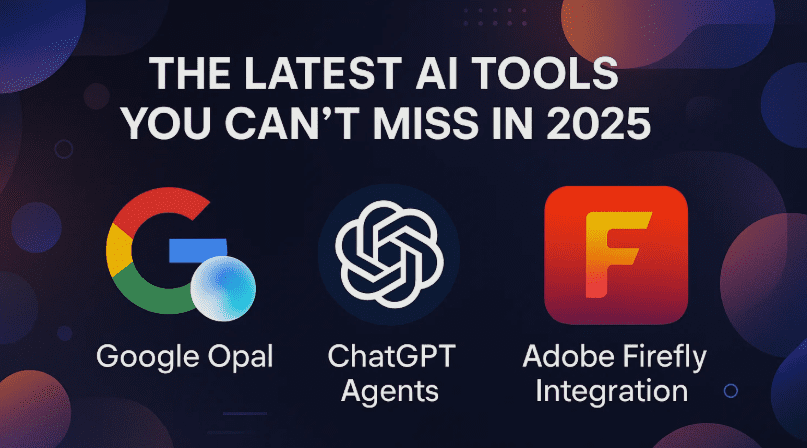
Welcome to a deep dive into some of the most exciting and mind-blowing AI developments happening right now. If you’re a creator, developer, digital marketer, or simply an AI enthusiast, the updates from Google, OpenAI, and Adobe will absolutely spark your imagination.
In this blog post, we’ll explore:
- Google Opal and its new mini AI app builder using natural language
- ChatGPT Agent and how it changes AI interaction forever
- Adobe Firefly’s integration with multiple models like Veo 3, Imagen, GPT image, and Flux
- Real-world prompt examples with results
- Use cases for creators, travelers, and developers
Grab your coffee, because we’re going to break this down step-by-step—and by the end, you’ll be ready to experiment with these tools yourself.
🌟 Let’s Start With Google Opal: Build Mini AI Apps with Just a Prompt
Google Opal is one of the coolest things we’ve seen from Google’s AI labs in 2025. Imagine being able to create functional AI-powered mini apps by just typing what you want in plain English. That’s what Opal is all about.
✨ What is Google Opal?
Google Opal lets you describe an app idea in natural language, and it automatically generates:
- An input UI (like a text field)
- A backend flow using Google’s Gemini 2.5, Imagen, Veo 3, and other models
- Output rendered as HTML or structured content
🧠 Example Use Case:
Prompt – “Take a YouTube video URL, generate 4 high-CTR thumbnail ideas using bold, modern text, and render them visually.”
In seconds, Opal:
- Created a flow with input for the YouTube link
- Used Gemini Flash to extract content
- Called a Google image model to create thumbnails
- Rendered all thumbnails in a user-facing preview panel
And yes—it worked!
🎯 You can access Google Opal through your Google Workspace account. It’s currently experimental but incredibly powerful.
🛠 Another Mini App: Turn YouTube Video into a Blog Post with Images
Next, a prompt was tested to create a blog post from a YouTube video and generate 2 relevant images using AI:
- Input: YouTube URL
- AI Flow:
- Extract key topics using Gemini Pro
- Generate written blog content
- Generate image prompts
- Render blog + images as formatted HTML
The results? A full-length, semi-structured blog draft with images included. While not ready for publishing without edits, this gives you a powerful base to refine content faster than ever.










🚀 Now Let’s Talk About ChatGPT Agent
ChatGPT Agent is no ordinary chatbot—it’s an autonomous digital assistant that can:
- Open browsers
- Click on links
- Scrape websites
- Generate reports
- Run code and terminal commands
- Automate travel bookings, research, presentations, and more
You trigger it by typing /agent in ChatGPT (Pro plan required), and from there, it becomes a full AI “employee” operating with its own virtual desktop.
🧪 Example 1: Travel Hack to Dubai
Instead of spending £1,936 for a family trip to Dubai, the agent found a cheaper route via Istanbul with Wizz Air + AJet totaling just over £1,000. That’s nearly 50% saved!
🧪 Example 2: Creator Partnership Research
Prompt: “Find potential partners for the Creator Magic YouTube community.”
The agent:
- Opened YouTube
- Scraped data from LinkedIn
- Searched for influencer platforms and affiliate tools
- Delivered a list of potential collaborators along with summaries
This is more than browsing—this is automation with intelligence.
🧠 Other Cool Use Cases:
- Planning meetups in Singapore, Jakarta, and Wroclaw
- Finding best bakeries on Google Maps
- Generating spreadsheets or pitch decks
- Ordering groceries (yes, even that!)
🎨 Adobe Firefly: Aggregator of AI Models for Video, Images, and Sound
Adobe Firefly has become the all-in-one playground for creators. It allows you to:
- Generate AI videos using Firefly Video and Google Veo 3
- Generate images using Firefly, Imagen 4, GPT Image Generator, Flux, etc.
- Generate sound effects using prompts or your own voice!
🎬 Video Generation with Veo 3 via Firefly
Prompt: “A magical wizard waving his wand in the sky while singing ‘Creator Magic’.”
Options include:
- 720p generation using Google Veo 3 (external model, 800–1200 credits per gen)
- Firefly native videos with 1080p output and faster preview
Bonus: You can drag and drop generated audio right into the timeline!
🖼 Image Generation: Model Swap Playground
You can run the same prompt across:
- Firefly Image 4 Ultra
- Imagen 4 (Google)
- GPT Image Generator (OpenAI)
- Flux 1.1 Pro
📌 Example Prompt:
“A magical stained-glass tabby cat with ‘Creator Magic’ written on the window behind.”
Each model produces a different result—great for comparing visual styles and model strengths in real time.
🔊 AI Sound Effect Generator
Firefly now lets you:
- Type a sound prompt like “lion growls”
- Use your own voice as input
- Merge both to generate synced audio
You can then:
- Preview audio layers
- Export clips or full timelines
- Add to generated video scenes for content with full sensory effect
🔍 Use Case: AI Influencer Trend Tool in Google Opal
Another test was creating a mini app with this prompt:
Prompt:
“Check current AI trends and no-code tools. Generate a 140-character social media post + short video for AI influencer promotion.”
The tool:
- Pulled trending data from the web using Gemini Flash
- Wrote short viral copy
- Generated a video scene
- Produced a post + video in a couple of minutes
Sure, it’s not perfect—but with better prompting and refinements, it could evolve into a powerful creator assistant.
❓ Frequently Asked Questions
Q1: Is Google Opal free?
Currently, it’s available to select Google Workspace users. A broader rollout is expected later in 2025.
Q2: Can I use ChatGPT Agent on mobile?
No. ChatGPT Agent requires desktop access through ChatGPT Plus.
Q3: How do Adobe Firefly credits work?
Credits are spent per generation:
- Image: 10–60 credits
- Video: 800–1200 credits
- External models use more credits than Firefly-native models
Q4: Are these tools beginner-friendly?
Yes! Google Opal is designed for non-coders. ChatGPT Agent is conversational. Adobe Firefly has a drag-and-drop interface.
Q5: Can I combine these tools?
Absolutely! For instance:
- Use ChatGPT Agent to research topics
- Feed the result into Google Opal
- Generate blog posts and visuals with Firefly
- Export all to a presentation or landing page
✅ Final Thoughts: AI Tools are Getting Seriously Powerful
So far, we’ve seen:
- Google Opal transform prompts into full mini apps
- ChatGPT Agents perform tasks autonomously across the web
- Adobe Firefly become a hub for image, video, and sound generation using top-tier models
These tools are rapidly evolving and, when combined, can help anyone:
- Save money (like with travel planning)
- Automate content creation
- Build MVPs and tools without coding
- Enhance creative projects with pro-level visuals and audio
And the best part? They’re becoming more accessible to everyone.
Tags:
Google Opal, ChatGPT Agent, Adobe Firefly, AI tools 2025, Imagen 4, Veo 3, AI influencer tools, AI app builder, sound effect AI, AI image comparison, AI travel hacks, generative AI for creators
Hashtags:
#GoogleOpal #ChatGPTAgent #AdobeFirefly #AIApps #AIForCreators #Veo3 #Imagen4 #AIInfluencers #GenerativeAI #NoCodeAI #ContentAutomation #AIAudioTools
⚠️ Disclaimer: All AI tools and models discussed are subject to change as these platforms are actively in development. Features, performance, and availability may vary by region and subscription type. Always test outputs and respect copyright when publishing generated content.








