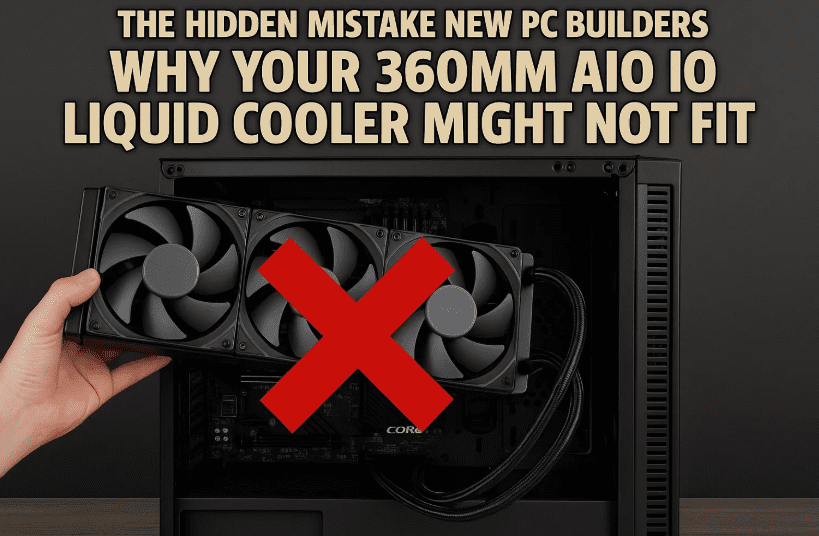
Building your own PC is one of the most exciting journeys for any tech enthusiast. But one tiny oversight can quickly turn your dream build into a nightmare—especially when it comes to installing a 360mm AIO (All-in-One) liquid cooler.
Many websites and product listings claim a case supports a “360mm radiator,” but unfortunately, it’s not as simple as reading that spec and clicking buy. Let’s break down why that’s a potential pitfall and how you can avoid it by understanding real-world case compatibility and cooler dimensions.
🧠 The Common Mistake: Believing the “360mm Radiator Support” Label
Here’s the big issue: PC cases often list support for a 360mm radiator in the specs, but they rarely mention the actual usable space inside. As a result, builders—especially beginners—assume any 360mm AIO will fit, but run into fitting issues when trying to install it.
Let’s explore this mistake using the Fractal Design Meshify 2 Compact case as an example.
🧰 Step 1: Don’t Rely on “Supports 360mm” — Dig Deeper
So you’re browsing for cases and see the Meshify 2 Compact says:
Front radiator support: 360mm / 280mm
Sounds promising, right? But this doesn’t tell you:
- The exact space available for radiator length
- The maximum radiator width supported
- How your GPU length or front panel components may interfere
- Whether thicker radiators or fans will cause clearance issues
The Reality: Radiators Are Longer Than 360mm
A “360mm AIO” doesn’t mean the radiator itself is exactly 360mm long.
Let’s take a couple of examples:
✅ DeepCool 360mm AIO Specs:
- Radiator length: 402mm
- Width: 120mm
- Height: 27mm
✅ Corsair H150i Elite Capellix 360mm AIO:
- Radiator length: 396mm
- Width: 120mm
- Height: 27mm
So if your case has only 360mm of usable front space, these coolers simply won’t fit—even though they’re labeled “360mm.”
📏 Step 2: Check the Radiator Specs and Compare
This is where most people go wrong. You should always look at:
- The actual radiator dimensions from the AIO manufacturer
- The clearance inside your case, especially the front or top panel
- Whether your GPU length plus radiator thickness will interfere
Pro Tip: Many manufacturers do not list clearance measurements on their sales page. You’ll often need to:
- Download the case manual
- Search user forums
- Check build galleries or YouTube builds with the same parts
- Use tools like PCPartPicker for compatibility hints











📦 Step 3: Understand How Components Interact in the Case
Here’s where things get tight.
When you install a 360mm radiator in the front of a case:
- The GPU length is affected.
- Thicker radiators and fans push into the GPU zone.
- Front I/O cable routing or fan controller blocks can block the radiator.
Example: Meshify 2 Compact
- Listed GPU max length: 341mm with front fans installed
- A Corsair 360mm AIO is 396mm long
- Some radiators physically touch the GPU, or won’t fit at all
💡 Step 4: Don’t Forget Top-Mounted Radiators
Thinking of going with a top-mounted radiator instead? That also has caveats:
- RAM clearance: Radiator + fan height may block tall RAM sticks
- VRM heatsinks or motherboard shrouds might get in the way
- Top fan mount spacing is usually narrower than front panel
Some cases only allow 240mm or 280mm AIOs at the top, even if front supports 360mm.
So again, check radiator width, component height, and RAM clearance from both the motherboard and cooler manuals.
📊 Quick Comparison Table: Radiator Sizes vs. Actual Length
| AIO Model | Marketed Size | Actual Radiator Length |
|---|---|---|
| DeepCool LT720 | 360mm | 402mm |
| Corsair H150i Elite Capellix | 360mm | 396mm |
| NZXT Kraken Elite 360 | 360mm | 394mm |
| Arctic Liquid Freezer II | 360mm | 398mm |
Clearly, “360mm” doesn’t mean one universal size.
🔍 Step 5: Do This Before Buying
Before purchasing your cooler and case combo, do these checks:
✅ Case Manual Checklist:
- Max radiator length (not just support for 360mm)
- Max GPU length with front fans/radiator
- Max top clearance for AIO height
- Front I/O or drive bay obstructions
✅ AIO Manual Checklist:
- Total length of the radiator
- Radiator + fan thickness
- Hose length and angle
- RAM clearance for top-mounting
❓FAQ: Common Questions Answered
Q1: Why do all 360mm AIOs have different lengths?
A: “360mm” refers to fan support (3x120mm), but radiator manufacturers vary in design, extra casing, and hose fittings.
Q2: Can I mod my case if the radiator is too long?
A: Some users remove drive cages or front shrouds, but this voids warranties and isn’t recommended unless you’re confident.
Q3: What if I already bought a 360mm AIO and it doesn’t fit?
A: Consider front mount with slim fans, swap to a 280mm/240mm version, or buy a larger mid/full tower case.
🛠️ Final Advice for PC Builders
So far, we’ve done a great job understanding what many people miss when planning their builds. While it’s tempting to go all-in on premium coolers, dimensions matter more than specs on paper. It’s not just about the case saying “supports 360mm,” but about the actual clearance, radiator width, and interaction with your GPU and motherboard.
💬 Pro Tip:
When in doubt, search for builds using the same case + same AIO + same GPU. If someone made it work, you’ll know how.
🔗 Useful Resources
🛑 Disclaimer
This article is for informational and educational purposes only. Compatibility of components may vary across model revisions and regional variations. Always confirm with the official product manuals before purchasing. dtptips is not responsible for any hardware incompatibility or damage resulting from incorrect installation.
Tags: pc building mistakes, aio compatibility, 360mm radiator not fitting, case radiator clearance, gpu clearance, meshify 2 compact, pc cooling setup, front radiator issues
Hashtags:
#PCBuildTips #AIOCoolerGuide #360mmRadiator #CaseClearance #GamingPCBuild #RadiatorFitment #CustomPC #CoolerCompatibility #dtptips #PCBuildingMistakes
If you’ve faced radiator or GPU clearance issues before, share your experience below. Let’s help the PC building community avoid costly mistakes!








