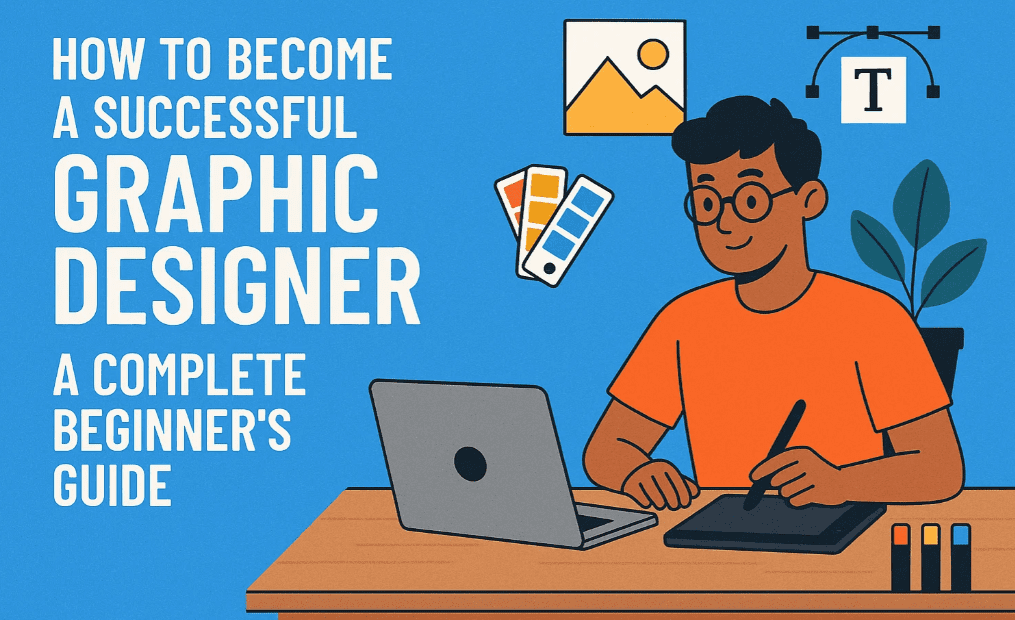
If you truly aspire to become a professional graphic designer in today’s digital era—whether you’re just starting or already working in the industry—this article is your ultimate roadmap. Many budding designers face a common dilemma: what exactly should I learn to grow and earn more as a designer?
This guide breaks down 15 essential chapters every graphic designer should master. No matter where you choose to learn—from a course, YouTube, or self-learning—if these topics are part of your journey, your growth is guaranteed.
📝 Disclaimer: This article focuses on design principles and techniques, not specific software tutorials. You are expected to already be familiar with tools like Adobe Illustrator, Photoshop, or Canva. If not, start with learning the basics of those tools from their respective websites.
Chapter 1: Types of Graphic Designing
Before diving into learning, you must first understand the types of graphic design. Design is not just about social media posts. Explore:
- Flat Design
- Depth Design
- Logo Design
- Typography Design
- Packaging Design
- Magazine Design
- T-shirt Design
📌 Tip: Observe your surroundings. Identify the different types of design you see in ads, print, packaging, and digital. Note them down for reference.
Chapter 2: Design Mediums & Platforms
Designs are published across multiple platforms. Each has a unique format and purpose:
- Social Media Graphics
- YouTube Thumbnails
- Posters & Leaflets
- Magazines
- Product Packaging
- Merchandise like T-shirts
Understand the medium-specific requirements. The idea is not to learn “social media design” only, but to understand the design process so well that you can adapt to any platform.
Chapter 3: Elements of Graphic Design
Familiarize yourself with the core elements of design:
- Typography
- Shapes
- Icons
- Lines
- Color
- Texture
These are the basic building blocks that form any great design. Study them, practice them.
Chapter 4: Color Schemes and Color Psychology
Color is more than just decoration—it communicates emotion and intention.
Learn These Three Aspects:
- Color Psychology – Understand why red signifies urgency, green means safety, etc.
- Color Wheel – Use Adobe Color Wheel: https://color.adobe.com/
- Industry-specific Colors – Tech companies, food brands, fashion—each uses unique color combinations.
📌 Color Harmony Concepts: Complementary, Analogous, Triadic.






Chapter 5: Design Principles
These are the golden rules behind impactful design. Master concepts like:
- Visual hierarchy
- White space usage
- 60-30-10 Rule (Color proportion)
- Balance and contrast
- Alignment and proximity
These principles help you explain the logic behind your design to clients or during interviews.
Chapter 6: Flat Design Concepts
Flat design emphasizes simplicity and minimalism.
- Study flat shapes, colors, and typography
- Learn how to keep things visually appealing without using 3D or depth
Understand the feel—is it soft, corporate, friendly, or bold?
Chapter 7: Depth Design Concepts
Depth designs involve using:
- Light & Shadow
- Perspective
- Layering
This makes your design feel 3D or realistic. Mastering this gives you an edge in creating premium-looking visuals.
Chapter 8: Design Thinking
Design Thinking is the creative process that helps you visualize, plan, and execute:
- Combine concepts – Mix two ideas into one creative output
- Visualize your idea
- Create a compelling concept
This is the foundation of original design. It sets professionals apart from template users.
Chapter 9: Logo Designing
Logos are not just icons—they represent identity.
- Learn different types: Monograms, Lettermarks, Wordmarks, Symbols
- Study successful logo case studies
- Understand branding behind logos
Knowing only one type of design (like thumbnails) limits you. Expand your skillset to grow.
Chapter 10: Packaging Design
Once you reach mid-to-senior level, you’ll deal with product packaging.
Key concepts to learn:
- Difference between brand name & product name
- Unique Selling Proposition (USP)
- Maintaining continuity across packaging
- Visual safety zones and bleed areas
Packaging design means you can claim that you’re a full-fledged designer.
Chapter 11: Brand Identity Design
This is the highest level of graphic design. It includes:
- Logo + Storytelling
- Typography + Colors
- Pattern consistency
- Brand Feel + Mood boards
Brand identity work is high-paying and demands both creativity and strategic thinking.
Chapter 12: Advertisement Campaigns
Understand the difference between a single ad and a campaign:
- Learn how to highlight USPs
- Master CTAs (Call to Action)
- Build a message that converts
Campaign design is essential if you want to work in marketing or digital ad agencies.
Chapter 13: Design Themes
Stay updated with trending design themes:
- Acid theme
- Bold Minimalism
- Vector-based layouts
- Maximalism vs Minimalism
- Photorealistic & Image-centric designs
Constant observation helps you spot trends and innovate accordingly.
Chapter 14: The Design Process
Many aspiring designers struggle with speed. In the real world, you’ll be asked to deliver multiple designs quickly.
Master this efficient design process:
- Research: 10 mins
- Layouting: 10 mins
- Color selection: 10 mins
- Final rendering: 30 mins
This time-blocked approach will improve both quality and speed.
Chapter 15: Real-World Application & Industry Practice
Your learning becomes complete when you apply everything:
- Practice every design type
- Take freelance gigs
- Join an agency or internship
- Keep updating your portfolio
Don’t lock yourself into one niche too early. Explore broadly, then specialize based on your strength and interest.
Frequently Asked Questions (FAQs)
Q1: Do I need to know all 15 chapters to become a designer?
Yes. Even if you specialize later, a solid foundation across all topics ensures you’re versatile and future-proof.
Q2: Which software should I use to apply these skills?
Start with tools like Adobe Illustrator, Adobe Photoshop, or Canva. These will help you execute what you learn.
Q3: Can I learn all this without joining a course?
Absolutely. You can learn via YouTube, blogs (like this one), or free resources. But make sure your learning path covers all 15 chapters.
Q4: How do I practice real-world design?
Take mock projects. Redesign famous brand packaging, create imaginary logos, or build branding for fictional startups.
Conclusion
If you master these 15 chapters, you won’t just call yourself a graphic designer—you’ll become one. These concepts are not theoretical fluff; they are core pillars that agencies, clients, and brands look for.
Whether you’re a beginner or already in the field—bookmark this article, build your roadmap, and start leveling up today.
Tags:
graphic design, design principles, branding, logo design, packaging design, color theory, flat design, depth design, visual hierarchy, creative process, brand identity, ad campaign design, design thinking
Hashtags:
#GraphicDesign #DesignTips #BrandIdentity #LogoDesign #DesignProcess #ColorTheory #PackagingDesign #DesignPrinciples #FlatDesign #DepthDesign #CreativeThinking