If you’ve already learned graphic design software but still struggle to find a job or freelance clients, you’re not alone. Thousands of aspiring designers hit a wall even after learning tools like Photoshop and Illustrator. But here’s the truth: knowing software alone isn’t enough. The design industry has evolved, and so should your approach.
In this blog post, we’ll walk you through a complete, industry-backed roadmap to becoming a professional graphic designer — the kind that lands real agency jobs or earns a stable freelance income. This roadmap is drawn from the real experiences of seasoned creatives and successful design students. So buckle up — we’re going to do things right, from the ground up.

🎯 Step 1: Start with a Vision — Not Just Software
Before diving into any tool, write this down on a whiteboard:
“Software → Skills → Portfolio → Internship → Ad Agency”
That final goal — landing a job in an ad agency — should be your North Star. Why? Because only when you’ve worked in a real-world creative setup, taken feedback from seniors, and survived the fast-paced environment of an ad agency can you confidently call yourself a true graphic designer.
Designing in isolation or claiming to be a designer just because you’ve used two tools in your bedroom won’t cut it anymore. Let’s begin by addressing the first piece of the roadmap.
💻 Step 2: Invest in the Right Hardware
You cannot build skyscrapers on a weak foundation. The same goes for your design career. If you’re still thinking of doing graphic design on a mobile phone — stop right there.
Here’s what you need:
- A good-quality laptop or desktop with decent RAM (at least 16GB), SSD storage, and a capable GPU (especially if you’re into motion graphics or video editing).
- External monitor (optional but recommended)
- A good mouse or graphic tablet (Wacom, XP-Pen, etc.)
Affiliate Suggestion:
🎨 Looking for a reliable design laptop? [Insert Your Affiliate Link Here]
🎨 Step 3: Learn These 5 Core Software Tools
Most beginners start with Photoshop and stop there. That’s a mistake. A well-rounded graphic designer in 2025 must master five tools:
1. Adobe Photoshop
- Image editing, photo manipulation, and basic layout work.
- Use for web banners, posters, social media designs, etc.
- Website
2. Adobe Illustrator
- Vector-based graphics for logos, icons, and illustrations.
- Essential for print design, brand assets, and scalable artwork.
- Website
3. CorelDRAW
- Great for print-based design in industries that still prefer it.
- Popular in regional print shops across India.
- Website
4. Adobe Premiere Pro
- A must for video editing and reels.
- Today’s designer is expected to create visual + motion content.
- Website
5. Adobe After Effects
- For animation, kinetic typography, motion graphics, and ad intros.
- Highly valued in ad agencies.
- Website
🔁 You can learn these from:
- YouTube
- Online courses (e.g., Udemy, Skillshare)
- Design academies
- Mentors or friends
🧠 Step 4: Don’t Just Learn Tools — Learn the Thinking
So far, so good? Let’s now talk about the next layer — thinking like a designer.
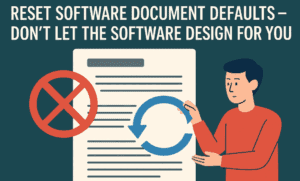
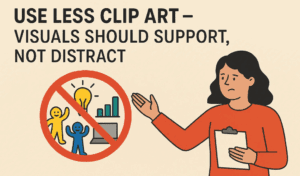

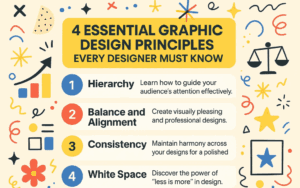

Even if you master software, your success will be limited unless you understand design principles and creative thinking.
Learn These Concepts:
- Elements of Design – lines, shapes, textures, color, space
- Principles of Design – balance, contrast, alignment, hierarchy, repetition
- Layout and Composition – grid systems, margins, and visual flow
- Color Theory – primary, secondary, complementary colors and emotion
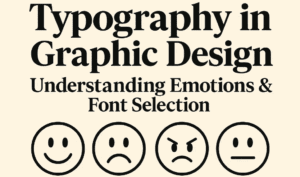
- Typography Basics – type families, hierarchy, spacing, and legibility
- Design Thinking – empathy, ideation, prototyping, and problem-solving
These aren’t just fancy words — they are your creative backbone.
🤖 Step 5: Embrace AI Design Tools
Let’s face it — AI is transforming the design world. But rather than fearing it, use it to your advantage.
Here are some AI tools every modern designer should explore:
1. Adobe Firefly
- AI-powered image generation inside Adobe apps
- Structure-based generative design
- Website
2. ChatGPT (for ideation + prompts)
- Use it to create creative briefs, brainstorm ideas, or improve communication.
- Website
3. Runway ML
- Text-to-video and generative editing platform.
- Used in content marketing, reels, and storytelling.
- Website
4. ElevenLabs
- AI voice generator — great for motion graphic narration or mock ads.
- Website
👉 Don’t treat AI as a shortcut. Use it to amplify your creativity, not replace it.
🧩 Step 6: Learn Design Process + Client Workflow
Once you’ve got skills, you need to organize them.
Here’s a typical client design process:
- Briefing – Understand the problem.
- Research – Look at competitors, audience, trends.
- Ideation – Sketch or wireframe ideas.
- Execution – Create drafts using your tools.
- Feedback – Get input and revise accordingly.
- Final Delivery – Send files in required formats.
Mastering this process will make your work structured and professional.
💬 Step 7: Communication is a Real Skill
Let’s be real: many designers are good with tools but bad with people.
Why Communication Matters:
- Helps land jobs and freelance gigs
- Builds relationships with clients
- Makes feedback smoother and faster
- Helps in interviews and presentations
Practice explaining your ideas, defending your design choices, and presenting your work.
Join design communities, participate in critiques, talk to mentors, and learn to sell yourself as a designer.
🧰 Step 8: Build a Powerful Portfolio
Think of your portfolio as your resume, business card, and interview pitch — all rolled into one.
Tips for a Great Portfolio:
- Include 6–8 of your best projects (real or mock)
- Show the process, not just the final design
- Use Behance, Dribbble, or your own website
- Include brand identity, poster design, social media creatives, and motion projects
🔗 Want help creating your portfolio? [Insert Your Affiliate Link Here]
🧪 Step 9: Do an Internship — Yes, It’s Mandatory
Some may argue that internships are optional. But in design, they are crucial.
Why?
- You get real deadlines and real feedback
- You learn how an agency operates
- You build industry connections
- You boost your resume
Even if you freelance later, a 2–3 month internship in an ad agency will make you sharper and more confident.
🦈 Bonus Tip: Join a Guided Course with Mentorship
If you’re struggling with self-learning, consider a structured design course that covers:
- Graphic design foundations
- Design thinking
- Communication & soft skills
- Client pitching
- Portfolio building
- Job readiness (interview skills)
One such course is the Shark Design Course which does not focus on software but teaches all soft and creative skills. If you already know tools, this course could be your gateway to turning into a certified designer.
🙋 Frequently Asked Questions
Q. Can I become a graphic designer without a degree?
Yes. Skills and portfolio matter more than degrees in the design world.
Q. Do I need to master all Adobe tools?
Not all — but the 5 tools listed above will give you a complete skillset.
Q. How long does it take to become job-ready?
With focused learning, practice, and a portfolio, you can become job-ready in 6–9 months.
Q. Should I do freelancing or a job first?
A job, especially in an agency, is highly recommended to gain credibility and experience. You can freelance later with confidence.
🔚 Final Thoughts: Don’t Just Learn — Evolve
Graphic design is no longer about learning Photoshop in your room and calling yourself a designer. The industry demands more — thinking, communication, presentation, and creativity.
Whether you’re aiming for a full-time job, freelancing career, or creative leadership — follow this certified roadmap.
And always remember:
“Creativity is not magic — it’s a process.”
📌 Tags:
graphic design roadmap, graphic designer career, design skills, freelance design, creative thinking, adobe tools, ai design tools, portfolio building, internship for designers, communication skills
🔖 Hashtags:
#GraphicDesign #DesignCareer #AdobeTools #AIinDesign #FreelanceTips #DesignThinking #PortfolioTips #InternshipOpportunity #CreativeSkills #DesignRoadmap
Disclaimer:
This article is for educational purposes only. Please verify any product links and training offers independently. dtptips.com may use affiliate links that help us earn commissions at no extra cost to you.






