If you’re looking for an easy, safe, and powerful way to optimize Windows 10 or 11, then Debloat GUI is one of the best free tools available. This open-source software helps remove bloatware, improve system performance, and customize Windows settings—all from a simple interface.
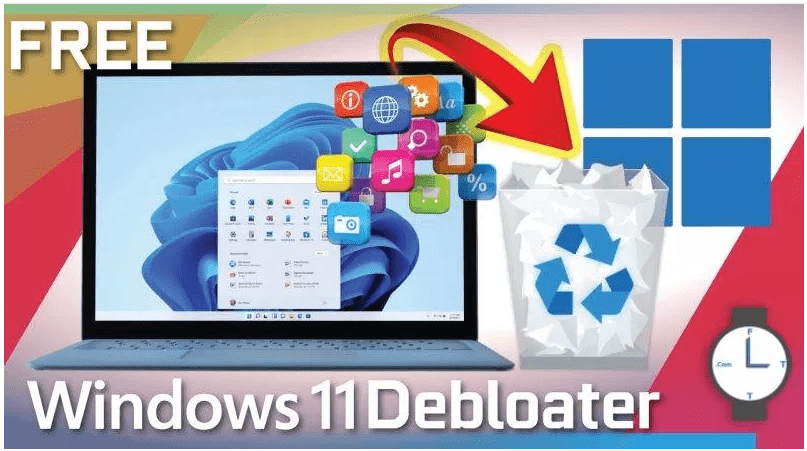
Why Use Debloat GUI?
Windows 11 comes with many pre-installed apps and background services that slow down your system. Debloat GUI helps:
✔ Remove unnecessary apps (Cortana, OneDrive, Microsoft Edge, etc.)
✔ Disable tracking & telemetry for better privacy
✔ Optimize system performance by tweaking power settings and services
✔ Customize Windows (dark mode, taskbar, startup apps)
How to Install & Use Debloat GUI
Step 1: Download & Extract
- Visit the official download page.
- Click the download link (ZIP file).
- Extract the ZIP file (Right-click → Extract All).
Step 2: Run as Administrator
- Open the extracted folder.
- Right-click Windows11DebloaterGUI.exe → Run as Administrator.
Optimizing Windows with Debloat GUI
1. Easy Debloat (Recommended for Beginners)
- Essential Tweaks → Disables telemetry, Wi-Fi sense, and power throttling.
- Disable Cortana / OneDrive → Removes unnecessary Microsoft services.
- Background Apps → Stops apps from running in the background.
- Visual Effects → Improves performance by disabling animations.
👉 How to Apply:
- Select an option (e.g., Essential Tweaks).
- Click Run Script → Wait for completion.
2. Advanced Debloat (For Experienced Users)
- Desktop vs. Laptop Mode → Adjusts power & hibernation settings.
- Third-Party Apps → Installs browsers (Brave, Chrome) and utilities.
- Windows Apps → Uninstalls bloatware (Microsoft Edge, Get Help).
3. Fine-Tuning (Full Customization)
- Privacy Settings → Disables tracking, error reporting, and ads.
- System Tweaks → Enables high-performance power plans.
- Security Tweaks → Disables SmartScreen, Windows Sandbox.
Before & After Optimization Results
✅ Process Count: Reduced from 135 → 75
✅ RAM Usage: Dropped from 88% → 35%
✅ CPU Load: Decreased from 25% → 14%
✅ Faster Startup & Smoother Performance
Final Thoughts
Debloat GUI is a must-have tool for Windows users who want a cleaner, faster, and more private system. With just a few clicks, you can remove bloatware, optimize performance, and customize settings—without technical expertise.
🔹 Tags:
Windows 11, Optimization, Debloat, Performance, Privacy
🔹 Hashtags:
#Windows11 #OptimizePC #DebloatGUI #TechTips #WindowsOptimization
⚠️ Disclaimer:
Modifying system settings can cause instability. Always create a backup before making changes. Debloat GUI is a third-party tool—use at your own risk.
Download Debloat GUI Now and speed up your PC today! 🚀