Have an old laptop that doesn’t meet Windows 11’s minimum requirements like TPM 2.0 or Secure Boot? Don’t worry—you can still experience the latest Windows 11 24H2 Preview build using a clean installation method....
Read More
10 Essential Things to Do After Installing Windows 11 (Especially on Unsupported PCs)
Upgrading to Windows 11—especially on an older or unsupported PC—can feel like a big leap, especially if you’re coming from Windows 10 or even Windows 7. From the redesigned Start Menu to new system...
Read More
✅ Resetting Windows 11 on an Unsupported Laptop – Does It Still Work?
If you’ve ever installed Windows 11 on an older, unsupported laptop using a custom ISO or tools like Rufus, you’ve probably wondered: “What happens if I reset the PC? Will Windows 11 still work?”...
Read More
How to Reinstall Windows 11 Without Losing Data or Installed Software
If your Windows 11 system is freezing, lagging, or not performing at its best, a complete reset might seem like the only option. But what if you could repair your Windows installation without losing...
Read More
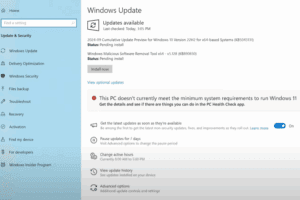
How to Install Windows 11 24H2 on Unsupported Computers – Step-by-Step Guide
Microsoft has officially released Windows 11 24H2, the 2024 update packed with performance enhancements and fresh features. While many users with compatible systems can upgrade seamlessly, those on unsupported PCs—typically due to older processors...
Read More
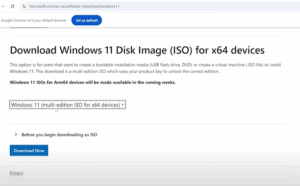
How to Upgrade from Windows 11 23H2 to 24H2 on Unsupported PCs
The long-awaited Windows 11 24H2 update is now officially released and stable. If you are currently using Windows 11 23H2 on an unsupported PC, you can still upgrade to 24H2 using a few reliable...
Read More
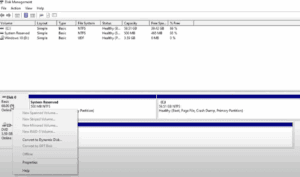
How to Convert MBR to GPT Drive to Switch BIOS to UEFI on Windows 10
Modern computers use UEFI (Unified Extensible Firmware Interface) instead of the older BIOS (Basic Input/Output System). UEFI offers better security, faster boot times, support for larger hard drives, and more advanced features. However, in...
Read More
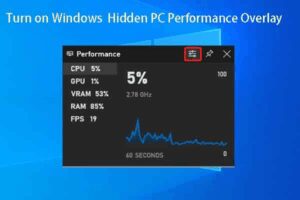
How to Check Your Windows PC’s Hidden Performance Score Using PowerShell
Did you know that your Windows PC has a hidden performance score built into the system? This score, known as the Windows Experience Index (WEI), gives you a snapshot of how well your computer...
Read More
How to Maximize Your Windows Security Without Using Third-Party Antivirus
Welcome back, friends!If you’re someone who still uses Windows 7, 10, or 11, you might often wonder whether third-party antivirus software is necessary for complete protection. Based on extensive personal experience and testing, my...
Read More
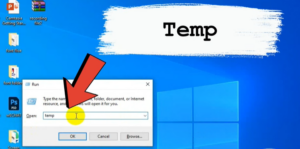
How to Clear Cache and Junk Files from Your Windows PC
Over time, your Windows PC accumulates cache and junk files that take up valuable space and may slow down performance. In this guide, we’ll show you a step-by-step method to clear cache and junk...
Read More
How to Bring macOS-Like Features to Windows with PowerToys
Windows users often admire some of the seamless and intuitive features of macOS. For example, macOS makes it easy to preview files, quickly resize images, and perform window management with elegant simplicity. Fortunately, Microsoft...
Read More
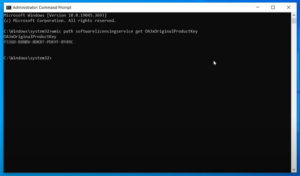
How to Find Your Windows 11 Product Key Using Command Prompt
If you need to reinstall Windows 11 or keep a record of your product key, you can retrieve it easily without any additional software. This guide will walk you through using the Command Prompt...
Read More
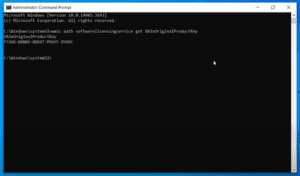
How to Find Your Windows 10 Product Key Using Command Prompt
If you need to retrieve your Windows 10 product key for reinstallation or record-keeping purposes, this guide will show you how to find it using the Command Prompt. Follow the detailed steps below to...
Read More
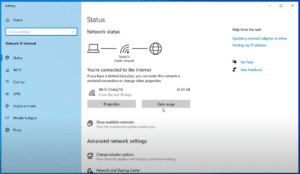
How to Find Your Wi-Fi Password in Windows
If you are connected to a wireless network on your Windows device but don’t remember the password, this guide will show you how to find it. This method is helpful when you need to...
Read More
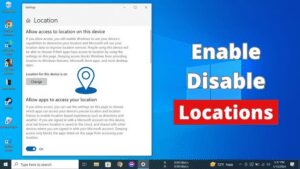
How to Enable or Disable Location Services on Windows 10 or Windows 11
Managing location services on your Windows 10 or Windows 11 computer is straightforward. Whether you want to enable location services to use features like maps and weather updates or disable it for privacy concerns,...
Read More
How to Change the Taskbar Position in Windows 11
The taskbar is one of the most vital elements of the Windows operating system, providing quick access to apps, system features, and notifications. In Windows 11, Microsoft introduced a new, centered taskbar design, which...
Read More

How to Download and Install Boat Immortal Drivers for Your Headphone to Unlock Full Features?
If you’ve recently purchased headphones with advanced features like 7.1 surround sound and are unsure how to unlock their full potential, this article will guide you through the process. Many headphones require a specific...
Read More
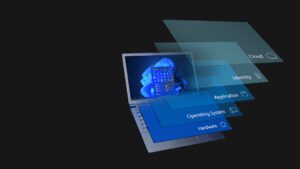
9 Essential Windows Settings You Should Always Keep Enabled
Windows is a versatile operating system, and many users frequently tweak settings to optimize their system’s performance. However, some settings should never be disabled, as turning them off could compromise the security and functionality...
Read More
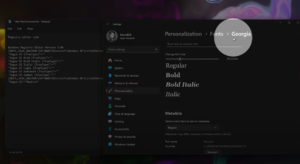
How to Change the Font in Windows 11/10 – Full Guide
If you’re tired of the default font on your Windows 11 or 10 and want to give your PC a personalized touch, changing the font is an easy way to start. This guide will...
Read More
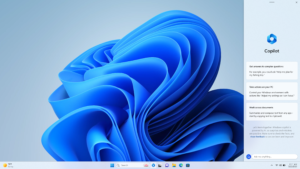
Top 11 Windows 11 Tips and Tricks for Everyday Use
Windows 11 brings several improvements and new features to the table. However, many users may not be familiar with all the tips and tricks that make navigating and using this new OS more efficient....
Read More
Try Super 11 Effective Ways to Speed Up Your Windows PC
Have you noticed your PC becoming slower over time? Whether it’s taking too long to boot up or apps are sluggish, there are several ways to improve your machine’s performance. In this post, we’ll...
Read More