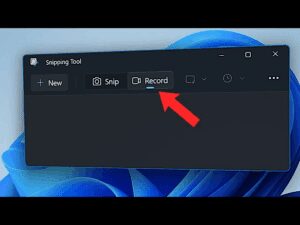
Are you looking for a simple way to record your Windows 11 screen without installing any third-party applications? Good news – Windows now offers a built-in option for screen recording through the Snipping Tool!...
Read More

How to Improve Sound Quality on Your Windows PC or Laptop
If you often listen to music, watch movies, or work on audio-related tasks on your PC or laptop, but feel like the sound quality could be better, you’re in the right place. In this...
Read More
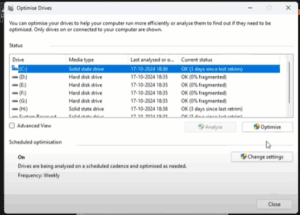
How to Boost File Copy and Transfer Speed on Your Windows PC or Laptop
Are you tired of slow file copy and transfer speeds on your Windows PC or laptop? Struggling with sluggish cut, copy, or paste actions can be extremely frustrating, especially when handling large files. Good...
Read More
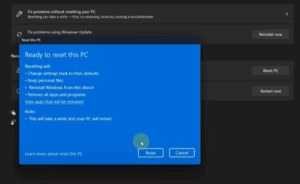
How to Reset Windows 11 Settings in 2025: A Step-by-Step Guide
If you’re facing errors, glitches, or problems with your Windows 11 device, resetting the system settings can be a simple and effective solution. Whether it’s due to a wrong configuration or a recurring issue,...
Read More
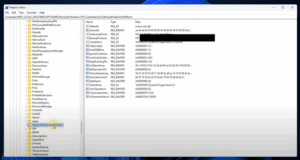
How to Find Your Windows Product Key Using Registry Editor
If you have ever lost or misplaced your Windows product key, you might wonder if there’s a way to recover it directly from your system. Fortunately, Windows stores your license key within the system...
Read More
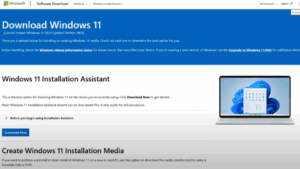
How to Download Windows 11 25H2 Insider Preview ISO Before Official Release
Get ready to experience the latest features and updates of Windows 11 25H2 before its official release!In this article, we’ll guide you step-by-step on how to download the Windows 11 25H2 Insider Preview ISO...
Read More

How to Take a Screenshot in Windows 11 (WS1): Step-by-Step Guide
If you are wondering how to take a screenshot on Windows 11 (often referred to as WS1), you are in the right place! In this article, we will walk you through the easiest and...
Read More
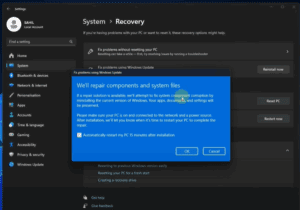
How to Reinstall Windows on Your PC or Laptop Without Losing Data
Is your Windows PC or laptop running slower than usual? Has it been a long time since you last reinstalled Windows? If yes, then it’s time to reinstall Windows to give your device a...
Read More
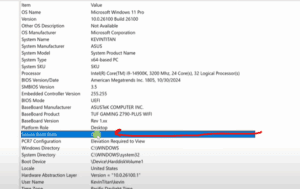
How to Enable Secure Boot in Windows 11 – A Step-by-Step Guide
If you’re looking to enhance your PC’s security and ensure your system is fully compatible with Windows 11 features, enabling Secure Boot is a smart move. Secure Boot helps protect your computer from malware...
Read More
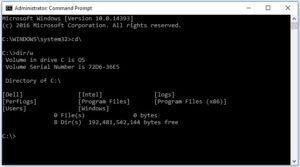
18 Powerful Windows Command Prompt Tricks You Need to Know
If you thought you were done learning Windows commands—think again. The Command Prompt (CMD) isn’t just a relic from a bygone computing era; it’s still packed with useful, powerful tools that can streamline your...
Read More
Microsoft PC Manager Gets a Powerful New Feature: Deep Uninstaller
Microsoft has officially introduced a much-requested feature to its PC Manager application — the Deep Uninstaller. If you’ve been relying on third-party apps like Revo Uninstaller or Geek Uninstaller to completely remove programs and...
Read More
How to Install Android Apps on Windows 11 (The Official Way)
Running Android apps on Windows 11 is now easier than ever, thanks to the built-in support for Windows Subsystem for Android (WSA). Microsoft has made it possible to install Android applications officially through the...
Read More
How to Install Google Play Store on Windows 11 (and Windows 10)
If you’ve ever wanted to run Android apps natively on your Windows PC, you’re in luck. This article explains how to install the Google Play Store on your Windows 11 or Windows 10 Pro...
Read More
🔄 How to Enable or Disable Windows Co-Pilot AI in Windows 11 (23H2)
With the release of Windows 11 version 23H2, many users noticed that Co-Pilot AI, Microsoft’s intelligent assistant, disappeared from their desktops. If you’re wondering why this happened and how you can enable or disable...
Read More
How to Roll Back from Windows 11 to Windows 10 (Even on Unsupported Hardware)
If you’ve recently upgraded from Windows 10 to Windows 11 version 23H2, and you’re running it on unsupported hardware, you might have noticed that things aren’t running as smoothly as expected. Whether it’s performance...
Read More
How to Fix Task Manager Not Opening or Responding in Windows
If your Task Manager refuses to open, doesn’t respond, or gives you strange errors—especially after a potential malware attack—there’s a good chance that something has disabled it behind the scenes. This article will walk...
Read More
How to Unlock Hidden Education Themes in Windows 11
Did you know that Windows 11 comes with a set of vibrant and unique Education Themes that are hidden by default? These themes are not visible in the standard personalization settings unless you perform...
Read More
The Best Start Menu Alternatives for Windows 11: Customization, Functionality & Nostalgia
Windows 11 introduced a sleek, modern design with a centered Start menu. While many users appreciate the refreshed look, others miss the familiarity and customization offered by older versions of Windows, such as Windows...
Read More
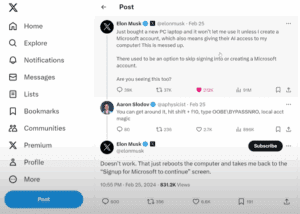
How to Bypass Microsoft Account Setup on Windows 11 with This Simple Trick
When setting up a new Windows 11 PC, Microsoft often requires users to sign in with a Microsoft account before they can proceed. This has frustrated many users who prefer a local account, including...
Read More
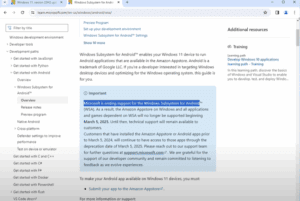
How to Run Android Apps on Windows 11 After Microsoft Ends WSA Support
If you’ve been enjoying running Android apps on your Windows 11 PC through the Windows Subsystem for Android (WSA), you may need to prepare for a change. Microsoft has officially confirmed that WSA support...
Read More

How to Install the Classic Windows Movie Maker on Windows 11 (23H2)
If you’ve been feeling nostalgic about the good old days of video editing with the classic Windows Movie Maker, you’re not alone. While Microsoft officially discontinued Movie Maker years ago, it’s still possible to...
Read More