
If your USB flash drive (pen drive) is showing errors like “No Media,” “0 Bytes,” or “Unable to Complete Format,” this guide will help you repair it. We’ll cover step-by-step solutions, including firmware reinstallation...
Read More
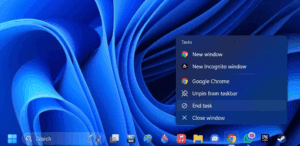
How to Enable “End Task” Option on the Windows 11 Taskbar: Quick Guide
Windows 11 continues to evolve, and one of the most useful features introduced in recent updates is the ability to end tasks directly from the taskbar. This small addition can significantly improve workflow and...
Read More
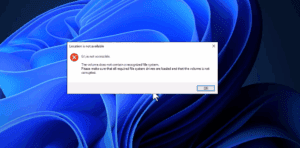
How to Fix “The Volume Does Not Contain a Recognized File System” Error Without Formatting or Data Loss
If you’re encountering the error message “The volume does not contain a recognized file system” when trying to access your USB drive, external hard disk, or SD card, don’t panic. This issue usually arises...
Read More
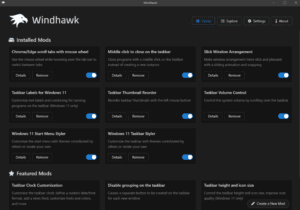
Customize Windows 11 Taskbar, Start Menu, and More with Windhawk
Windows 11 brings a refreshed interface and design—but not all users are fans of the default Start menu, taskbar, and right-click menu. If you’re looking for a way to tweak these elements and restore...
Read More
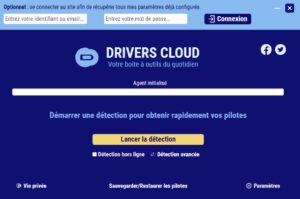
How to Safely Update All Drivers on Your Windows PC Using DriversCloud
Keeping your Windows drivers updated is essential for system performance, hardware reliability, and overall user experience. If you’ve been facing issues like lag, hardware malfunction, or outdated components, updating drivers can resolve many of...
Read More
🧹 How to Free Up Space on Your Windows C Drive: A Complete Cleanup Guide
Running out of space on your Windows C drive can slow down your system, prevent updates, and even cause software crashes. If your C drive is full, it’s time to clear out unnecessary junk...
Read More
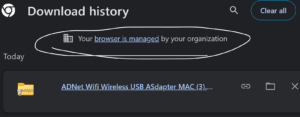
🚨 ExtensionManifestV2Availability: How to Fix Browser is Managed by Your Organization Error
Many users are alarmed when they suddenly see a message like: Especially if it’s your personal computer and you’re not part of any organization, this can feel like a breach of privacy or a...
Read More
Why You Should Download the Windows 10 Installation File Before End of Support
As we approach the official end of support for Windows 10 in October 2025, it’s important for all Windows users—especially those who plan to keep using Windows 10 for specific use cases—to secure a...
Read More
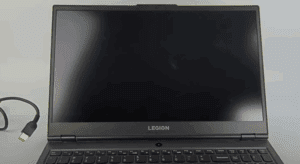
How to Fix Lenovo Laptop Black Screen While It Turns On
Is your Lenovo laptop turning on, but the screen remains black? This is a common issue faced by many users, and fortunately, there are a few simple troubleshooting steps you can take to fix...
Read More
How to Completely Uninstall Apps in Windows 10 & 11 Without Leaving Junk Files Behind (2025)
If you’ve been uninstalling apps the traditional way in Windows 10 or Windows 11, you might be surprised to learn that leftover files and registry entries often remain on your system—clogging up storage and...
Read More

How to Uninstall FitGirl Repack Games (2025) – Complete Step-by-Step Guide
When it comes to downloading and playing large PC games, FitGirl repacks are a popular choice due to their significantly compressed file sizes. However, many users find themselves confused when it’s time to uninstall...
Read More
Windows 11 KB5058405 Update Causing Boot Failures: What You Need to Know
A recent Windows 11 update has caused significant boot issues for users. The update in question, KB5058405, was officially released on May 13, 2025, targeting Windows 11 versions 22H2 and 23H2. Within hours of...
Read More

How to Fix FitGirl Repack Installation and Speed Issues on Windows
FitGirl Repacks are widely popular for compressing large PC games into smaller, downloadable sizes without compromising the actual gameplay. However, many users encounter speed issues and installation problems. This guide offers a step-by-step solution...
Read More

How to Increase Video RAM in Windows 11/10 | Better FPS Performance (Intel, AMD, Nvidia)
If you’re experiencing lag in games or poor performance in graphics-heavy applications, your Video RAM (VRAM) might be limiting your system. This guide will show you how to increase VRAM on Windows 10 and...
Read More
How to Fix “Can’t Find Your Camera” Error on Windows
If you’re seeing the error message “Can’t find your camera” or “No cameras are attached” on your Windows laptop, don’t panic. This common issue can often be resolved with a few troubleshooting steps. In...
Read More
How to Permanently Disable Windows Defender in Windows 10/11
Windows Defender is Microsoft’s built-in antivirus that runs by default in Windows 10 and 11. While it provides security, some users prefer disabling it—especially if they use a third-party antivirus or need to bypass...
Read More
How to Lower CPU Temperatures Using Windows Power Plan Settings
High CPU temperatures can significantly affect your PC’s performance, especially if you’re using a laptop or a system with limited cooling. If you’ve noticed your CPU running hot—often spiking into the 90s Celsius range—there’s...
Read More
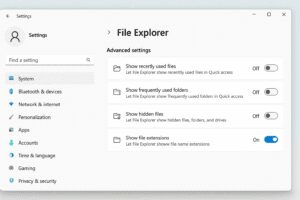
How to Show File Extensions in Windows 11 Using the Settings App
If you’re using Windows 11 and want to view file extensions (like .jpg, .pdf, .docx, etc.) directly in File Explorer, Windows now offers a much simpler method through the Settings app. This makes it...
Read More
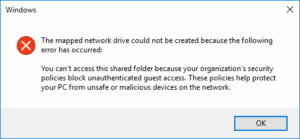
How to Fix “Cannot Access Shared Folder Due to Security Policies” Error in Windows
Have you encountered the frustrating error that says you “”You can’t access this shared folder because your organization’s security policies block unauthenticated guest access. These policies help protect your pc from unsafe or malicious...
Read More

How to Fix Internet Connection Issues on Windows (7 Effective Solutions)
If your Windows PC is unable to connect to the internet, the problem could stem from various sources—incorrect settings, firewall restrictions, DNS issues, or even a disabled network adapter. This guide provides seven proven...
Read More
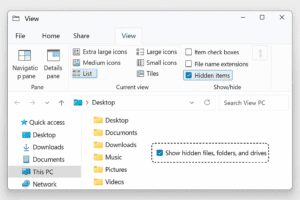
How to Show Hidden Files and Folders in Windows File Explorer: A Quick Guide
Windows hides certain files and folders by default to protect critical system data from accidental changes. However, there are times when you need to access these hidden locations—whether for troubleshooting, deleting leftover app data,...
Read More