Have you ever thought your data is safe just because your Windows PC or laptop is locked with a password? Well, think again. A Windows login password does not prevent someone from deleting your...
Read More
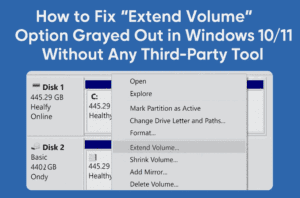
How to Fix “Extend Volume” Option Grayed Out in Windows 10/11 Without Any Third-Party Tool
Have you ever tried to extend your C: drive from Disk Management in Windows 10 or 11, only to find that the “Extend Volume” option is grayed out—even though you have unallocated space next...
Read More
How to Remove Write Protection from USB Drive or SD Card (3 Proven Methods)
Have you ever tried to format or copy something to your USB drive or SD card, only to be hit with the frustrating message:“The disk is write protected”? Don’t worry—you’re not alone! This is...
Read More
How to Check If Your Windows License Is Genuine or Cracked (With Easy Commands)
Have you ever wondered whether your Windows license is actually genuine? Maybe your PC shows “Windows is activated,” but that doesn’t always mean it’s legit. In many cases, especially with cheap or pre-activated systems,...
Read More
30 Windows Services You Can Safely Disable for Better Performance and Privacy
Ever feel like your PC is slower than it should be, even when you’re not doing much? Well, you’re not alone. One of the most common causes of lag and high RAM or disk...
Read More
5 Easy Ways to Check Your Hard Drive Health in Windows (Before It’s Too Late!)
When most people think about what makes a computer powerful, they’ll name the CPU or graphics card. But what if I told you the most important part of your PC might be your hard...
Read More
How to Get 15GB of Free Cloud Storage with Google Drive on Your Windows PC
If you’re constantly running out of storage on your laptop or want a reliable way to back up your documents, photos, and videos, Google Drive might just be the perfect solution. What makes it...
Read More
🎮 How to Optimize Windows 11 for Gaming: A Complete Performance Tuning Guide
If you’re a gamer looking to squeeze every last frame per second (FPS) out of your system, optimizing Windows 11 is a must. While Windows 10 has long been the go-to OS for gaming,...
Read More
What You Need to Know About Windows 10 Extended Security Updates (ESU) – Free Options, Rollout Timeline, and More
As Windows 10 approaches its official end-of-support date on October 14, 2025, many users are concerned about how to stay protected and continue receiving critical security updates. Microsoft has already introduced Extended Security Updates...
Read More
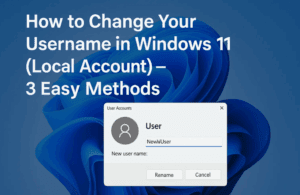
How to Change Your Username in Windows 11 (Local Account) – 3 Easy Methods
Have you ever felt that the username on your Windows 11 PC no longer represents you? Maybe it was set during setup and now feels outdated or incorrect. Good news—you don’t have to stick...
Read More
The Ultimate Guide to Perfectly Setting Up Windows 11 with Rufus (Bypass TPM, Secure Boot & Microsoft Account)
Setting up Windows 11 can feel a bit overwhelming, especially with all the new restrictions like TPM 2.0, Secure Boot, and Microsoft account requirements. But what if you could bypass all of that and...
Read More
⚡ How to Reduce Background Processes in Windows 10 & 11 for Lightning-Fast Performance
Is your Windows PC feeling sluggish even though your hardware is decent? Chances are, too many background processes are eating up your system resources. These background apps and services often run silently, slowing down...
Read More
How to Enable the Mika Effect in Microsoft Edge (Windows 11 Visual Effect)
If you’re someone who enjoys the sleek, modern look of Windows 11, you’re going to love this hidden gem — the Mika Effect in Microsoft Edge. This semi-transparent blur effect allows your browser window...
Read More
How to Create and Restore System Image Backups Using Macrium Reflect
When your computer fails to boot, crashes, or becomes unresponsive due to system errors, having a reliable system image backup can save you from a complete disaster. One of the best tools available for...
Read More
15 Essential Windows Settings You Should Change Right After Setup (Detailed Walkthrough for Beginners and Power Users)
Whether you’ve just unboxed a brand-new PC or performed a clean install of Windows 10 or 11, there’s a crucial list of settings you absolutely should not ignore. These aren’t fancy tweaks meant for...
Read More
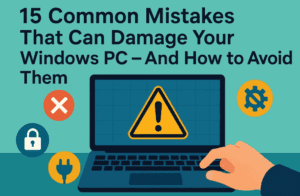
15 Common Mistakes That Can Damage Your Windows PC – And How to Avoid Them
Whether you’re a new Windows user or have been using it for years, there’s a high chance you’re unknowingly making mistakes that could harm your computer or compromise your data. In this detailed guide,...
Read More
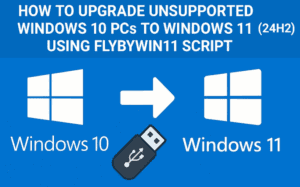
How to Upgrade Unsupported Windows 10 PCs to Windows 11 (24H2) Using FlyByWin11 Script
If you own a powerful Windows 10 PC but Microsoft says it’s “not compatible” with Windows 11, don’t worry — you’re not alone. Many users around the world, especially in regions like the UK,...
Read More
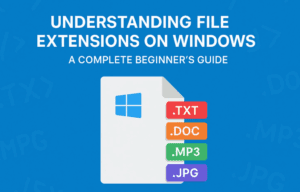
Understanding File Extensions on Windows: A Complete Beginner’s Guide
If you’ve ever wondered why some files end with .docx, .pdf, or .jpg, you’re not alone. These are called file extensions, and they play a vital role in how your computer recognizes and opens...
Read More
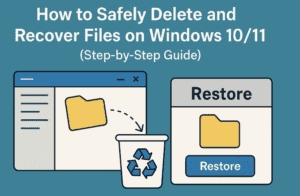
How to Safely Delete and Recover Files on Windows 10/11 (Step-by-Step Guide)
Managing your digital files properly is an essential skill—whether you’re cleaning up clutter or recovering accidentally deleted documents. In this guide, we’ll walk you through the entire process of deleting files, recovering them from...
Read More
Beginner’s Guide to Creating, Saving, and Organizing Files & Folders on a Windows Computer (2025)
Whether you’re switching from using a mobile phone as your main device to working on a laptop, or you’re new to desktop computing altogether, learning how to create, save, and organize files and folders...
Read More