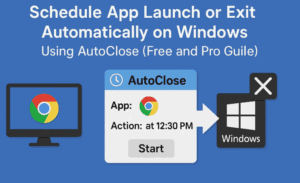
Have you ever wanted a certain program on your Windows PC to shut down at a specific time, or maybe launch automatically without having to do it yourself? Whether you’re managing productivity apps, scheduling...
Read More
Clear ALL Cache in Windows 11 (2025) – Boost Your Windows Performance
If your Windows PC has started to feel sluggish, unresponsive, or takes longer than usual to boot up—don’t worry. You don’t need to buy a new system. A little spring cleaning can work wonders!...
Read More
How to Fix Start Menu and Search Bar Not Working in Windows 10 & 11 (Step-by-Step Guide)
Is your Start menu or Search bar not responding in Windows 10 or 11? You’re not alone. This frustrating issue can stop you from accessing key system tools or even launching basic apps. But...
Read More
How to Create a System Restore Point in Windows 10 and 11 (Step-by-Step Guide)
Sometimes, things can go wrong on your PC—a software update might crash your system, or you might get the dreaded Blue Screen of Death (BSOD). In such situations, a System Restore Point acts like...
Read More
How to Fix Blurry or Stretched Screen Display Issues on Windows 10 or 11
If your screen looks blurry, stretched, or distorted on your Windows 10 or 11 computer, you’re not alone. This issue is quite common, especially after a Windows update, graphics driver malfunction, or incorrect display...
Read More
Customize Your Windows Taskbar for Free with Taskbar Plus: Transparency, Blur, and More!
If you love customizing the look and feel of your Windows desktop, especially the taskbar, you’ll be excited to know there’s a lightweight and powerful app that makes this easy — and best of...
Read More
How to Disable the Media Overlay Pop-up in Windows 11 Using Windhawk
If you’re using Windows 11 and you’ve noticed that every time you play a YouTube video, Spotify track, or any audio from your browser or media app, a media overlay popup appears in the...
Read More
How to Make a Disk or Volume Read-Only in Windows 11 — And How to Remove Read-Only Access Later
Have you ever wanted to protect a disk or volume from accidental changes, file deletions, or formatting? Making a drive read-only in Windows is a smart way to lock it for safety — especially...
Read More
How to Fix “Audio Not Working” Issue on Windows 11 – A Complete Step-by-Step Troubleshooting Guide
Sound problems on a Windows 11 computer can be incredibly frustrating—especially when everything looks like it’s working, but there’s still no sound. Whether you’re trying to listen to music, play a game, or join...
Read More
How to Fix “An Error Occurred When Unpacking” on Windows 11 (Error Code: unarc.dll or Similar)
Have you ever tried to install a game or software on your Windows 11 PC only to be met with a frustrating error that says: “An error occurred when unpacking. Unarc.dll returned an error...
Read More
Fix Slow Copying to USB Drives on Windows: 4 Proven Settings to Speed It Up
We’ve all been there—waiting forever for a simple file to transfer to a USB drive. It’s frustrating, especially when you’re in a hurry. But don’t worry! In this article, we’ll walk you through 4...
Read More
Microsoft Account vs Local Account on Windows 11 – Which One Should You Choose?
When setting up a new Windows 11 PC, one of the very first decisions you’ll face is whether to use a Microsoft account or a local account. While it may seem like a small...
Read More
How to Migrate Your Windows OS from HDD to SSD Without Reinstalling Anything (Using 4DDiG Partition Manager)
Upgrading your old, slow laptop or desktop by replacing the hard drive (HDD) with a solid-state drive (SSD) is one of the smartest ways to boost performance. But let’s be honest — the hassle...
Read More
How to Fix “Explorer.exe – Class Not Registered” Error in Windows 10 (With and Without Black Screen)
Today, we’re going to dive into a common and frustrating Windows 10 error that many users—including myself—have encountered: “Explorer.exe – Class Not Registered” This error often appears when booting up your computer, and it...
Read More
How to Fix Windows 10 Start Button Not Working: Quick PowerShell Fix
If you’re facing the frustrating issue where the Windows 10 Start button isn’t responding, you’re definitely not alone. This is one of those Windows bugs that seems to show up at the most inconvenient...
Read More
How to Fix “The App You’re Trying to Install Isn’t a Microsoft-Verified App” on Windows 10/11
Today, let’s tackle a frustrating yet very common issue that Windows users may encounter while trying to install applications outside the Microsoft Store. If you’ve ever seen the error message: “The app you’re trying...
Read More
How to Debloat Windows 10 and 11 Without Any Third-Party Software
If you’ve ever set up a fresh Windows installation only to find it bloated with pre-installed apps, toolbars, games, and features you never asked for — you’re not alone. And no, you don’t need...
Read More
The Complete Beginner’s Guide to Using and Managing External Storage Devices on Windows
Looking to expand your computer’s storage or transfer files more easily between devices? External storage devices like USB flash drives, external hard disks, and SD cards are your best friends. Whether you’re backing up...
Read More
How to Fix 100% Disk Usage on Windows: A Step-by-Step Optimization Guide
If you’re experiencing a laggy Windows system, where the disk usage is constantly at 100% in Task Manager — don’t panic. This issue is surprisingly common, especially on older systems or even some SSD-based...
Read More
How to Recover Data from a Formatted Hard Drive and Protect It Forever Using 4DDiG
Imagine this: You accidentally formatted your hard drive. Years of family photos, work files, and personal documents — all gone in an instant. That sinking feeling in your stomach is all too real. But...
Read More