
If you’re encountering the “USB Device Not Recognized” error on your Windows PC, don’t worry—this common issue can often be resolved with a few troubleshooting steps. In this guide, we’ll walk you through five...
Read More

How to Increase Video RAM in Windows 11/10 | Better FPS Performance (Intel, AMD, Nvidia)
If you’re experiencing lag in games or poor performance in graphics-heavy applications, your Video RAM (VRAM) might be limiting your system. This guide will show you how to increase VRAM on Windows 10 and...
Read More
How to Fix “Can’t Find Your Camera” Error on Windows
If you’re seeing the error message “Can’t find your camera” or “No cameras are attached” on your Windows laptop, don’t panic. This common issue can often be resolved with a few troubleshooting steps. In...
Read More
How to Fix Missing Bluetooth Toggle in Windows 10/11
Are you facing a frustrating issue where the Bluetooth on/off toggle is missing from the Windows Settings? This common problem can occur due to various reasons such as disabled services, driver issues, or even...
Read More
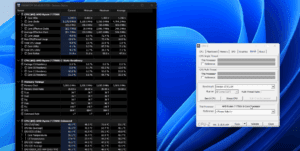
How to Lower CPU Temperatures Using Windows Power Plan Settings
High CPU temperatures can significantly affect your PC’s performance, especially if you’re using a laptop or a system with limited cooling. If you’ve noticed your CPU running hot—often spiking into the 90s Celsius range—there’s...
Read More
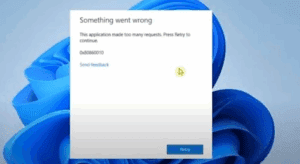
How to Fix “Application Made Too Many Requests” Error in Windows 11/10
If you’re encountering the frustrating “Application Made Too Many Requests” error on your Windows 11 or 10 PC, don’t worry—this issue can usually be resolved with a few simple troubleshooting steps. This error often...
Read More
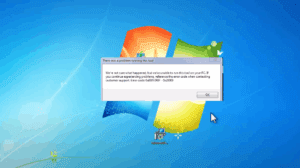
How to Fix Media Creation Tool Error 0x80072F8F – 0x20000 While Upgrading from Windows 7 to Windows 10
If you’re trying to upgrade from Windows 7 to Windows 10 using the Media Creation Tool and encounter the error: You’re not alone. This error typically occurs due to security or permission settings on...
Read More
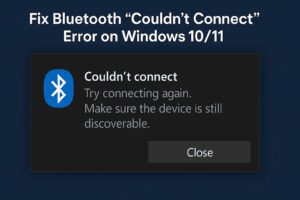
How to Fix Bluetooth “Couldn’t Connect” Error on Windows 10/11
If you’ve encountered issues with Bluetooth on your Windows 10 or Windows 11 PC—such as the Bluetooth switch missing or an error message saying “Couldn’t Connect”—you’re not alone. This problem can occur due to...
Read More

How to Fix “Can’t Connect to This Network” Error on Windows Laptop – A Step-by-Step Guide
If you’re encountering the frustrating “Can’t connect to this network” error on your Windows laptop—even when you’re entering the correct password—don’t worry. This article will guide you through a few simple steps to troubleshoot...
Read More
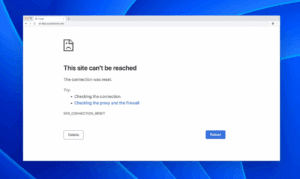
How to Fix “Internet Connected But Websites Not Loading” Issue
Are you facing a frustrating situation where your internet is connected, but websites won’t load in your browser? You might see errors like: Don’t worry—this is a common issue, and in this guide, we’ll...
Read More
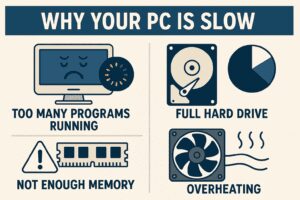
Why Your PC is Slow: Bad Code Might Be the Real Culprit
If your computer feels sluggish, you might assume it’s due to aging hardware—but poorly optimized software could be the real problem. A recent blog post by a Microsoft engineer sheds light on how bad...
Read More

Windows 10 Gets Lifeline, Intel’s New GPU Hope, and Nintendo’s Controversial Switch 2 Policy
The tech world is buzzing with major updates: Windows 10 gets extended support, Intel teases a budget-friendly GPU, and Nintendo tightens control over the Switch 2. Here’s everything you need to know. 1. Windows...
Read More

Windows 10 Update Brings Back Clock Seconds – Here’s How to Get Them
If you’ve been frustrated by Microsoft’s decision to remove seconds from the Windows 10 taskbar clock, you’re not alone. The change, introduced in a March/April update, sparked widespread backlash—so much so that Microsoft is...
Read More
How to Safely Continue Using Windows 10 After October 2025 Support Ends
As of now, nearly 60% of users in India still rely on Windows 10, while only 40% have upgraded to Windows 11. If you’re one of the many still using Windows 10, there’s a...
Read More

How to Fix All BCD Blue Screen Problems, Bootrec and Boot Errors in Windows 11/10
Are you encountering blue screen (BSOD) issues or boot-related errors in Windows 11 or Windows 10? These problems often stem from a corrupted Boot Configuration Data (BCD), especially when dealing with GPT/UEFI-based systems. This...
Read More
How to Create a Custom App Installer for Any Windows PC Using Winstall
Imagine having the power to install all your favorite Windows apps on any computer with just one click. Whether you’re setting up a new laptop, reformatting an old PC, or just want an easy...
Read More

How to Enable File and Printer Sharing in Windows 10 – 11
File and printer sharing is a built-in feature in Windows 10 that allows you to share files, folders, and printers with other devices connected to the same network. This is particularly useful in home...
Read More

Should You Install AMD Chipset Drivers or Stick With Windows Defaults?
If you’re building or maintaining a PC with an AMD processor, you’ve probably wondered: Do I really need to install AMD’s chipset drivers, or are the ones included with Windows good enough? While Windows...
Read More
How to Easily Share Files and Printers in Windows 10 & 11 – With and Without Passwords
File and printer sharing in Windows is one of the most fundamental tasks on a local network—but it’s something many users still find confusing or don’t realize is possible. Whether you’re managing a home...
Read More
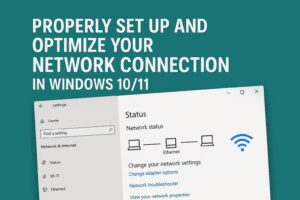
How to Properly Set Up and Optimize Your Network Connection in Windows 10/11
Are you experiencing network issues or simply want to ensure that your Windows network connection is properly configured? A poorly optimized network setup can lead to slow file transfers, lag, and even limited internet...
Read More

How to Add Third-Party Apps to Windows Installation Media (2025 Guide)
Tired of manually installing your favorite apps after setting up Windows? This guide will show you how to embed third-party applications directly into your Windows installation media, saving you time and effort. Whether you’re...
Read More