If you’re experiencing screen resolution problems in Windows 10 — like blurry visuals, limited resolution options, or improper scaling — you’re in the right place. These issues are common, especially after Windows updates or...
Read More
How to Automatically Install All Missing Drivers on a Fresh Windows 10 Install (No Internet Required)
Installing a fresh copy of Windows 10 can feel like a clean slate—until you realize your trackpad isn’t working, there’s no Wi-Fi, and you’re missing all your system drivers. This is a common issue...
Read More
How to Fix “VCRUNTIME140.dll is Missing” Error in Windows 10 (Step-by-Step Guide)
If you’ve recently encountered the “VCRUNTIME140.dll is missing from your computer” error on Windows 10, don’t worry—you’re not alone. This is a very common DLL error, and it can occur when launching various applications...
Read More
How to Fix “The App You’re Trying to Install Isn’t a Microsoft-Verified App” on Windows 10/11
Today, let’s tackle a frustrating yet very common issue that Windows users may encounter while trying to install applications outside the Microsoft Store. If you’ve ever seen the error message: “The app you’re trying...
Read More
Fix Windows 10 Search Box Not Working: A Step-by-Step Troubleshooting Guide
If you’ve recently clicked on the search box in your Windows 10 taskbar and found it completely unresponsive—don’t worry, you’re not alone. This issue is surprisingly common among Windows 10 users, and it can...
Read More
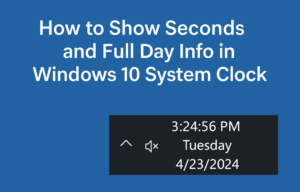
How to Show Seconds and Full Day Info in Windows 10 System Clock (With Registry Edits)
If you’re someone who likes having precise control over time on your computer — down to the second — you’re going to love this quick but powerful Windows 10 tweak. By default, Windows 10...
Read More
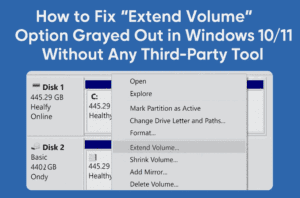
How to Fix “Extend Volume” Option Grayed Out in Windows 10/11 Without Any Third-Party Tool
Have you ever tried to extend your C: drive from Disk Management in Windows 10 or 11, only to find that the “Extend Volume” option is grayed out—even though you have unallocated space next...
Read More
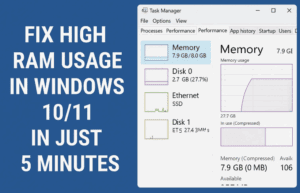
Fix High RAM Usage in Windows 10/11 in Just 5 Minutes
If your Windows 10 or 11 system feels laggy, sluggish, or unresponsive due to high RAM usage, you’re not alone. The good news is that you can fix these problems in just a few...
Read More
Fix “We Couldn’t Find Any Drives” Error During Windows Installation (Intel RST Driver Solution)
Getting the dreaded “We couldn’t find any drives. To get a storage driver, click Load driver” error while installing Windows 10 or 11? This frustrating issue typically appears on newer laptops and desktops —...
Read More
How to Reset or Remove Windows 10/11 Login Password Using Hiren’s Boot USB (No Data Loss)
Have you forgotten your Windows 10 or 11 login password or PIN and can’t access your system? Don’t panic. Whether it’s your personal PC or an office laptop, there’s a reliable way to regain...
Read More
How to Fix Microsoft Store Not Opening on Windows 10 or 11 (3 Easy Methods)
Is your Microsoft Store refusing to open on your Windows 10 or Windows 11 computer? Whether it freezes on launch, closes immediately, or doesn’t respond at all — this guide will help you fix...
Read More
How to Fix “Unidentified Network” or “No Internet Access” Issue on Windows 10 & 11
Are you facing network problems like “Unidentified Network” or “No Internet Access” on your Windows 10 or 11 computer? Don’t worry — you’re not alone. These issues often show up due to misconfigured settings,...
Read More
How to Fix the Memory Management Blue Screen Error on Windows 10 & 11 (Step-by-Step Guide)
Are you suddenly seeing a blue screen with a “MEMORY_MANAGEMENT” error on your Windows PC? Don’t worry — you’re not alone, and you’re certainly not out of options. This error is typically related to...
Read More
Fix “Windows Could Not Format a Partition on Disk 0” Error During Installation – Complete Step-by-Step Guide
Running into an error like “Windows could not format a partition on disk 0. The error occurred while preparing the computer system volume” can feel like hitting a wall during a clean install of...
Read More
What You Need to Know About Windows 10 Extended Security Updates (ESU) – Free Options, Rollout Timeline, and More
As Windows 10 approaches its official end-of-support date on October 14, 2025, many users are concerned about how to stay protected and continue receiving critical security updates. Microsoft has already introduced Extended Security Updates...
Read More
How to Downgrade from Windows 11 to Windows 10 with a Clean Install (After the 10-Day Limit)
If you’re here, chances are Windows 11 hasn’t lived up to your expectations—or maybe you’re just more comfortable with the familiar layout and stability of Windows 10. Whether it’s driver compatibility, legacy software, or...
Read More
Microsoft’s Free Windows 10 Extended Updates and the UK’s “Stop Killing Games” Initiative – What It Really Means for You
As we approach the end-of-life date for Windows 10 on October 14, 2025, users worldwide are being forced to make a critical choice—pay for extended updates, upgrade to Windows 11, or risk running unsupported...
Read More
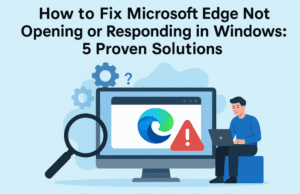
How to Fix Microsoft Edge Not Opening or Responding in Windows: 5 Proven Solutions
If Microsoft Edge is not opening, freezing, or failing to respond on your Windows PC, you’re not alone. It’s a common issue faced by many Windows users, especially after updates or file corruption. In...
Read More
Windows 10 Support Extended Until 2026 – Here’s How to Claim It for Free
Great news for Windows 10 users — Microsoft has officially extended security updates for Windows 10 until October 2026. This means you can continue using your favorite OS without upgrading to Windows 11, and...
Read More
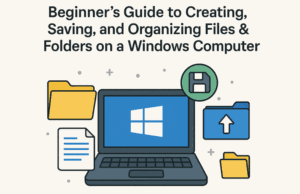
Beginner’s Guide to Creating, Saving, and Organizing Files & Folders on a Windows Computer (2025)
Whether you’re switching from using a mobile phone as your main device to working on a laptop, or you’re new to desktop computing altogether, learning how to create, save, and organize files and folders...
Read More