If you’ve used Windows for long enough, you know the feeling: one day everything’s working perfectly, and the next — your computer won’t boot, a blue screen appears, or the dreaded black screen stares...
Read More
🛠 7 Advanced Windows Registry Tweaks to Boost Your Experience (With Step-by-Step Guide)
The Windows Registry is like the brain of your operating system. It stores configuration settings, user preferences, and system information that control how Windows behaves. By editing certain registry values, you can fine-tune your...
Read More
💻 11 Free & Underrated Windows Apps You Probably Haven’t Tried Yet – But Should!
When it comes to improving your Windows experience, there’s no shortage of software out there—yet most people stick to the same big-name apps everyone talks about. But what about the underrated gems? The tools...
Read More
🚀 Boost Chrome Download Speeds on Windows 10/11: The Complete, No-Nonsense Guide
If you’ve ever stared at a stubborn progress bar and wondered, “Why is my download crawling?” — this guide is for you. We’ll walk through practical, safe tweaks that actually make a difference. No...
Read More
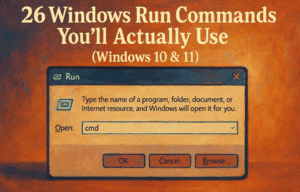
26 Windows Run Commands You’ll Actually Use (Windows 10 & 11) — Pro Guide with TOC, Icons, and Clear Steps
Ever feel like Windows hides everything three clicks too deep? The Run dialog is your secret shortcut. Type a command, press Enter, and boom—you’re at the exact tool you need. In this guide, I’ve...
Read More
How to Fix Grounded 2 Network Connection Lost Error, Lag, and Connectivity Problems on Windows 10/11
If you’re playing Grounded 2 and keep getting “Network Connection Lost” messages, high ping, lag spikes, or even complete disconnections, you’re not alone.Multiplayer games like Grounded 2 depend on a stable and fast network...
Read More
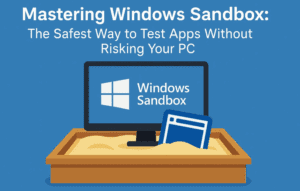
Mastering Windows Sandbox: The Safest Way to Test Apps Without Risking Your PC
Have you ever downloaded a free utility or new software tool and hesitated to install it, wondering if it might corrupt your system or bring along hidden malware? If yes, then this blog post...
Read More
Oh No! Windows is no more Popular Now? Windows 10’s End, and the Rise of Alternatives Like Linux and macOS
The era of Windows dominance might finally be coming to a turning point. With Windows 10 reaching its end-of-life (EOL), Microsoft has triggered a mix of panic, frustration, and rebellion in users across the...
Read More
How to Fix the Black Screen Issue on Windows 10/11 (2025): Step-by-Step Solutions for PC and Laptop
If you’ve suddenly encountered a black screen on your Windows 10 or Windows 11 PC or laptop, you’re not alone. This frustrating issue can strike at any moment—your computer powers on, but your display...
Read More
Microsoft Blocking Unsupported Windows 11 PC – What Are Your Real Options Now?
If you’re still using Windows 10 in 2025, it’s time to face the music—things are about to change, fast. Microsoft is officially pulling the plug on Windows 10 updates in October 2025. That means...
Read More
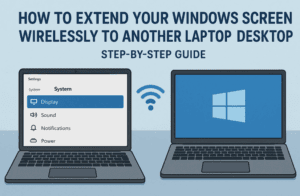
How to Extend Your Windows Screen Wirelessly to Another Laptop or Desktop – Step-by-Step Guide
In today’s fast-paced digital workspaces, productivity is all about multitasking efficiently. If you’re someone who works in an office, is a student, or regularly manages tasks on a desktop or laptop, then toggling between...
Read More
How to Install, Update, and Uninstall Any Software in Seconds Using Windows Package Manager (Winget)
Are you tired of browsing websites, downloading EXE files, clicking “Next” a dozen times, or even hunting down uninstallers buried in your system? Imagine managing all your software using just one tool and a...
Read More
How to Lock Your Windows PC to a Specific Version (Avoid Forced Updates to 25H2 or Beyond)
What if I told you that Microsoft automatically decides when your PC upgrades to a major version of Windows—unless you explicitly stop it? Many users assume they have no control when it comes to...
Read More
How to Fix Black Screen Issue on Windows 11/10 – Step-by-Step Guide
Have you ever powered on your PC only to be greeted with a completely black screen? No desktop, no taskbar — just darkness? You’re not alone. The black screen issue in Windows 11 or...
Read More
How to Enroll in Windows 10 Consumer Extended Security Updates (ESUs) for Free with Minimal Data Sharing
As Microsoft officially ends support for Windows 10 on October 14, 2025, millions of users face an important question — what next? If you’re not ready to upgrade to Windows 11 or switch to...
Read More
How to Fix Start Menu and Search Bar Not Working in Windows 10 & 11 (Step-by-Step Guide)
Is your Start menu or Search bar not responding in Windows 10 or 11? You’re not alone. This frustrating issue can stop you from accessing key system tools or even launching basic apps. But...
Read More
How to Fix External Hard Drive Not Opening in Windows 10/11 (But It Shows Up)
There’s nothing more frustrating than when your external hard drive shows up in File Explorer but refuses to open. Whether you’re trying to access important documents, backup files, or media, this issue can be...
Read More
How to Fix Laptop Battery Draining Fast on Windows 11/10 — Step-by-Step Guide
If your Windows laptop battery is draining unusually fast, you’re not alone. This is one of the most common issues faced by laptop users, especially after updates or prolonged usage. The good news is...
Read More
How to Fix “Device Descriptor Request Failed” USB Error in Windows 11/10
If you’re plugging in a USB device and Windows throws a “Device Descriptor Request Failed” error, you’re not alone. This common issue can prevent USB devices (like flash drives, external hard disks, or even...
Read More
How to Fix a PC or Laptop That Automatically Shuts Down: Step-by-Step Guide for Windows 11/10
Unexpected shutdowns can be frustrating, especially when you’re in the middle of something important. If your PC or laptop is randomly turning off without warning, don’t panic—this article will walk you through multiple methods...
Read More
How to Fix Screen Resolution Issues in Windows 10: Step-by-Step Guide
If you’re experiencing screen resolution problems in Windows 10 — like blurry visuals, limited resolution options, or improper scaling — you’re in the right place. These issues are common, especially after Windows updates or...
Read More