For years, Microsoft has been steadily pushing users toward signing in with a Microsoft account when installing Windows 11. That account connects your PC to the cloud for services like OneDrive, BitLocker key recovery,...
Read More
🚀 How to Upgrade to Windows 11 25H2 on Unsupported PCs (With GitHub Script Automation)
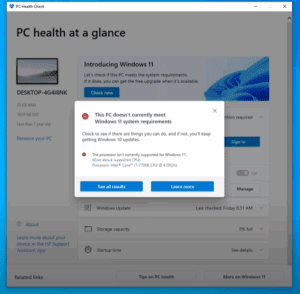
If you’ve ever tried upgrading to Windows 11 and saw that frustrating message — “This PC doesn’t meet Windows 11 system requirements” — don’t worry. You’re not alone. Many older but powerful computers are...
Read More
How to Upgrade from Windows 10 to Tiny11 25H2 Without a Bootable USB (Step-by-Step Guide)
Looking to upgrade to Tiny11 25H2 but don’t have a spare USB drive? No problem! In this detailed tutorial, we’ll show you how to upgrade from Windows 10 to Tiny11 25H2 without using a...
Read More
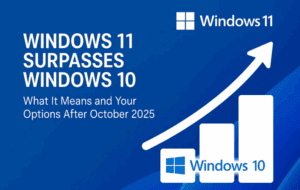
Windows 11 Surpasses Windows 10 – What It Means and Your Options After October 2025
Windows 11 has finally overtaken Windows 10 in global user base. As of July 2025, over 52.54% of users have adopted Windows 11, while Windows 10 usage has dropped to 44.08%, confirming the inevitable:...
Read More
🖥️ How to Keep Your Files When Upgrading an Unsupported PC to Windows 11 Using FlyBy11
Upgrading to Windows 11 on an unsupported PC using the FlyBy11 tool is a great workaround—but many users, especially in countries like the UK, encounter a serious problem: ❗ When using the English International...
Read More
How to Install Windows 11 on Unsupported Hardware: Risks, Tools, and Alternatives
With Microsoft continuing to enforce strict system requirements for Windows 11, users with older hardware are finding it increasingly difficult to upgrade from Windows 10. This article will guide you through the current status...
Read More
Complete Beginner’s Guide to Installing and Upgrading to Windows 11 (2025 Edition)
Windows 11 offers a modern, sleek, and secure computing experience with improved performance and several user-friendly features. Whether you’re upgrading from Windows 10 or performing a clean installation, this comprehensive guide will walk you...
Read More
How to Fix Media Creation Tool Error 0x80072F8F – 0x20000 While Upgrading from Windows 7 to Windows 10
If you’re trying to upgrade from Windows 7 to Windows 10 using the Media Creation Tool and encounter the error: You’re not alone. This error typically occurs due to security or permission settings on...
Read More
How to Upgrade to Windows 11 on Unsupported Hardware (Without Third-Party Tools)
Are you still running Windows 10? If so, you should know that Microsoft will officially end support for Windows 10 on October 14th, 2025. While many users can easily upgrade to Windows 11 using...
Read More
How to Upgrade Unsupported PCs to Windows 11 Using FlyBy11
Are you stuck on Windows 10 because your PC doesn’t meet Windows 11’s official system requirements? Don’t worry—there’s a way around it. Microsoft may tell you your PC is too old to upgrade, but...
Read More
How to Install Windows 11 on Unsupported PCs: Bypass CPU, TPM, and Secure Boot Restrictions
Microsoft’s Windows 11 brings several modern features and enhanced security — but with that also came restrictive minimum system requirements. Many users discovered that relatively recent PCs, including some only a few years old,...
Read More
Everything You Need to Know About Windows 10 LTSC and IoT Enterprise LTSC: Is It Worth It for Home Users?
As Windows 10 nears the end of its lifecycle, many users are turning to alternative versions like Windows 10 Enterprise LTSC (Long-Term Servicing Channel) and Windows 10 IoT Enterprise LTSC. These versions offer extended...
Read More
How to Seamlessly Upgrade from Windows 7 to Windows 10
Are you still using Windows 7? If yes, then it’s the perfect time to upgrade to Windows 10 for better performance, features, and security. In this article, we will walk you through the complete,...
Read More
How to Upgrade from Windows 10 to Windows 11 Without Losing Data
As we step into 2025, it’s the perfect time to shift from Windows 10 to Windows 11! If you’re wondering how to make the switch without losing any data, this guide will walk you...
Read More
The Easiest Way to Install Windows 11 on Unsupported PCs (2024 Guide)
If you’re using an older computer that doesn’t meet Microsoft’s official requirements for Windows 11, don’t worry—you can still install Windows 11 easily in 2024. This guide walks you through a simple and effective...
Read More
How to Upgrade from Windows 11 23H2 to 24H2 on Unsupported PCs
The long-awaited Windows 11 24H2 update is now officially released and stable. If you are currently using Windows 11 23H2 on an unsupported PC, you can still upgrade to 24H2 using a few reliable...
Read More
How to Make Your PC Compatible with Windows 11: Step-by-Step Guide
Microsoft has introduced strict hardware requirements for Windows 11, leaving many users wondering why their seemingly powerful PCs are not eligible for the upgrade. If you’ve encountered the “This PC can’t run Windows 11”...
Read More
Windows 12: A New Era of Computing Begins
Microsoft has once again redefined the computing experience with the launch of Windows 12. This isn’t just another update; it’s a complete overhaul, bringing a fresh, intuitive interface, enhanced productivity tools, and AI-driven capabilities...
Read More