If you’ve recently upgraded to Windows 11, chances are you’ve noticed a few things: new design, rounded corners… and a lot more bloatware than you expected. Hidden background apps, dozens of system services, Edge...
Read More
⚙️ Install Windows 11 in Just 6 Minutes with MicroWin & Chris Titus WinUtil (Complete Debloat and Setup Guide)
If you’ve ever installed Windows 11 from scratch, you know it can feel painfully slow and bloated. Between Microsoft’s forced online setup, background telemetry, bundled apps, and AI integrations, a fresh install can take...
Read More
⚡ WinToys 2.0: The Must-Have Windows Optimizer Gets a Major Update
If you use Windows 10 or 11 daily, you’ve probably wished for a single app that gathers all the scattered system settings, performance tweaks, and privacy options into one clean interface. That’s exactly what...
Read More
⚡Atlas OS: The Advanced Windows 11 Optimizer You Need to Know
Windows 11 is a powerful operating system, but let’s be honest — it often comes bloated with background services, apps you don’t need, and features that eat away at your CPU, RAM, and disk...
Read More
How to Disable Media Overlay Popups in Windows 11 for Chrome and Edge Browsers
If you’ve ever been working on a document, browsing the web, or trying to keep a clean notification center, you’ve probably noticed an annoying little media popup that appears every time you play a...
Read More
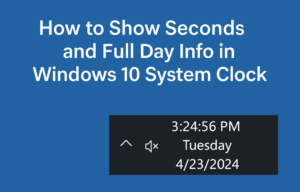
How to Show Seconds and Full Day Info in Windows 10 System Clock (With Registry Edits)
If you’re someone who likes having precise control over time on your computer — down to the second — you’re going to love this quick but powerful Windows 10 tweak. By default, Windows 10...
Read More
5 Real Fixes Make Windows Start Faster In 4 Minutes
If your Windows 10 or 11 machine takes forever to start, you’re definitely not alone. That frustratingly long wait after pressing the power button is something we’ve all experienced. And while Windows may look...
Read More
🎮 How to Optimize Windows 11 for Gaming: A Complete Performance Tuning Guide
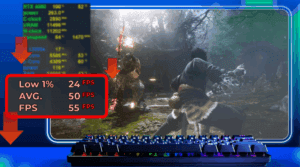
If you’re a gamer looking to squeeze every last frame per second (FPS) out of your system, optimizing Windows 11 is a must. While Windows 10 has long been the go-to OS for gaming,...
Read More
How to Fix Battery Drain on Windows 11 Laptop – 6 Proven Methods to Boost Battery Life
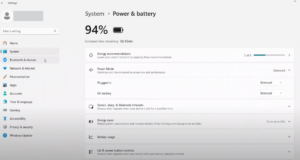
If your Windows 11 laptop battery seems to be draining faster than expected, you’re not alone. Many users face battery performance issues due to unnecessary background apps, startup programs, and Windows features that quietly...
Read More
🚀 How to Use WinScript to Optimize and Debloat Windows 10 & 11 for Better Performance
If you’re tired of your Windows system feeling sluggish, cluttered, or overloaded with apps you never use, there’s a powerful open-source utility that can help — WinScript. Whether you’re a power user or just...
Read More
Ultimate Guide: Super Quick Tips to Optimize Your Windows PC for Better Performance
Over time, your Windows PC can begin to slow down due to background processes, bloatware, startup apps, and unnecessary system effects. Fortunately, with a few quick tweaks, you can significantly enhance your PC’s performance...
Read More
Optimize Your Windows 11 System for Free with This Powerful Lightweight Tool: Tidy OS
If you’re looking to improve the performance of your Windows 10 or Windows 11 PC—especially Windows 11—there’s a powerful, free tool available that helps you declutter, optimize, and streamline your operating system with just...
Read More
Optimizing Windows 11 for Maximum Performance: A Step-by-Step Guide
Introduction If your Windows 11 system feels sluggish or unresponsive, several default settings may be consuming unnecessary resources. This guide will help you disable unnecessary features, clean temporary files, and optimize performance for a...
Read More
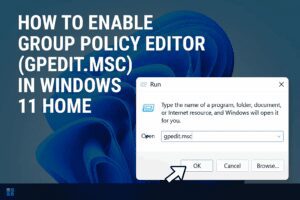
How to Enable Group Policy Editor (GPEdit.msc) in Windows 11 Home
Windows 11 Home lacks one powerful tool that Windows Pro users often take for granted: the Group Policy Editor (gpedit.msc). This utility makes it easier to tweak system settings without diving deep into the...
Read More
Boost Gaming FPS: 3 Windows Settings to Disable for Better Performance
Are you experiencing low FPS in games despite having decent hardware? While internet speed and system specs play a role, certain Windows settings—like Hyper-V, Memory Integrity, and Nagle’s Algorithm—can silently throttle your gaming performance....
Read More
How to Use Tidy OS to Debloat and Optimize Windows 11
Windows 11 comes with a sleek interface and modern features—but it also arrives with preinstalled apps and system services that many users might find unnecessary. These unwanted elements can slow down your system or...
Read More
How to Fix Desktop Icon Spacing Issues in Windows 11
Have you noticed your desktop icons looking awkwardly spaced—too far apart either vertically or horizontally—after a Windows 11 update? You’re not alone. This issue has been reported by many users, especially those using the...
Read More
A Step-by-Step Guide to Optimize Your Windows 11 Settings After Installation
Congratulations on your new computer! If you’ve recently installed a fresh copy of Windows 11 or purchased a new PC, it’s essential to make some adjustments to maximize performance, improve battery life, and customize...
Read More
Unlock the Full Potential of Windows 11 with WindToys: The Free Optimization Tool You Need
Windows 11, though visually appealing, is often critiqued for its bloated interface and convoluted navigation. If you’ve found yourself frustrated with the time it takes to find basic settings or optimize your system, then...
Read More
Ultimate Guide: Optimizing Windows 11 24H2 for Performance and Gaming
If you’re looking to enhance the performance of your Windows 11 24H2 system, whether it’s for gaming, designing, editing, or just smooth browsing, this guide is for you! Follow these simple yet effective steps...
Read More